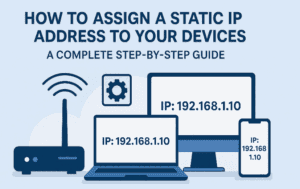
When you connect your phone, laptop, or smart TV to your home Wi-Fi, your router automatically gives it an IP address. This happens using something called DHCP (Dynamic Host Configuration Protocol). Most of the...
Read More
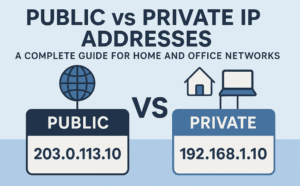
🌐 Public vs Private IP Addresses: A Complete Guide for Home and Office Networks
In the previous article, we discussed how IP addresses enable devices to communicate with one another and with the wider internet. Today, we’ll take that understanding a step further by diving into one of...
Read More
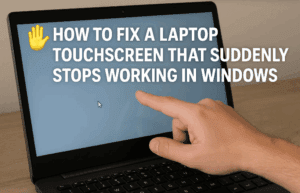
🖐️ How to Fix a Laptop Touchscreen That Suddenly Stops Working in Windows
A laptop’s touchscreen can be incredibly convenient — allowing you to scroll, tap, draw, or even sign documents without needing a mouse. But sometimes, the touchscreen suddenly stops responding while the keyboard and trackpad...
Read More

🖥️ Why 16GB RAM Has Become the New Standard in 2025 (And Do You Really Need It?)
If you’ve shopped for a new laptop or desktop recently, you’ve probably noticed something: 16GB of RAM has quietly become the “new normal.” A few years ago, most mid-range machines shipped with 8GB by...
Read More
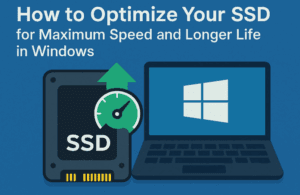
⚡ How to Optimize Your SSD for Maximum Speed and Longer Life in Windows
Many people believe that once they’ve upgraded their PC with an SSD (Solid State Drive), they’ve already unlocked the best possible performance. While it’s true that SSDs are much faster and more reliable than...
Read More
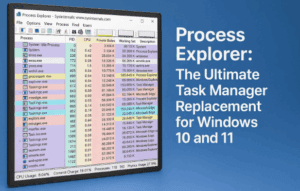
🔎 Process Explorer: The Ultimate Task Manager Replacement for Windows 10 and 11
When your computer starts to feel sluggish or programs behave oddly, the first instinct is usually to open Task Manager. Task Manager has come a long way in Windows 10 and Windows 11, but...
Read More

🎉 Windows 11 Finally Gets Native Live Wallpaper Support After 19 Years
For nearly two decades, Windows users have been relying on third-party apps like Wallpaper Engine or Lively Wallpaper to bring their desktops to life with animated and video backgrounds. Now, after 19 years, Microsoft...
Read More

🎮 How to Increase Your VRAM (Video Memory) on Windows 10 & 11 – Step by Step Guide
If you’ve ever opened a game or graphics-heavy application only to see stuttering, frame drops, or low performance warnings, chances are your system doesn’t have enough VRAM (Video RAM). The good news? On Windows...
Read More
📶 How I Tripled My Wi-Fi Range Without Using Extenders or Mesh Systems
Getting strong and reliable Wi-Fi coverage across your entire home is a constant struggle for many people. You may notice dead zones in certain rooms, weak signals in the garage, or no coverage at...
Read More
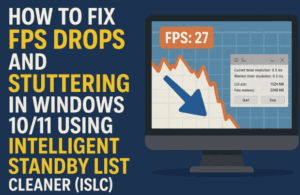
⚡ How to Fix FPS Drops and Stuttering in Windows 10/11 Using Intelligent Standby List Cleaner (ISLC)
If you’re a gamer or even just a regular PC user, you’ve probably run into lag spikes, stuttering, or FPS drops on your Windows machine. This can happen even if you have powerful hardware....
Read More
🔒 Windows 11 Device Encryption – Should You Keep It On or Turn It Off?
If you’re using Windows 11, there’s a hidden feature that many users overlook, but it could determine whether you can rescue your data in case something goes wrong. I’m talking about Device Encryption (and...
Read More

🌐 Understanding IP Addresses: The Basics of How Devices Connect to the Internet
The internet has become an invisible thread that connects nearly every device in our homes—from smartphones and laptops to smart speakers, washing machines, and even refrigerators. With this explosion of connected devices, it’s more...
Read More
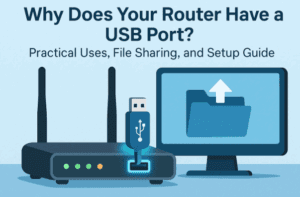
🔌 Why Does Your Router Have a USB Port? Practical Uses, File Sharing, and Setup Guide
Most people look at the back of their Wi-Fi router and notice something interesting: a USB port. And yet, very few people ever use it. In fact, many don’t even know why it’s there....
Read More

🖥️ How to Install WordPress on Your PC Using XAMPP (Step-by-Step Guide)
Learning WordPress is one of the best ways to build a career in web design, blogging, or freelance development. But before you buy hosting or a domain name, you can actually install WordPress on...
Read More

Why You Should Restart Your Phone Regularly (And How to Automate It)
When was the last time you turned off your smartphone? For most of us, the honest answer is “almost never.” Modern phones are designed to stay on for days, weeks, or even months without...
Read More

📺 YouTube Reused Content Monetization Guide (2025)
Starting a YouTube channel is exciting, but many creators face one common hurdle—reused content. This policy is one of the biggest reasons channels are rejected for monetization. Even if you gain thousands of views...
Read More
🖥️ 5+ Foolproof Steps to Optimize and Speed Up Your Windows PC Without Installing Any Software
If you’ve ever felt your computer getting slow — programs take forever to open, the system freezes randomly, or simple tasks like typing feel delayed — you’re not alone. Over time, Windows PCs can...
Read More

7 Critical Reasons You Could Lose Your Google Account Forever (and How to Prevent It)
Losing access to your Google account can be devastating. Think about it—your Gmail inbox likely contains years of conversations, receipts, documents, and personal memories. Then there are your Google Drive files, Photos, Contacts, Calendar...
Read More
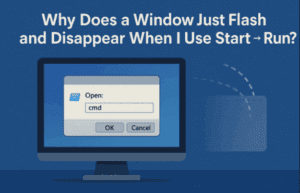
🖥️ Why Does a Window Just Flash and Disappear When I Use Start → Run?
Have you ever typed a command into the Windows Start → Run dialog, only to see a black box flash on the screen and disappear before you could even read what happened? If you’re...
Read More
📦 How to Use WinRAR: Complete Guide to File Compression, Extraction, and Advanced Tricks
File compression and extraction tools are essential in our digital lives. Whether you’re downloading software, sharing documents, or archiving old projects, chances are you’ve come across RAR or ZIP files. One of the most...
Read More

🌐 Clone Any Website in Minutes (Front & Back End) — No Coding Required
Have you ever wished you could clone a website — both its front end and back end — but got lost in a maze of confusing tutorials, half-working scripts, or overly technical instructions? You’re...
Read More