We’ve all been there — you start up your Windows 11 computer expecting smooth performance, but instead, it crawls. Programs take forever to open, the system freezes at random, and even simple tasks feel...
Read More
How to Fix Windows 10 & 11 Problems Using Advanced Startup Options
If you’ve used Windows for long enough, you know the feeling: one day everything’s working perfectly, and the next — your computer won’t boot, a blue screen appears, or the dreaded black screen stares...
Read More
🖥️ Best Alternatives to Windows Utility Tools: A Detailed Guide for Students and Power Users
When you first install a fresh copy of Windows, it’s almost never ready “out of the box.” There’s bloatware, unwanted manufacturer tools, strange default settings, and missing convenience features. This is where utilities like...
Read More
🖥️ Windows 12: What We Know So Far About Microsoft’s Next-Gen OS
Technology keeps evolving, and so do operating systems. Microsoft, being the giant behind the Windows ecosystem, has shaped the way billions of people use their PCs. With Windows 11 currently powering millions of laptops...
Read More
🛠 7 Advanced Windows Registry Tweaks to Boost Your Experience (With Step-by-Step Guide)
The Windows Registry is like the brain of your operating system. It stores configuration settings, user preferences, and system information that control how Windows behaves. By editing certain registry values, you can fine-tune your...
Read More
💻 11 Free & Underrated Windows Apps You Probably Haven’t Tried Yet – But Should!
When it comes to improving your Windows experience, there’s no shortage of software out there—yet most people stick to the same big-name apps everyone talks about. But what about the underrated gems? The tools...
Read More
26 Windows Run Commands You’ll Actually Use (Windows 10 & 11) — Pro Guide with TOC, Icons, and Clear Steps
Ever feel like Windows hides everything three clicks too deep? The Run dialog is your secret shortcut. Type a command, press Enter, and boom—you’re at the exact tool you need. In this guide, I’ve...
Read More
DNS, Speed, and BLOCKING ADULT Sites Everything I Wish I Knew Before I Touched My Settings
If you’ve ever typed youtube.com and wondered what secret handshake makes that page appear in your browser, the answer is a quiet hero called DNS—the Domain Name System. You use it every day on...
Read More
How to Enable HVCI (Hypervisor-Protected Code Integrity) to Fix Valorant’s “HVCI Must Be Enabled” Error
If you’re a Valorant player on Windows, you may have run into an annoying error that prevents the game from launching — a pop-up telling you that HVCI needs to be enabled. This message...
Read More
New Update: Windows 12 (WS1) Is Coming: Features, AI Integration, Release Timeline
The next era of Windows is almost here — and it’s going to be revolutionary. If you’re a tech enthusiast or even a casual user, you’ll want to pay close attention to what Microsoft...
Read More
Mastering Windows Sandbox: The Safest Way to Test Apps Without Risking Your PC
Have you ever downloaded a free utility or new software tool and hesitated to install it, wondering if it might corrupt your system or bring along hidden malware? If yes, then this blog post...
Read More
C: Drive Full in Windows 11 – Free Up Space That Actually Works
If you’re using Windows 11 and seeing that red warning bar on your C drive, don’t worry — you’re not alone. Many users face the issue of their system drive (C:) getting completely filled...
Read More
What’s New in Windows 11 Build 26200.5722 (25H2 & 24H2 Dev/Beta Channels): Full Feature Breakdown
Windows 11 continues to evolve rapidly, and with the latest insider build 26200.5722 now rolling out to Dev and Beta Channels (25H2 and 24H2), Microsoft is making some serious improvements — especially for Copilot+...
Read More
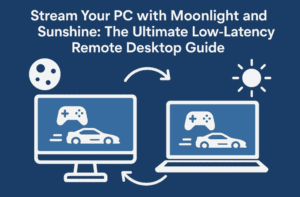
Stream Your PC with Moonlight and Sunshine: The Ultimate Low-Latency Remote Desktop Guide
Remote desktops are nothing new, but most are too sluggish for anything beyond basic productivity. Want to game, edit videos, or use your main desktop remotely without the annoying lag? That’s where Moonlight and...
Read More
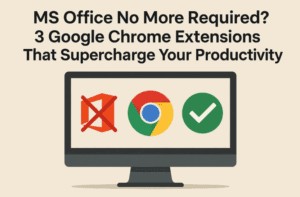
MS Office No More Required? 3 Google Chrome Extensions That Supercharge Your Productivity
Almost everyone has used Google Drive or Google Docs at some point. But here’s the truth—using Google services and using them effectively are two very different things. Most people only scratch the surface of...
Read More
How to Download and Install Ghost Spectre Windows 11 in 2025 – Full Step-by-Step Guide
In a world where Windows updates bring more bloat than benefits, Ghost Spectre Windows 11 has emerged as a popular lightweight alternative that gives users a faster, cleaner experience without sacrificing compatibility. Whether you’re...
Read More
Oh No! Windows is no more Popular Now? Windows 10’s End, and the Rise of Alternatives Like Linux and macOS
The era of Windows dominance might finally be coming to a turning point. With Windows 10 reaching its end-of-life (EOL), Microsoft has triggered a mix of panic, frustration, and rebellion in users across the...
Read More
🧹 How to Completely Remove Voicemeeter and Ghost Drivers from Windows
Voicemeeter is a powerful virtual audio mixer loved by gamers, streamers, and content creators. But uninstalling it isn’t always as straightforward as clicking “Uninstall.” Many users find that even after removing the app, its...
Read More
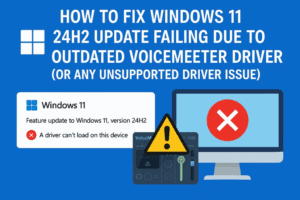
Outdated Voicemeeter Driver Error – Fix Windows 11 24H2 Update Failing Due to Unsupported Driver Issue
Updating to a new version of Windows should be straightforward—but sometimes, hidden driver issues stop you in your tracks. If you’re trying to upgrade to Windows 11 24H2 and get the message: “Your PC...
Read More
How to Remove AutoBox (OOBE) Backups in Windows 11 and Start Fresh
When setting up a new Windows 11 PC or reinstalling the OS, you may notice that Microsoft offers to restore your system from a list of previous backups—often cluttered, sometimes outdated, and occasionally belonging...
Read More
6 Essential Free Tools to Instantly Supercharge Your Windows Experience
If you’re someone who uses a Windows PC daily—whether for work, content creation, or casual browsing—then you’ve probably noticed that while Windows is powerful, it can sometimes fall short in usability. That’s where third-party...
Read More