We’ve all seen the headlines and viral scripts promising “instant FPS,” “zero latency,” and “super-private Windows” with a single click. Tempting, right? But if you’ve ever run a debloat tool and then wondered which...
Read More
How to RESET/FORMAT Your PC Correctly? Complete Guide to Resetting Windows 10 & Windows 11 Safely
Sometimes your PC or laptop starts slowing down, showing errors, or misbehaving despite your best efforts. In such situations, one of the most effective fixes is to reset Windows. But here’s the catch—Windows offers...
Read More

Windows 11 25H2 ISO is Finally Available — and It’s Massive
Microsoft has finally made the Windows 11 25H2 ISO available for download, after keeping users waiting for nearly two weeks. This release is bigger than expected, both in terms of anticipation and actual file...
Read More
🚀 How to Speed Up Your Windows 10 & 11 PC Using RightTuneX Optimizer
If your PC has been running painfully slow lately, you’re not alone. Many Windows 10 and Windows 11 users experience lag, unresponsive apps, and sluggish boot times after months of use. I was in...
Read More
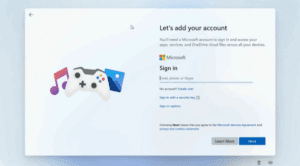
🖥️ How to Bypass the Forced Microsoft Account Requirement in Windows 11 25H2 Setup
Microsoft has been steadily pushing users toward signing in with a Microsoft account when installing or setting up Windows. While this does provide certain benefits like syncing settings across devices, OneDrive integration, and access...
Read More
💡 How to Add Brightness Control Option in Windows 10 & Windows 11 (When It’s Missing)
Have you ever installed Windows 10 or Windows 11 on your laptop or PC and noticed that there’s no option to adjust brightness? This can be frustrating, especially if you’re working at night or...
Read More
🖥️ Update Drivers and Install Softwares, Hindi Fonts, Rar/Zip Tools for Windows 10 & 11 After Install
If you’ve just installed Windows 10 or Windows 11, the next question is always the same: now what? Where do you get drivers, which apps are safe to install, how do you download Hindi...
Read More
🖥️ Windows 11 SSD Disappearing Drives: The Real Reason (And It’s Not Windows Update)
When your computer suddenly fails to detect your SSD (Solid State Drive), panic naturally sets in. For many Windows 11 users, the infamous “disappearing SSD problem” has been a frustrating mystery. At first, the...
Read More
🖥️ Windows 11 Quick Machine Recovery (QMR): A Complete Guide
Windows has always included built-in repair tools to help users recover from system crashes and boot failures. But many of these tools, such as Startup Repair, have historically been hit-or-miss. If your PC refused...
Read More
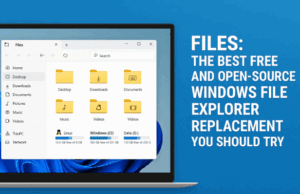
📂 Files: The Best Free and Open-Source Windows File Explorer Replacement You Should Try
IIn one of our earlier blogs, we explored File Pilot, a blazing-fast file search and explorer alternative that shines when working with network drives and mapped shares. If you missed that guide, you can...
Read More
🖥️ I freed up 150GB from C: Drive: A Complete Step-by-Step Guide for Windows 10 – 11
Is your C drive always running low on space? You’re not alone. Many Windows 10 and Windows 11 users face this issue, and it can make your system sluggish, cause programs to misbehave, and...
Read More
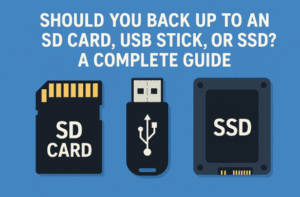
💾 Should You Back Up to an SD Card, USB Stick, or SSD? A Complete Guide
Backing up your data is one of the most important things you can do to protect yourself against sudden drive failures, accidental deletions, malware infections, or even theft. Yet, many laptop users wonder: “What’s...
Read More
🧹 Can Malware Survive “Even if I Reset my PC”? A CompletevWindows 10/11 Guide
Malware cleanup is one of those moments when you want absolute certainty. If you click Reset this PC → Remove everything, will a virus still survive? The short answer is technically yes—but only in...
Read More
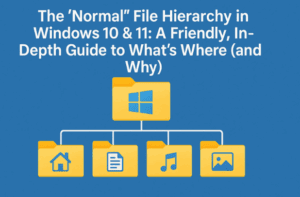
🗂️ The “Normal” File Hierarchy in Windows 10 & 11: In-Depth Guide to What’s Where and Why
If you’ve used the same PC through a few hard-drive swaps, Windows reinstallations, or user account changes, it’s perfectly normal to end up with a maze of folders that no longer feels intuitive. “Where...
Read More
🖥️ Convert your Old PC with just 2GB RAM into Powerful System
Do you have an old computer gathering dust in your home because it struggles to run Windows or other modern operating systems? Don’t rush to throw it away just yet. With the right lightweight...
Read More
🛠️ Install Android 11 “Tablet Mode” (PrimeOS) on Any PC/Laptop — Portable & Permanent Guide with Fixes & FAQs
If you’ve ever wished your old (or new) PC could run Android natively—with mobile games, streaming apps, and social platforms—Android 11 “Tablet mode” builds (PrimeOS) are a surprisingly capable option. In this step-by-step, no-shortcuts...
Read More

🧭 Install Android TV 13 on PC/Laptop (Permanent & Portable) — Full Step-by-Step Guide with Fixes & FAQs
If you’ve been following the Android-on-PC scene, you already know how far Android TV 13 x86 has come. It can turn almost any Intel/AMD desktop or laptop into a living-room style smart hub with...
Read More

👥 How to Remove or Add User Accounts in Windows 11 (Step-by-Step Guide with Two Methods)
Managing user accounts is an important part of keeping your Windows PC organized and secure. Maybe you’ve created a test account you no longer need, or perhaps a family member has stopped using the...
Read More
🖱️ Drag and Drop Not Working in Windows 11/10? Here’s the Complete Fix
When drag-and-drop stops working, everything feels sticky: you can’t move files in File Explorer, rearrange items on the desktop, or drop attachments into email and chat apps. The good news? In almost every case,...
Read More
🛠️ Fix “We Couldn’t Find the Recovery Environment” Error in Windows 11/10
Resetting your PC is often the go-to solution when Windows becomes unstable, slow, or corrupted. But what happens when you try to reset your system and encounter the frustrating error message: “Could not find...
Read More