Ever noticed that your Windows 11 PC has been “on” for days, even though you shut it down last night? If you check your system’s uptime in Task Manager and see it still counting...
Read More
Top 10 Windows 11 Tips and Tricks You Should Know to Boost Your Productivity
Hi everyone!Whether you’re new to Windows 11 or have been using it for a while, there are always little tricks and hidden features that can make your experience faster, smoother, and more enjoyable. In...
Read More
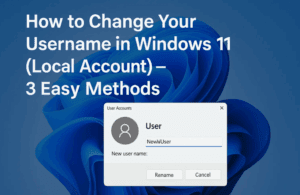
How to Change Your Username in Windows 11 (Local Account) – 3 Easy Methods
Have you ever felt that the username on your Windows 11 PC no longer represents you? Maybe it was set during setup and now feels outdated or incorrect. Good news—you don’t have to stick...
Read More
The Ultimate Guide to Perfectly Setting Up Windows 11 with Rufus (Bypass TPM, Secure Boot & Microsoft Account)
Setting up Windows 11 can feel a bit overwhelming, especially with all the new restrictions like TPM 2.0, Secure Boot, and Microsoft account requirements. But what if you could bypass all of that and...
Read More
⚡ How to Reduce Background Processes in Windows 10 & 11 for Lightning-Fast Performance
Is your Windows PC feeling sluggish even though your hardware is decent? Chances are, too many background processes are eating up your system resources. These background apps and services often run silently, slowing down...
Read More
How to Install or Update Intel HD Graphics Drivers on Windows 10 & 11 (Step-by-Step Guide)
Keeping your Intel HD Graphics drivers up to date ensures optimal performance for gaming, video playback, and everyday computing. Whether you’re using Windows 10 or Windows 11, this detailed guide walks you through both...
Read More
🛠️ How to Fix Missing Wi-Fi Option in Windows 11: Step-by-Step Troubleshooting Guide
If you’ve recently booted up your Windows 11 PC and noticed the Wi-Fi option is mysteriously missing from your settings or system tray, you’re not alone. This issue is surprisingly common and can be...
Read More
Microsoft’s Free Windows 10 Extended Updates and the UK’s “Stop Killing Games” Initiative – What It Really Means for You
As we approach the end-of-life date for Windows 10 on October 14, 2025, users worldwide are being forced to make a critical choice—pay for extended updates, upgrade to Windows 11, or risk running unsupported...
Read More

How to Enable the Mika Effect in Microsoft Edge (Windows 11 Visual Effect)
If you’re someone who enjoys the sleek, modern look of Windows 11, you’re going to love this hidden gem — the Mika Effect in Microsoft Edge. This semi-transparent blur effect allows your browser window...
Read More
How to Increase Virtual Memory (Virtual RAM) in Windows 11 to Boost Performance – A Complete Step-by-Step Guide
If your system is slowing down while running heavy software or games, and you’re tired of frequent buffering or lag, increasing your virtual memory (also known as virtual RAM) in Windows 11 can offer...
Read More
How to Create a Custom Windows ISO in 2025: Tools, Methods & Community Projects Explained
If you’ve ever wished Windows had fewer pre-installed apps, worked faster on low-end machines, or just felt more you, you’re not alone. In fact, there’s an entire ecosystem of tools and community-driven projects dedicated...
Read More
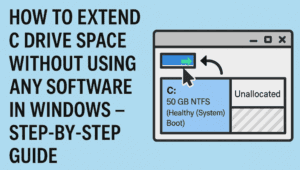
How to Extend C Drive Space Without Using Any Software in Windows – Step-by-Step Guide
Running out of space on your C drive can cause your Windows PC to slow down, show storage alerts, or even prevent you from installing new software. Many users believe you need third-party tools...
Read More
Recover Data from a Non-Working Windows PC Using Hiren’s BootCD PE
When your Windows computer crashes unexpectedly and won’t boot up, it can feel like a complete disaster—especially if you didn’t have time to back up your latest work. But don’t worry, your files might...
Read More
15 Common Mistakes That Can Damage Your Windows PC – And How to Avoid Them
Whether you’re a new Windows user or have been using it for years, there’s a high chance you’re unknowingly making mistakes that could harm your computer or compromise your data. In this detailed guide,...
Read More
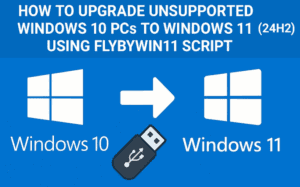
How to Upgrade Unsupported Windows 10 PCs to Windows 11 (24H2) Using FlyByWin11 Script
If you own a powerful Windows 10 PC but Microsoft says it’s “not compatible” with Windows 11, don’t worry — you’re not alone. Many users around the world, especially in regions like the UK,...
Read More
How to Upgrade to Windows 11 Version 25H2 (Dev Channel Preview Build)
Microsoft has officially started rolling out preview builds for Windows 11 version 25H2, bringing new features and performance improvements for users willing to test them early. If you’re curious about the upcoming release and...
Read More
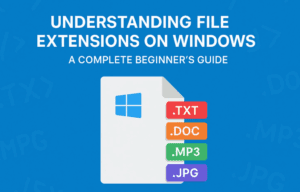
Understanding File Extensions on Windows: A Complete Beginner’s Guide
If you’ve ever wondered why some files end with .docx, .pdf, or .jpg, you’re not alone. These are called file extensions, and they play a vital role in how your computer recognizes and opens...
Read More
Beginner’s Guide to Creating, Saving, and Organizing Files & Folders on a Windows Computer (2025)
Whether you’re switching from using a mobile phone as your main device to working on a laptop, or you’re new to desktop computing altogether, learning how to create, save, and organize files and folders...
Read More
How to Fix Windows 11 Start Menu Not Working: Step-by-Step Guide
Is your Start Menu not working in Windows 11? If clicking the Start button does nothing or if it fails to open completely, you’re not alone. Many users have reported this frustrating issue —...
Read More
How to Fix Apps Not Opening in Windows 11 – Step-by-Step Guide (2025 Update)
Running into the frustrating issue of apps not opening on your Windows 11 PC? You’re not alone. Whether it’s Microsoft Store apps, system apps, or third-party tools, unresponsive applications can really disrupt your productivity....
Read More
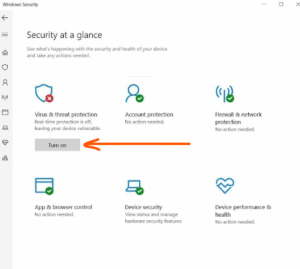
How to Disable Windows Defender in Windows 11 (Temporarily or Permanently)
If you’re a Windows 11 user and need to disable Microsoft Defender (Windows Defender) temporarily or permanently—for example, to install software that’s blocked or to test your system in a different security configuration—this guide...
Read More