If you’ve suddenly encountered a black screen on your Windows 10 or Windows 11 PC or laptop, you’re not alone. This frustrating issue can strike at any moment—your computer powers on, but your display...
Read More

How to Use Windows Magnifier and Magnifier Reader: A Complete Accessibility Guide for Low Vision Users
If you or someone you know has low vision and needs help navigating a Windows PC more comfortably, Microsoft has a powerful built-in solution that doesn’t require any extra software: the Windows Magnifier and...
Read More

How to Fix “Your Connection Is Not Secure” and Missing Network Icon on Windows PCs (2025 Guide)
If you’re encountering a “Your connection is not secure” error or the network icon is missing from your system tray on a Windows PC, don’t worry. These are common issues and can be resolved...
Read More
How to Share or Extend Your Display Over LAN Using Spacedesk (With Firewall & MS Store Fix)
In today’s work-from-anywhere environment, having multiple screens can dramatically boost your productivity. But what if you don’t have an external monitor handy? What if you could simply use your old laptop, tablet, or even...
Read More
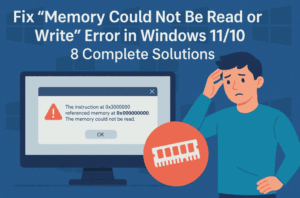
What causes the “Instruction at 0x00000000” error on shutdown? Fix “Memory Could Not Be Read or Write” Error
Are you getting an annoying error message like:“The instruction at 0x00000000 referenced memory at 0x00000000. The memory could not be read or written”?This typically pops up during shutdown, restart, launching heavy apps, or even...
Read More
Fix Windows 11 24H2 Update KB5062660 Not Installing – Complete Step-by-Step Guide
If you’re running Windows 11 24H2 and having trouble installing the KB5062660 preview cumulative update, you’re not alone. Microsoft recently rolled out this update with 29 new features, including the Black Screen of Death...
Read More
How to Dual Boot XOS (Axos) with Windows 11 Safely on a Single Drive – Complete Step-by-Step Guide
Dual booting Linux alongside Windows opens the door to powerful customization and productivity. If you’re interested in trying the sleek and modern XOS (Axos) Linux distro with Sleek Desktop based on Hyprland, this guide...
Read More
How to Install, Update, and Uninstall Any Software in Seconds Using Windows Package Manager (Winget)
Are you tired of browsing websites, downloading EXE files, clicking “Next” a dozen times, or even hunting down uninstallers buried in your system? Imagine managing all your software using just one tool and a...
Read More
Windows 11 24H2 Introduces ‘Quick Machine Recovery’: A New Automatic Repair Feature to Prevent Boot Failures
Microsoft has started rolling out a new feature in the latest Windows 11 24H2 Update Preview, aimed at reducing boot failures and helping users recover from system crashes — all without needing advanced technical...
Read More

Windows 11’s New Black Screen of Death (BSOD) Explained: What Changed and Why It Matters
Windows users have long feared the iconic Blue Screen of Death — the full-screen crash message that signaled something had gone terribly wrong. But with the latest Windows 11 update (part of the August...
Read More
How to Upgrade to Windows 11 on Unsupported Hardware in 2025: A Safe and Complete Guide
Upgrading to Windows 11 on unsupported hardware might sound risky, but with the right preparation and a reliable method, it can be done smoothly. In this detailed guide, we’ll walk you through each step—from...
Read More
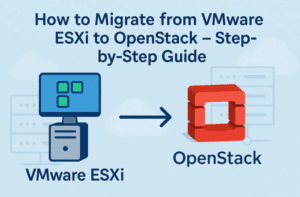
🚀 How to Migrate from VMware ESXi to OpenStack – Step-by-Step Guide
If you’re still relying on VMware ESXi and recently felt the heat of Broadcom’s massive 300% price hike, you’re not alone. Thousands of organizations have been left re-evaluating their infrastructure plans, and many are...
Read More
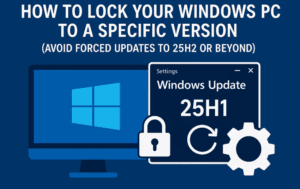
How to Lock Your Windows PC to a Specific Version (Avoid Forced Updates to 25H2 or Beyond)
What if I told you that Microsoft automatically decides when your PC upgrades to a major version of Windows—unless you explicitly stop it? Many users assume they have no control when it comes to...
Read More
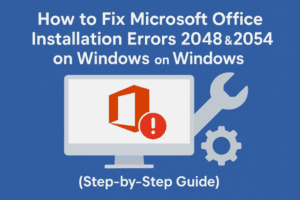
How to Fix Microsoft Office Couldn’t Install Errors: Code 0-2048 (0) & 0-2054 (0)
Running into annoying installation errors while trying to install Microsoft Office? Specifically seeing error codes like 0-2048 (0) or 0-2054 (0)? You’re not alone—many users face this due to leftover Office files, partial installs,...
Read More
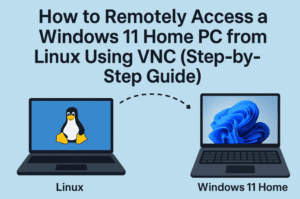
How to Remotely Access a Windows 11 Home PC from Linux Using VNC (Step-by-Step Guide)
Remote desktop access between different operating systems can be tricky — especially when you’re trying to connect from Linux to a Windows 11 Home PC. That’s because Windows 11 Home doesn’t support RDP (Remote...
Read More
Secure Your Data with Bulk Folder Locker: Free Tool to Lock and Protect Folders on Windows
If you share your computer with family, coworkers, or anyone else, you probably have some files or folders you want to keep private and secure. Whether it’s personal documents, work material, or sensitive data...
Read More
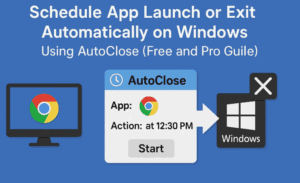
Schedule App Launch or Exit Automatically on Windows Using AutoClose (Free and Pro Guide)
Have you ever wanted a certain program on your Windows PC to shut down at a specific time, or maybe launch automatically without having to do it yourself? Whether you’re managing productivity apps, scheduling...
Read More
File History vs Backup & Restore in Windows: Which Backup Tool Should You Use for File-Level Backups?
Keeping your files safe should always be a top priority — especially if you’re working on important documents, personal projects, or work data. Fortunately, Windows offers two built-in file backup tools: File History and...
Read More
How to Fix Black Screen Issue on Windows 11/10 – Step-by-Step Guide
Have you ever powered on your PC only to be greeted with a completely black screen? No desktop, no taskbar — just darkness? You’re not alone. The black screen issue in Windows 11 or...
Read More
Clear ALL Cache in Windows 11 (2025) – Boost Your Windows Performance
If your Windows PC has started to feel sluggish, unresponsive, or takes longer than usual to boot up—don’t worry. You don’t need to buy a new system. A little spring cleaning can work wonders!...
Read More
How to Enroll in Windows 10 Consumer Extended Security Updates (ESUs) for Free with Minimal Data Sharing
As Microsoft officially ends support for Windows 10 on October 14, 2025, millions of users face an important question — what next? If you’re not ready to upgrade to Windows 11 or switch to...
Read More