The long wait is over. After years of fake and scammy PS3 emulators cluttering the web, APS3e, the first genuine PS3 emulator for Android, is now officially available on the Google Play Store. Yes, it’s real, functional, and made by the original developers.
If you’ve dreamed of playing your favorite PS3 titles like God of War, Resident Evil, or Sonic on your Android phone, this guide is your key to unlocking that experience.
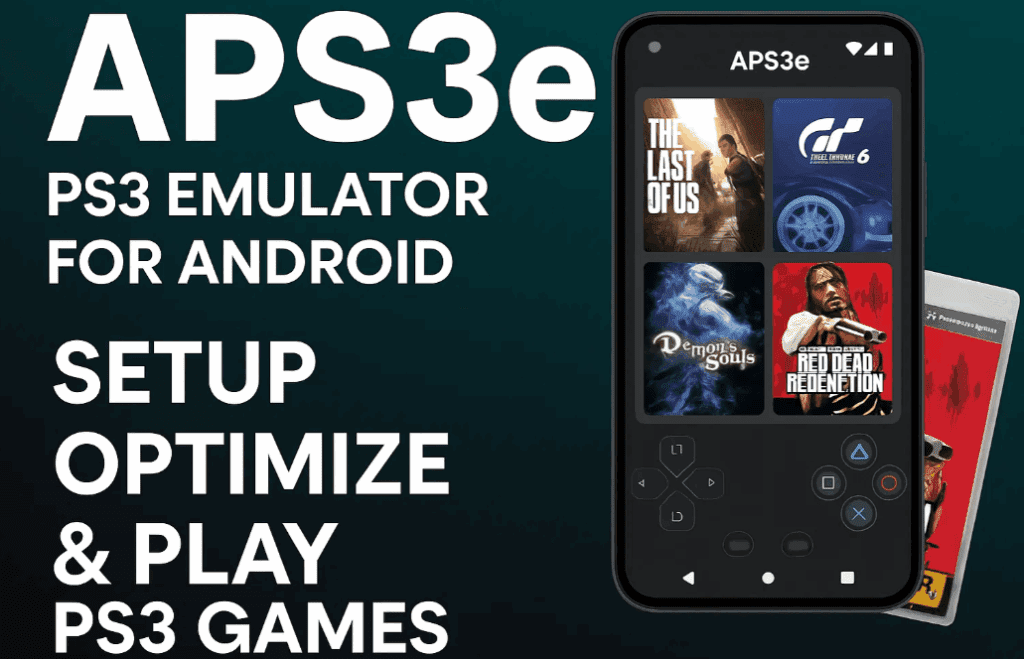
In this detailed tutorial, we’ll cover:
- The difference between free and paid versions
- How to install APS3e properly
- Best performance settings
- Adding PS3 games
- Fixing common crashes
- And tips for smooth gameplay
🔷 Free vs Gold Version: Which One Should You Choose?
APS3e comes in two versions on the Play Store:
- Blue Icon (Free Version): Absolutely free to use with all features.
- Gold Icon (Paid Version): Costs around $6 and is meant to support the developers.
🔎 Key Note: Both versions are identical in performance, features, and even ads. If you’re on a budget, go with the free version with zero compromise.
👉 Download APS3e on Google Play
🛠️ Step-by-Step Setup Guide
Follow these steps carefully to set up APS3e correctly on your Android phone:
1. Install PS3 Firmware
- Open APS3e.
- Tap the three-dot menu in the top-right corner.
- Select Install Firmware.
- Download the official PS3 firmware from Sony’s website:
🔗 Download from Sony
⏳ Once selected, the emulator will compile the firmware. It may take a few minutes.
⚙️ Best APS3e Settings for Smooth PS3 Emulation
Once firmware is installed, apply these settings for optimal performance:
🔧 Core Settings:
- PPU Decoder: Recompiler LLVM (default)
- PPU Threads: 8
- Max LLVM Compile Threads: 8
These settings work best for most modern Android phones with 6–8 cores.
🎥 Video Settings:
- Renderer: Vulkan (better than OpenGL)
- Resolution: 720×480
- Shader Precision: Low
- Right Color Buffers: ON (helps fix visual glitches)
- Stretch to Display Area: ON (avoids black bars)
- Resolution Scale: 60%
🔍 Advanced (Vulkan Settings):
- Adapter: Choose your phone’s GPU (e.g., Adreno 740).
- VRAM Allocation Limit: Set to
6000 MB(6GB) - Use Custom GPU Driver: ON (Snapdragon only)
- Custom Driver Path: Set path manually from your phone’s internal storage.
⚠️ If you’re using Mali or non-Snapdragon devices, skip the custom GPU driver part.









🚀 Performance Boost:
- Force Max Clocks: ON
This forces your phone to stay at peak CPU/GPU performance while gaming.
📊 Enable FPS Monitoring:
- Go to Video Settings → scroll to bottom.
- Tap Performance Overlay Settings.
- Enable the overlay.
- Set Detail Level to Low (lightweight and non-intrusive).
🎮 How to Add PS3 Games in APS3e
You can add games in two formats:
.pkg.iso
Steps:
- From the APS3e home screen, tap the menu and choose Add Game File.
- Browse and select the PS3 game file from your phone.
- Initial load may take time – especially on the first run.
🧠 It will compile PPU modules, so the first launch may crash. Don’t worry — restart and re-launch the game. Performance improves over time as shaders get cached.
You might be intrested in these articles too!
- Battle of the Switch Emulators: Ryubing vs. Sudachi vs. Others — Which Is Best in 2025?
- How to Fix the Missing Games Issue in Game Hub / Game Fusion Emulator on Android
- Play Stellar Blade on Your Android Phone with CyberCloud Emulator – A Complete Guide
- Best Emulator to Play Free Fire on 2GB RAM PC Without ID Ban (No VT Required)
- PlayStation 3 Gaming on Android: APS3 Emulator Setup Guide, Best Settings & Gameplay Overview
✅ Compatible Games & Performance Notes
Games under 2GB usually perform best. Confirmed working games include:
- God of War II
- Resident Evil
- Limbo
- Sonic Generations
🗒️ Performance will vary depending on your device’s chipset, RAM, and GPU. Snapdragon phones with Adreno GPUs show the best results.
❓ Frequently Asked Questions (FAQs)
Q1: Is the APS3e emulator safe?
Yes, it’s developed by the original team and available on the official Play Store. No shady APKs involved.
Q2: Is the free version limited in any way?
No. It’s ad-free and full-featured. The paid version is simply to support development.
Q3: Why do some games crash on first launch?
APS3e compiles PPU and SPU modules on first load. This is normal. Relaunching improves stability.
Q4: Where can I download PS3 game files?
For legal use, only dump your own legally owned PS3 games. Avoid piracy.
🚨 Disclaimer
This article is intended for educational and informational purposes. Downloading or using pirated PS3 games is illegal. Only use legally owned games with the emulator. APS3e and this guide are not affiliated with Sony.
🔚 Final Thoughts
The APS3e PS3 Emulator v23 is a game-changer for Android gaming. With proper setup and settings, it delivers smooth PS3 gameplay right on your phone — something that was a dream until now.
Whether you’re reliving your childhood favorites or discovering PS3 classics for the first time, APS3e makes it possible — and enjoyable.
🏷️ Tags:
ps3 emulator for android, aps3e emulator setup, how to play ps3 games on android, aps3e settings, best ps3 emulator android, aps3e free vs paid, god of war android emulator, play ps3 iso on android
📢 Hashtags:
#APS3e #PS3Emulator #AndroidGaming #PlayPS3onAndroid #GameEmulation #RetroGaming #GodOfWar #EmulatorSetup #MobileGaming







