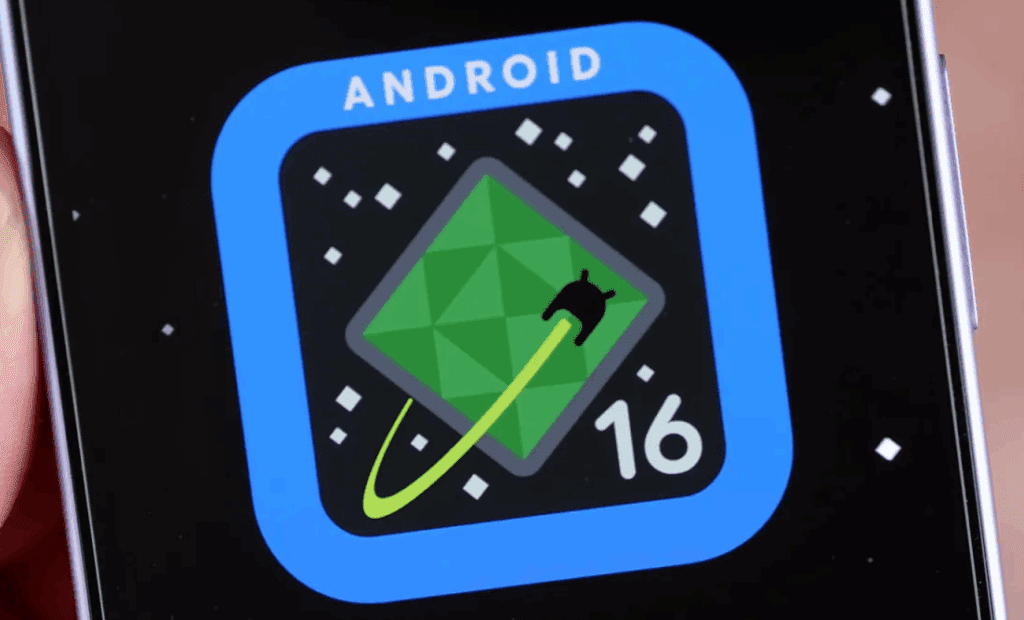
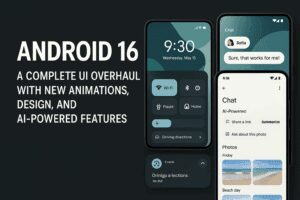
Android 16 is finally here in its stable form, and it brings a range of subtle yet meaningful enhancements to Google Pixel devices. From UI refinements to new settings and feature drops, Android 16 focuses on improving user experience, security, and customization. In this article, we dive deep into everything new in Android 16, comparing changes from Android 15 and providing performance insights based on real usage.
🔒 Lock Screen & Always-On Display
Android 16 introduces a minor but visually appealing change to the Always-On Display (AOD). The clock color now dynamically adapts to your wallpaper’s color palette, creating a more cohesive visual experience. On Android 15, it remained white regardless of background.
🏠 Home Screen Enhancements
- New App List Option: A new “App List” button in the home screen overlay menu directly opens the app drawer—redundant but available for users who prefer tapping over swiping.
- Folder UI Update: Folder popups are now slightly shifted upwards, allowing better visibility of app labels beneath them.
🔁 Recent Apps Improvements
No functional changes, but the app menu now includes:
- Screenshot
- Select
- Close (to force quit an app)
- A redesigned Split Screen icon
This consolidates multitasking options into one clean menu.
🎨 Wallpaper & Style Changes
1. Darker Accent Colors
Under “Other colors”, Android 16 offers deeper and richer color combinations compared to Android 15.
2. High Contrast Text = Outline Text
The setting is now renamed and functions slightly differently, offering more legible text on complex backgrounds.
⚙️ Quick Settings & Notifications UI
- Bold Fonts: Noticeably bolder status bar text.
- Media Controls: Now darker with better text contrast.
- Media Output Switcher:
- Categorized into “Speakers” and “Displays”.
- Volume slider includes a dot to indicate maximum level.
- Brightness & Task Manager: Improved contrast and legibility.
- Notification Tweaks:
- New Dismiss button on long-press.
- “Turn off notifications” is now simply “Turn off”.
- Improved toggle design with checkmarks.
- Notification history now has minimal separators and cleaner layout.
🔄 Other Notable Changes
➕ Volume & Gesture Features
- Haptic feedback added to volume sliders.
- HDR Screenshot Support is now native.
- Predictive back gesture works with 3-button navigation (previously limited to gesture nav).
📸 Photo Picker Redesign
- Darker handle
- Tabs are smaller
- No more day-grouped photos; now grouped by month
- Camera album gets a dedicated section
⌨️ Physical Keyboard Shortcuts (For Pixel Fold/Tablet Users)
New shortcut customization:
- Triggered via
Win/Alt + / - Floating card with categorized shortcuts
- Custom key mapping with support for multiple actions
- Delete shortcuts using the trash icon
🖼️ Wallpaper Customization App: Wallpapers by In-Depth Take Reviews
Available soon on the Google Play Store, this app allows:
- Local downloads
- Apply system effects
- Adjust hue, brightness, saturation, or blur
- Download modified and original versions
⚙️ Settings Menu Changes in Android 16
1. Search Bar
Now darker in dark mode with an outlined design.
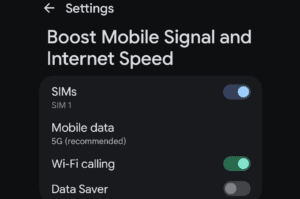
2. Network & SIM
- The “Allow 2G” toggle is now 2G Network Protection. On Android 16, turning ON means 2G is blocked (opposite of Android 15).
3. Connected Devices
- Audio Sharing missing in Android 16 stable (was present in QPR1 Beta 1).
4. Contacts Storage (New Menu)
Choose where to sync contacts: device-only or specific Google account.
5. Flash Notifications
Smaller preview button.



6. Sound & Vibration
- Sliders are now darker and bolder.
- Media section no longer shows Assistant media recommendations toggle.
7. Display
New brightness slider matches Quick Settings.
8. Foldable Settings
New option: Robust open/close detection, helps detect fold state accurately (at slight battery cost).
9. Battery Health
New Battery Health Page (Pixel 8a and Pixel 9 series only):
- Shows estimated capacity (e.g., 97%)
- Charging optimization moved here
- Links to helpful battery articles on Google’s website
10. Storage
Bug fixed: Free up space banner now appears as expected.
11. System Settings
- Languages & Region replaces “Languages”
- Now includes:
- Region
- Temperature format
- Measurement system (Metric, US, UK)
- First day of the week
- Now includes:
- Speech Menu: Combines voice input, text-to-speech, etc.
12. Gestures
- “Quickly Open Camera” renamed to Double Press Power Button (now lets you launch Wallet too).
13. Security & Privacy
- New Advanced Protection toggle:
- Shields against harmful apps, phishing, unsafe connections.
- Requires reboot upon activation.
- Guides users through setup and Google account enrollment.
- Fingerprint Unlock: Missing the “screen of fingerprint” setting—likely a bug or temporary omission.
📊 Performance & Battery Life Insights
- Performance: Smooth and fluid. Apps launch quickly without overheating.
- Geekbench Score: Lower than QPR1 Beta 1:
- Android 16: 3,459
- QPR1 Beta 1: 4,434
📝 Possibly temporary; may not reflect real-world usage accurately.
- Battery Life:
- 6 hours 31 minutes of screen-on time with 30% left.
- Usage on Wi-Fi only, no cellular data.
❓Frequently Asked Questions (FAQ)
Q1: Is Android 16 worth upgrading to?
Yes, especially for Pixel users. It brings design polish, enhanced security, and feature consistency without major bugs.
Q2: Can I use predictive back with 3-button navigation?
Yes! That’s new in Android 16.
Q3: Why is my Geekbench score lower after the update?
Benchmarks can fluctuate. Real-life performance appears unaffected for most users.
Q4: Is the Battery Health feature available on all devices?
No. Currently limited to:
- Pixel 8a
- Pixel 9 series
Q5: Where can I download the new wallpapers?
They’ll soon be available via the Wallpapers by IDTR app on Play Store.
Final Thoughts
Android 16 may not be revolutionary, but it’s a thoughtful, consistent upgrade focused on polishing the user experience. With darker, more refined visuals, better accessibility features, and important security upgrades like Advanced Protection, it shows Google’s maturing software philosophy.
If you’ve updated to Android 16, let us know your experience—especially regarding performance and battery life.
Tags
android 16, pixel android 16 update, pixel 9 pro android 16, android 16 features, android 16 changes, android 16 review, android 16 performance, android 16 pixel drop, android 16 pixel ui changes, android 16 vs android 15, pixel battery health android 16
Hashtags
#Android16 #PixelUpdate #AndroidUpdate #AndroidFeatures #AndroidReview #GooglePixel #PixelDrop #BatteryHealth #Android16Changes #AndroidUI
Disclaimer:
Some features listed are limited to specific Pixel models such as the Pixel 8a or Pixel 9 series. Performance metrics like Geekbench scores may vary depending on individual devices and software conditions. This article is for informational purposes only and does not represent Google or its affiliated entities.








