How to Fix Blurry or Stretched Screen Display Issues on Windows 10 or 11
If your screen looks blurry, stretched, or distorted on your Windows 10 or 11 computer, you’re not alone. This issue is quite common, especially after…
Read More »Digital Tech Platform for Windows, Linux, Android, AI, Design & More
If your screen looks blurry, stretched, or distorted on your Windows 10 or 11 computer, you’re not alone. This issue is quite common, especially after…
Read More »
Seeing the message “Preparing Automatic Repair” or “Startup Repair couldn’t repair your PC” can be frustrating, especially when your system is stuck in a loop…
Read More »
Creating a bootable USB for Windows 11 or 10 is an essential step if you’re planning to install or reinstall Windows on any system. If…
Read More »
If your laptop or desktop screen suddenly appears blurry, stretched, or the display resolution looks off, you’re not alone. These display issues are common, especially…
Read More »
There’s nothing more frustrating than when your external hard drive shows up in File Explorer but refuses to open. Whether you’re trying to access important…
Read More »
Are you tired of painfully slow download speeds in Google Chrome while other apps download files just fine? You’re not alone. Many users face this…
Read More »
Performing a fresh installation of Windows 11 can fix a range of problems—from sluggish performance and malware to corrupted system files. It’s also essential if…
Read More »
If your desktop icons or fonts look blurry on your Windows 11 or Windows 10 system, you’re not alone. It’s a common issue, especially on…
Read More »
Sometimes, the default text size in Windows can feel too small — especially on high-resolution displays. Whether you’re facing eye strain or just want better…
Read More »
Having keyboard issues on your laptop can be extremely frustrating—especially when certain keys stop working out of nowhere. Whether it’s your spacebar, Enter key, or…
Read More »
Your system tray (also known as the notification area) can get cluttered quickly—especially if you run a lot of apps in the background. From antivirus…
Read More »
Accessing the BIOS (or UEFI firmware settings) on a Windows PC is essential for tasks like changing boot order, enabling virtualization, or checking hardware settings.…
Read More »
Are you stuck with an annoying error that says “Unable to reset your PC” on Windows 11? Don’t worry, you’re not alone. This is a…
Read More »
Imagine booting up your PC only to be greeted by a frustrating message — “No audio device is installed.” No sound, no audio icon, no…
Read More »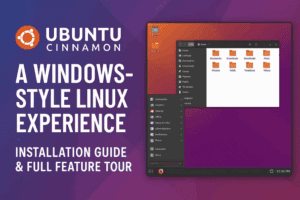
If you’re a Windows user curious about switching to Linux but worried about the learning curve, there’s great news: Ubuntu Cinnamon might be the perfect…
Read More »
If you’re someone who loves personalizing your desktop, giving it a fresh and dynamic look, then you’ll absolutely enjoy what we’re covering today. Static wallpapers…
Read More »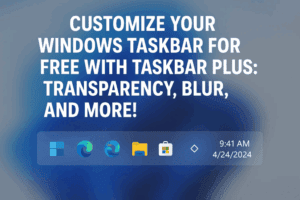
If you love customizing the look and feel of your Windows desktop, especially the taskbar, you’ll be excited to know there’s a lightweight and powerful…
Read More »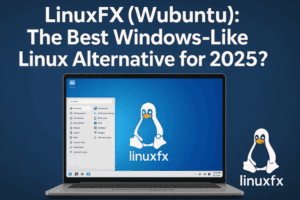
If you’re tired of dealing with Windows 11 bugs, updates, bloatware, or limited customization options, it’s time to meet a refreshing alternative: LinuxFX, also known…
Read More »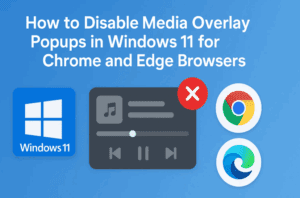
If you’ve ever been working on a document, browsing the web, or trying to keep a clean notification center, you’ve probably noticed an annoying little…
Read More »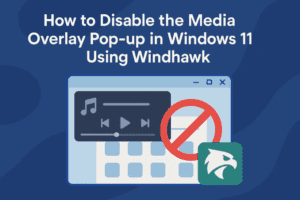
If you’re using Windows 11 and you’ve noticed that every time you play a YouTube video, Spotify track, or any audio from your browser or…
Read More »