Artificial Intelligence (AI) is everywhere—whether you’re chatting with a bot, scheduling your meetings, or generating content. But the term AI agent is often misunderstood or seen as too technical. In this article, we’ll break down the concept of AI agents step by step, starting from basic AI chatbots (LLMs), moving to AI workflows, and finally exploring how true AI agents work. The goal is to explain these ideas in a simple way, perfect for non-technical users who already use AI tools and want to better understand how they’re evolving.
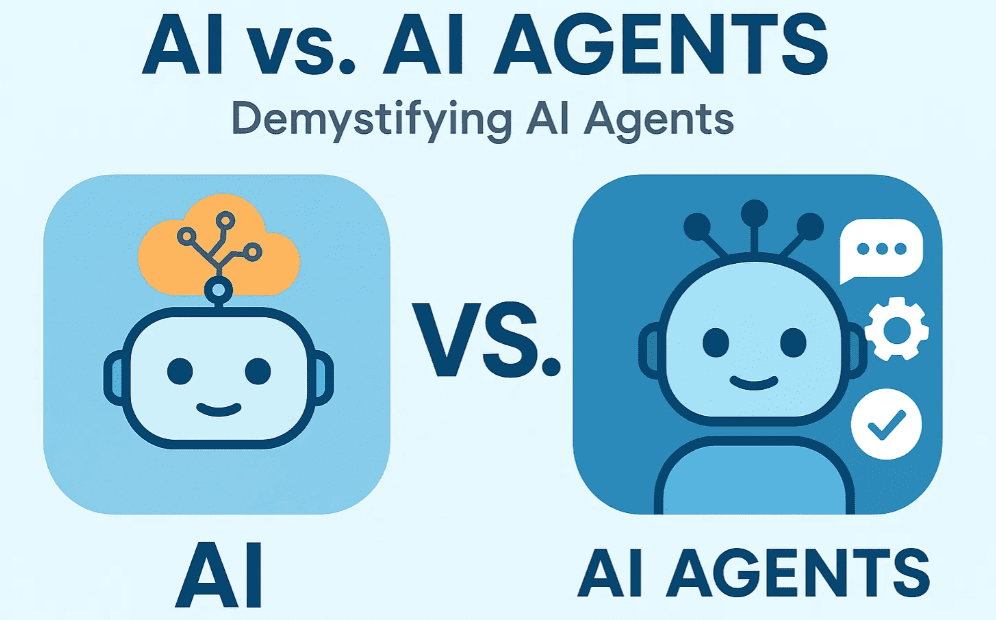
Level 1: Understanding Large Language Models (LLMs)
Popular AI tools like ChatGPT, Google Gemini, and Claude are based on Large Language Models (LLMs). These models are designed to understand and generate human-like text.
- How it works: You, the user, provide an input (also called a prompt), and the AI returns a response based on its training data.
- Example: If you ask ChatGPT to write a polite email requesting a coffee meeting, it will do so with impressive clarity and tone.
Key Traits of LLMs:
- Limited Knowledge: They don’t have access to your private or real-time data like your calendar or company documents.
- Passive Behavior: They only respond when prompted and don’t take any initiative on their own.
Level 2: Introducing AI Workflows
Let’s enhance the LLM by adding some logic to it. For example:
- If you ask, “When is my coffee chat with Elon Husky?”, and your AI is connected to Google Calendar, it can fetch that information first before responding.
This forms an AI workflow—a series of predefined steps or actions that AI follows based on instructions set by a human.
However, workflows have a limitation:
- If you later ask, “What will the weather be like on that day?”, the AI may fail because the workflow doesn’t include weather API access.
This limitation is key: AI workflows follow paths manually defined by humans. They’re not adaptive.
What is RAG?
- Retrieval-Augmented Generation (RAG) allows AI to “look things up” from external sources before answering. For example, it can fetch data from your calendar or a weather API.
- RAG is a type of AI workflow—not a standalone AI agent.
Real Example Using Make.com:
- Step 1: Collect links to news articles in Google Sheets.
- Step 2: Use Perplexity to summarize them.
- Step 3: Use Claude to draft social media posts.
- Step 4: Schedule this process to run daily at 8 AM.
This is a traditional AI workflow—powerful but rigid. You still manually update prompts if you’re unhappy with the results.
Level 3: Enter AI Agents
An AI Agent takes things a step further.









Let’s revisit the same task of creating social media posts. Instead of a human deciding the process (which tool to use, which data to gather, etc.), an AI agent can:
- Reason: Decide what tools or data are needed.
- Act: Perform actions using tools like Google Sheets, Perplexity, and Claude.
- Iterate: Improve its own results by critiquing and refining them.
The key difference: AI agents replace the human decision-maker with an AI system that makes decisions autonomously.
Framework: ReAct = Reason + Act
Most AI agents operate on this ReAct framework. They can:
- Determine what steps to take (reason).
- Use the right tools to execute those steps (act).
Iteration Example:
- Let’s say the first version of your LinkedIn post isn’t funny enough.
- Instead of you editing the prompt manually, the AI agent can bring in another model to critique and improve the post—until it meets the desired quality.
Real-World Example of an AI Agent
AI expert Andrew Ng created a demo where an AI agent identifies video clips of skiers:
- It reasons about what a skier looks like.
- It scans video footage and identifies the best clips.
- It returns the result autonomously—without human tagging or manual searching.
This is a real AI agent in action—doing what humans used to do, but smarter and faster.
Recap: Simplifying the Journey from Chatbots to AI Agents
| Level | Description |
|---|---|
| Level 1: LLM | AI responds to user prompts based on training data (e.g., ChatGPT). |
| Level 2: Workflow | AI follows a predefined path with steps and APIs, created by a human. |
| Level 3: Agent | AI reasons, acts, and iterates to achieve a goal—making its own decisions. |
AI agents are not just hype—they’re the next evolution of AI that will make tools more powerful and user-friendly. You don’t need to be a developer to benefit from them; just understanding how they work can help you unlock new levels of productivity.
Useful Tools Mentioned
- Make.com – For creating automated AI workflows.
- Perplexity AI – For summarizing information using AI.
- Claude AI – AI assistant for content generation.
- Google Sheets – For organizing data and integrating with other AI tools.
Disclaimer
This article is for educational purposes. Some of the tools mentioned may require API access, user permissions, or paid plans for full functionality. Always review the privacy policies and terms of service before connecting your data.
Tags
AI agents, large language models, AI workflows, RAG, ReAct, ChatGPT, Claude AI, Perplexity, Make.com, automation, Google Sheets integration, non-technical AI guide
Hashtags
#AI #AIagents #LLM #AIworkflow #ChatGPT #ClaudeAI #MakeDotCom #PerplexityAI #Automation #NoCode #ReAct #RAG #GoogleSheets #Productivity #AItools








