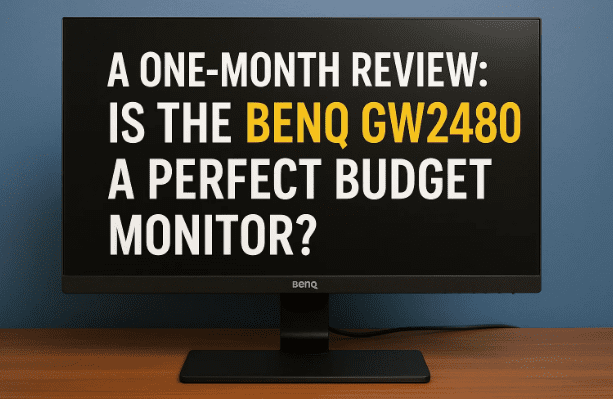
Hey everyone! Today, I’m super excited to talk about a piece of tech that has completely transformed my workspace: the BenQ GW2480 monitor. I’ve been using this monitor for a little over a month now, and I’ve put it through its paces in every way possible. From video editing and color grading to long hours of coding and writing, I’ve used it for everything, and this article is my detailed review after a solid 30 days of use.
What’s really incredible is that this monitor comes in at a price point of around 10,000 rupees. It promises some fantastic features, including super-thin bezels and high color accuracy, all while being easy on your wallet. But does it live up to the hype? Let’s unbox it, test its features, and find out if it’s the right choice for you.
Unboxing and First Impressions
The packaging for the BenQ GW2480 is straightforward and efficient. Inside the box, everything is neatly organized in separate compartments. Here’s what you get:
- The Monitor: The first thing you’ll notice when you pull it out of the box is its incredibly thin bezels. This gives it a sleek, modern look that’s not common in this price range.
- HDMI Cable: A high-speed HDMI cable is included, which is a big plus, especially for a monitor with a 75Hz refresh rate. It’s a thoughtful inclusion that saves you from having to buy one separately.
- Power Cable: The monitor comes with a power cable that is a 16 amp plug. Keep in mind that you might need a 16 amp to 6 amp converter if your wall socket isn’t compatible. This is a small but important detail to remember before you buy.
- Monitor Stand: The stand is included, and it’s surprisingly easy to assemble without any tools. It uses a simple lock-and-click mechanism, so you just snap everything together.
- User Manual: A standard user manual is also in the box.
After assembling it, I was immediately struck by the monitor’s clean design. The thin bezels and the matte finish on the screen made a great first impression.
A Closer Look at the Display and Design
The monitor’s design is one of its biggest selling points. The bezels are incredibly thin, giving you a near edge-to-edge viewing experience. But what really stands out is the anti-glare, matte finish on the screen.
In my well-lit room, the monitor has zero reflection. I can see everything clearly without any distracting light bouncing off the screen. For comparison, I looked at another glossy-screened laptop, and the difference was night and day. The laptop screen was a shiny mirror, while the BenQ monitor was completely matte.
Now, you might be thinking, “Does a matte finish affect color reproduction and accuracy?” This is a valid concern, and we’ll delve deeper into it in a bit.
The BenQ GW2480 also has VESA mounting support, so if you want to use a monitor arm for a cleaner desk setup, you can easily do so. The stand that comes with it also allows for a good amount of tilt, both upward and downward, which helps you find a comfortable viewing angle.

Ports and Connectivity
Moving to the back of the monitor, you’ll find a good selection of ports for all your needs.
- HDMI Ports: It comes with two HDMI 1.4 ports. This is great for connecting multiple devices like a laptop and a gaming console at the same time.
- DisplayPort: There’s also a single DisplayPort, which is essential for achieving the best performance, especially if you have a powerful graphics card.
- 3.5mm Headphone Jack: There’s also a headphone jack, which is useful for connecting your headphones or speakers directly to the monitor.
If you’re interested in checking out the BenQ GW2480, you can find it here: https://amzn.to/4pN0NEH
One interesting thing I tested was connecting a microphone to the 3.5mm jack. While the monitor has a 3.5mm output, it doesn’t have a microphone input. So, if you plug in a mic, your computer or Mac won’t detect it through the monitor via the HDMI cable. This is a small limitation, but it’s good to be aware of. The audio output quality from the jack is decent, but nothing extraordinary.










The Built-in Speakers and Controls
The BenQ GW2480 comes with built-in speakers. To be honest, I didn’t expect much from them, but they were surprisingly decent. While they won’t blow you away, they are perfectly fine for everyday tasks like watching a video or listening to a podcast.
You can also adjust the audio settings using the on-screen menu. The monitor offers a few sound modes, including Dialogue, Standard, and Music, so you can tailor the audio to whatever you’re doing.
For navigation, the monitor has four buttons at the bottom.
- Power Button: This is a simple power button with a cool white light that shines onto the desk, giving it a neat ambient effect.
- Five-Axis Button: This button acts as a joystick, allowing you to easily navigate the on-screen display (OSD) menu to change settings.
- Blue Light Filter Button: This dedicated button lets you instantly adjust the levels of the blue light filter. This is a fantastic feature for reducing eye strain during long working hours.
- Input Switch: The final button lets you quickly cycle through the different video inputs (DisplayPort and HDMI).
So far, we’ve covered the basics. Let’s move on to the most important part: the display quality.
Performance and Display Quality
When it comes to display performance, the BenQ GW2480 truly shines, especially for its price.
- Color Accuracy: I used this monitor for a month to color-grade videos on my MacBook, and I was genuinely impressed. The colors on the BenQ were just as accurate as they were on the MacBook’s display. BenQ claims it has a 99% sRGB color gamut, and my experience confirms that it holds up to that claim.
- Black Reproduction: One of the most common issues with budget monitors is their inability to produce true blacks. They often look grayish. The BenQ GW2480, however, does a fantastic job. The blacks are deep and rich. For comparison, I looked at a cheap laptop screen, and its blacks looked dull and gray, while the BenQ’s were truly black. This is a huge win for anyone who works with images or videos.
- ePaper Book Mode: The monitor also has an ePaper mode, which is great for reading long articles or documents. It turns the display black and white, making the text easier on your eyes and reducing strain.
But, as with any product, there are a few downsides. My only complaint with this monitor is the text sharpness. While I’ve maxed out the sharpness setting to 10 in the monitor’s menu, the text still appears a little soft or “spread out.” This is due to the monitor’s pixel density. It’s not a deal-breaker, but if you work with a lot of text or code, it might be something to consider. If crystal-clear text is a priority for you, you might want to look at an OLED monitor or one with a higher pixel density (above 100 PPI).
A Look at BenQ’s Eye-Care Features
One of the main reasons I chose this monitor was BenQ’s focus on eye care, which is crucial for me since I work for 8-10 hours a day. The BenQ GW2480 comes with three excellent features that you can customize with the BenQ Eye-CareU software.
- Auto Brightness: The monitor has a built-in sensor that automatically adjusts the screen brightness based on the ambient light in the room. This helps reduce eye strain as your eyes don’t have to constantly adjust to different brightness levels.
- Distance Indicator: This feature is a great reminder to take care of your eyes. If you lean too close to the screen, a small warning will appear on the monitor, prompting you to move back.
- Timely Breaks: The monitor will show you a small pop-up reminder to take a break after a set amount of time. You can customize how long you want to work before it reminds you.
These features make the BenQ GW2480 a perfect choice for anyone who spends long hours in front of a screen, whether you’re a video editor, a gamer, or a professional working from home.
Is This Monitor Right for You?
So, who is this monitor for? In my opinion, it’s a fantastic choice for:
- Video Editors: The high color accuracy and deep blacks make it perfect for color grading and video editing, especially if you’re on a budget.
- Gamers: With a 75Hz refresh rate and great color reproduction, it’s a solid choice for casual and competitive gaming.
- Creative Professionals on a Budget: If your work requires high color accuracy but you don’t want to spend a fortune, this monitor is a great option.
However, if your primary requirement is razor-sharp text for coding, writing, or graphic design, you might want to look at an alternative with a higher pixel density.
Overall, I am very happy with my purchase. The BenQ GW2480 offers a fantastic balance of features and performance for its price. It’s a great monitor that can handle long hours of work without causing eye fatigue, and it delivers on its promise of excellent color accuracy.
If you are looking for a monitor with high color accuracy for a Mac or any other system, and your budget is around 10,000-12,000 rupees, you can definitely consider this one.
Q&A: Answering Your Questions
Q: Does the matte finish affect color accuracy?
A: In my experience, no. The BenQ GW2480’s matte finish does a great job of reducing glare without compromising color accuracy. The colors appear vibrant and true to life.
Q: What is the refresh rate of this monitor?
A: The BenQ GW2480 has a refresh rate of 75Hz, which is a slight step up from the standard 60Hz. This makes the on-screen motion feel a bit smoother, which is a bonus for gaming and video playback.
Q: Is this monitor good for gaming?
A: Yes, it is. The 75Hz refresh rate, paired with the vibrant colors and good black levels, makes it a great choice for gaming at this price point.
Q: Can I use this monitor with a MacBook?
A: Absolutely. I’ve been using it with a MacBook, and it works perfectly. It’s an excellent companion display for any Mac user.
Disclaimer
The opinions expressed in this article are based on my personal experience after using the BenQ GW2480 monitor for one month. Your experience may vary. The product link provided is an affiliate link, and I may earn a small commission if you make a purchase. This does not affect the price you pay.
Product Link
If you’re interested in checking out the BenQ GW2480, you can find it here: https://amzn.to/4pN0NEH
Tags
BenQ, monitor review, BenQ GW2480, budget monitor, monitor for video editing, BenQ eye-care, monitor for gaming, BenQ review, tech review
Hashtags
#BenQ #BenQMonitor #BudgetMonitor #TechReview #MonitorReview #BenQGW2480 #VideoEditingMonitor #GamingMonitor #BenQEyeCare








