USB drives are widely known for storing and transferring files, but they offer a lot more potential than just being a data carrier. Whether you’re using an old pen drive or a brand-new USB flash drive, you can transform it into a multifunctional tool that goes far beyond simple file storage.
In this article, you’ll discover 9 incredible things you can do with your USB drive — from enhancing your PC security to creating a full gaming environment.

1. Use USB Drive as a Security Key to Unlock Your PC
You can turn your USB drive into a digital key to lock and unlock your computer using a tool called Predator.
Once installed, Predator creates a special key on your USB drive. When the USB is plugged in, your PC is accessible. When removed, the computer locks automatically — blocking unauthorized access.
2. Run Portable Applications from a USB Drive
Portable apps allow you to use software without installing it on your PC. This is especially helpful if you’re working across multiple computers.
You can create a fully portable app environment using PortableApps.com. Just plug in your USB and run the software directly — no installations, no footprints.
3. Encrypt USB Drives to Protect Sensitive Data
Worried about storing confidential files? You can encrypt your USB drive using tools like VeraCrypt (a successor to the now-discontinued TrueCrypt).
This lets you keep personal data like documents, photos, or passwords securely locked. Only you can access them with the proper decryption key.
4. Automatically Sync Files Between PC and USB
By using tools like SugarSync or SyncBack SE, you can automatically sync and back up files to your USB whenever it’s connected.







This is ideal for students and professionals working on projects. Every time you connect the USB, your files will be updated automatically, ensuring you always have a recent backup.
🔗 Visit SugarSync
🔗 Visit SyncBack SE
5. Create a Password Reset USB for Windows 10
If you’re using a local Windows 10 account, it’s smart to create a password reset USB. This tool allows you to reset your password if you ever forget it.
Go to the User Accounts settings on Windows 10, and use the option to “Create a password reset disk.” While this doesn’t work for Windows 11, it’s a lifesaver for Windows 10 users.
6. Turn USB Into a Plug-and-Play Gaming Console
Love retro games? You can create a plug-and-play gaming console using your USB and a free Linux-based distribution called Batocera.
Batocera turns any computer into a retro gaming console without installing anything on the system. Just plug in the USB and enjoy.
7. Create a Windows or Linux Installation USB
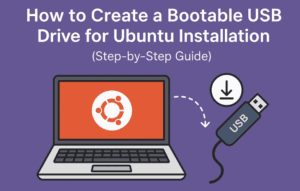
This is one of the most common and powerful uses of a USB drive. By creating a bootable installer, you can install or repair Windows and Linux systems.
Use tools like Rufus or Balena Etcher to create installation media and upgrade or troubleshoot operating systems easily.
🔗 Visit Rufus
🔗 Visit Balena Etcher
8. Create a Multi-Purpose Recovery USB Using Hiren’s BootCD PE
Hiren’s BootCD PE is a powerful IT tool that turns a USB into a full recovery suite.
With Hiren’s BootCD USB, you can:
- Reset Windows passwords
- Recover lost data
- Repair corrupted systems
- Remove malware
- Manage partitions
It’s a must-have for any PC technician or power user.
9. Use Ventoy to Create a Multi-Boot USB
Ventoy is a powerful open-source tool that allows you to put multiple ISO files — Windows, Linux, antivirus, recovery tools, and more — on a single USB drive.
Instead of formatting your USB every time you want to test a new OS, just copy the ISO to the drive. It’s simple, fast, and incredibly efficient.
Recommended USB size: at least 32 GB for optimal usage.
Final Thoughts
USB drives are more than just data carriers. From system repair and security to gaming and productivity, a single flash drive can do wonders if used creatively.
So if you have an unused or spare USB lying around, put it to good use and try out one of these ideas. Whether you’re a gamer, IT professional, or casual user — there’s something useful for everyone.
Tags:
usb drive tricks, usb hacks, usb tools, predator usb lock, portable apps, encrypt usb, veracrypt, sugar sync, syncback, windows password reset, batocera, windows installation usb, linux installation, hiren’s bootcd, ventoy, bootable usb, tech tutorials
Hashtags:
#USBTricks #TechHacks #CyberSecurity #PortableApps #GamingUSB #WindowsTips #LinuxTools #DataBackup #Encryption #Ventoy #HirensBootCD #PCRecovery #ITSupport
Disclaimer:
The tools and methods shared in this article are for educational purposes. Please ensure you download software only from official websites and use encryption or recovery tools responsibly. Always back up your data before making system-level changes.








