Linux and Windows are both powerful operating systems, but they cater to different needs. While Windows dominates the market, Linux offers unique advantages that make it a compelling choice for many users. In this article, we’ll explore seven areas where Linux outshines Windows.
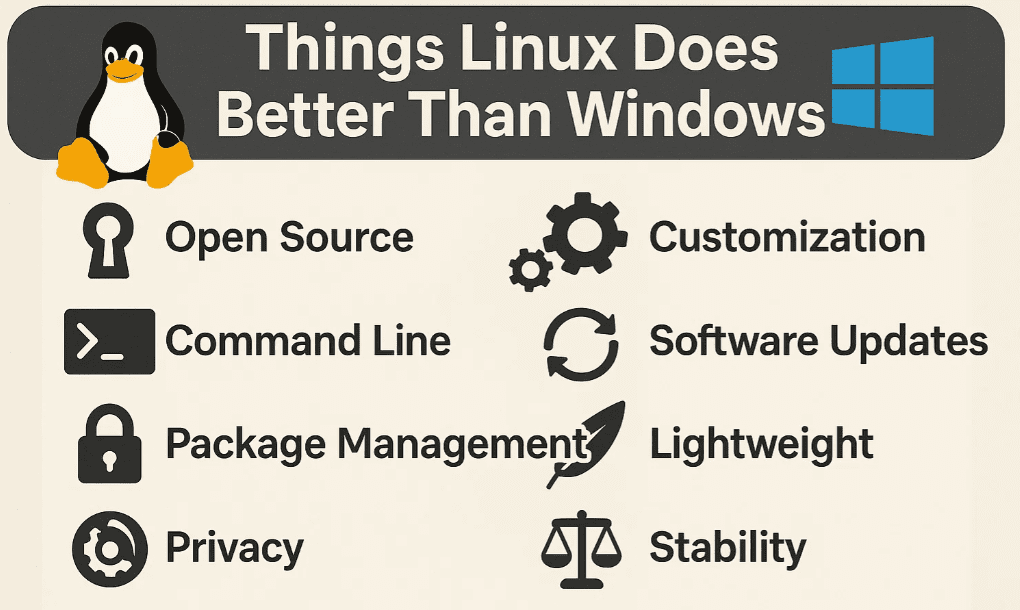
1. Choice of Desktop Environment
One of Linux’s biggest strengths is its flexibility in desktop environments. Unlike Windows, which forces users into a single interface (Windows 10 and 11 have limited customization), Linux provides multiple options:
- KDE Plasma – Highly customizable with a modern look.
- GNOME – Sleek and user-friendly, favored by many distributions.
- XFCE – Lightweight and efficient for older hardware.
- Cinnamon – A traditional desktop experience (default in Linux Mint).
- Budgie, LXQt, MATE, and more – Each offers a unique workflow.
Many Linux distributions (distros) let you choose your preferred desktop during installation. For example:
- Linux Mint offers Cinnamon, XFCE, and MATE editions.
- Fedora provides different “spins” with varying desktops.
- Ubuntu has multiple “flavors” (Kubuntu, Xubuntu, Lubuntu, etc.).
🔗 Learn more:
2. Deep Interface Customization
Windows has progressively reduced UI customization options since Windows 7. In contrast, Linux allows extensive personalization:
- Font Control – Adjust font faces, sizes, and styles.
- Theme Customization – Change window decorations, icons, and colors.
- Scrollbar Adjustments – Some desktops (like Cinnamon) let you resize scrollbars.
Example:
- In KDE Plasma, you can tweak almost every UI element.
- Zorin OS offers pre-built desktop layouts for different workflows.
🔗 Explore:
3. Full Control Over Updates
Windows forces automatic updates, often at inconvenient times. Linux, however, gives users complete control:
- Manual Updates – Most distros notify you of updates but don’t install them automatically.
- Selective Updates – You can choose which packages to update.
- No Forced Reboots – Unlike Windows, Linux doesn’t force restarts.
Example:
- Linux Mint’s Update Manager lets you review, block, or automate updates.
🔗 Check out:
4. No Forced Online Accounts
Windows 10 and 11 push users to sign in with a Microsoft account. Linux respects privacy:








- Local Accounts Only – No cloud login required.
- No Nagging Pop-ups – Unlike Windows, Linux doesn’t constantly ask you to “finish setting up” your PC.
Exception: Some enterprise Linux versions (like Red Hat Enterprise Linux) require subscriptions, but most distros remain offline-friendly.
5. Better Security for Average Users
Linux is inherently more secure than Windows for several reasons:
- Fewer Malware Threats – Due to lower market share, Linux is less targeted.
- Root Privilege Model – Users must enter a password for system changes.
- No Bloatware – Linux doesn’t come with pre-installed trial software.
⚠️ Disclaimer: While Linux is more secure, users should still follow best practices (firewalls, updates, etc.).
6. Supports Older Hardware
Windows 11 abandoned millions of older PCs, but Linux keeps them running smoothly:
- Lightweight Distros – XFCE, LXQt, and Puppy Linux work well on low-end machines.
- 32-bit Support – Some distros still support legacy processors.
🔗 Try these for old PCs:
7. Easier Migration & External Boot
Linux is hardware-independent:
- Move Installations Easily – A Linux SSD can be plugged into another PC and booted without issues.
- Boot from USB – Unlike Windows, most Linux distros can run from external drives.
Example:
- A Linux Mint installation on an external SSD can boot on any compatible machine.
Final Thoughts: Is Linux Better Than Windows?
Not necessarily—Windows excels in software compatibility and file management. However, Linux offers:
✅ Customization
✅ User Control
✅ Privacy & Security
✅ Older Hardware Support
If you’re considering switching, try a live USB first to test compatibility.
🔗 Popular Linux Distros to Try:
FAQ
Q: Can I run Windows software on Linux?
A: Some apps work via Wine or Proton (for games), but not all are compatible.
Q: Is Linux good for gaming?
A: Yes! Steam Proton supports many Windows games.
Q: Which Linux distro is best for beginners?
A: Linux Mint or Ubuntu are great starting points.
Tags
#Linux #Windows #OpenSource #Tech #Customization #Privacy #Security #OldPC #Gaming #Software






