Chromebooks are loved for their simplicity, speed, and affordability. But while they excel in many areas—especially for students, remote workers, and casual users—they do have some limitations that can affect your workflow depending on your needs.
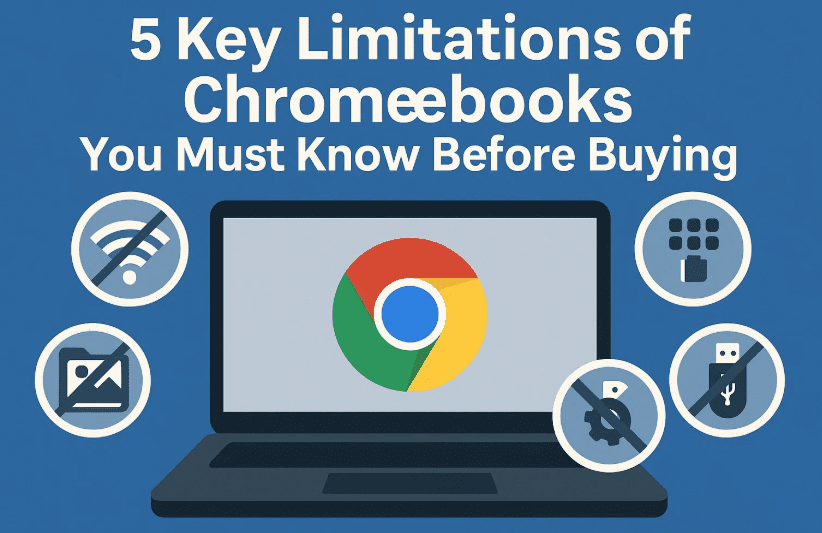
In this article, we’ll walk you through five important things that Chromebooks cannot do or struggle with, along with practical workarounds and tips to help you decide if a Chromebook is right for you.
1. You Can’t Install Traditional Desktop Software
Chromebooks run Chrome OS, not Windows or macOS. That means:
- You cannot install traditional desktop apps like Adobe Photoshop (desktop version), Microsoft Outlook (desktop client), AutoCAD, or many desktop accounting software tools.
- You’re limited to using web apps, cloud software, or Android apps via the Google Play Store.
- Software that requires Windows or Mac-specific drivers or libraries will not run.
Workarounds:
- Use web alternatives:
- Photoshop Web: https://www.photoshop.com
- Microsoft Office Online: https://www.office.com
- Canva for design: https://www.canva.com
- Xero for accounting: https://www.xero.com
- Use Remote Desktop tools to connect to a Windows machine when needed.
- Tech-savvy users can install a Linux environment using Chrome OS’s developer mode, enabling access to Linux apps via the command line—but this isn’t ideal for most business users.
2. Offline Use is Limited
One of the common misconceptions about Chromebooks is that they’re unusable without an internet connection. While that’s not entirely true, they are heavily internet-dependent.
Without Wi-Fi:
- Most web apps won’t load.
- Google Docs, Sheets, and Slides can still be edited offline—but only if you’ve enabled offline mode.
- Gmail Offline lets you read and respond to emails (syncs when you’re back online).
What still works offline:
- Accessing media files via USB or SD card
- Basic file browsing and document editing (Google Workspace with offline mode)
- Offline Chrome games or Android apps (some)
That said, with mobile hotspots, tethering, and broader access to public Wi-Fi or Starlink, being offline is becoming less frequent.
3. Compatibility Issues with Specialized Hardware
While most modern printers and accessories now support Wi-Fi or cloud-based printing, there are still cases where:
- Specialized printers or scanners may require custom drivers that only run on Windows or Mac.
- High-end AV gear, label printers, or CAD-linked plotters may not be compatible.
Real-world limitations:
- Chromebooks don’t support software like OBS (used for livestreaming with advanced video setups).
- If your workflow relies on stream decks, audio mixers, or live production tools, a Mac or Windows PC is often still necessary.
Workarounds:
- Use cloud print solutions if available.
- Share a printer via a Windows or Mac machine.
- Check for Chrome OS-compatible USB dongles or Android-friendly apps that might substitute basic functionality.
4. Gaming Isn’t Chromebook’s Strong Suit
If you’re a casual gamer, you’ll be fine. But if you’re into AAA titles or resource-heavy games—Chromebooks will likely disappoint.
Here’s why:
- Most Chromebooks have basic integrated GPUs and are not built for gaming.
- You can’t install games like Call of Duty, GTA V, or Valorant directly.
What you can do:
- Play lightweight Android games via the Play Store (e.g., Clash of Clans, Among Us).
- Use cloud gaming platforms like:
- Nvidia GeForce NOW
- Xbox Cloud Gaming via browser (https://www.xbox.com/play)
Note: You’ll need fast, stable internet and low latency for a good experience.
Bottom line? Chromebooks are great for casual or cloud-based gaming, but don’t expect them to replace a console or gaming PC.



5. Limited Customization & Upgrades
Most Chromebook models—especially laptops—offer minimal or no upgrade options.
- RAM and storage are often soldered onto the motherboard.
- You typically cannot upgrade the device yourself.
- Chrome OS doesn’t allow much customization in terms of system UI or themes compared to Linux or even Windows.
What to do:
- If you’re buying a Chromebook, choose higher RAM (8GB or more) from the start.
- If possible, go for Chromebox (desktop Chrome OS) devices, which may allow RAM and SSD upgrades.
If you’re a power user who multitasks heavily or uses apps like Figma, cloud IDEs, or video conferencing tools—go for higher RAM configurations or consider an alternative OS.
🎮 Looking for a Chromebook? Check here for price comparison https://amzn.to/3Ig4xgN [Affiliate Link]
FAQ: Common Questions About Chromebook Limitations
Q. Can I run Windows software on a Chromebook?
A. Not natively. You’ll need a cloud solution or use a remote desktop connection to a Windows PC.
Q. Do Chromebooks work without the internet?
A. Yes, partially. Google Docs and Gmail have offline modes, but most apps need an internet connection.
Q. Can I upgrade my Chromebook’s RAM or SSD?
A. Not usually. Most models have non-upgradable RAM and storage.
Q. Can Chromebooks handle emulation or Android development?
A. Limited capability. Some emulators may work via Linux (developer mode), but performance won’t match a dedicated PC.
Final Thoughts
Chromebooks are fantastic for cloud-based tasks, content consumption, document work, and remote learning, but they do have clear limitations.
If you:
- Heavily depend on desktop software
- Need specialized hardware or offline access often
- Are into serious gaming
- Need to upgrade and customize your machine
…then a Chromebook might not be your best choice.
That said, for everyday users who live in the browser, rely on Google services, and want a secure, fast, and budget-friendly machine, Chrome OS is more than enough.
🔖 Tags & Hashtags
Tags: Chromebook limitations, Chrome OS review, can’t install apps on Chromebook, Chromebook for business, gaming on Chromebook, Chromebook vs Windows, upgrade Chromebook, offline use Chromebook, Chrome OS printing
Hashtags:
#ChromebookLimitations #ChromeOS #ChromebookTips #GoogleWorkspace #CloudComputing #TechExplained #RemoteWork #ChromebookVsWindows
🎮 Looking for a Chromebook-compatible gaming controller or USB-C hub? [Insert Your Affiliate Link Here]
Let us know your Chromebook experience in the comments. Have you faced any of these limitations, or found any clever workarounds?