Looking to run Android apps and games on your Windows PC or laptop? Whether you’re a gamer, developer, or just want to use mobile apps on a bigger screen, choosing the right lightweight Android emulator is crucial.

In this guide, we’ll compare the top 4 Android emulators that offer smooth performance, safety, and low system requirements—perfect for both low-end and high-end PCs.
1. Lenovo Player Emulator – Best for Low-End PCs
✅ Extremely lightweight (Runs on 2GB RAM)
✅ Supports Android 7.0
✅ Custom key mapping & multi-instance support
❌ No screen recording feature
Key Features:
- Works well on older PCs (Intel Core i3 or equivalent).
- Free to use with no hidden costs.
- Optimized for battle royale games.
🔗 Download Lenovo Player Emulator (Official Link)
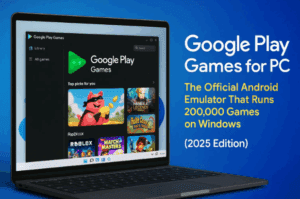
2. Google Play Games Emulator – Best for Official Android Games
✅ Developed by Google (Safe & optimized)
✅ Lightweight & smooth performance
❌ Limited app/game support (Mostly Play Store games)

Key Features:
- Officially supports select Android games (Free Fire Max, etc.).
- Low CPU/RAM usage compared to other emulators.
- No bloatware or ads.
🔗 Download Google Play Games Emulator (Beta version)
3. BlueStacks X – Best for High-End PCs
✅ Best performance for gaming
✅ Uses GPU for smoother gameplay
✅ Supports all Android apps & games
❌ Requires at least 8GB RAM
Key Features:
- Mac & Windows support.
- Multi-instance for running multiple apps.
- Advanced key mapping for gaming.
🔗 Download BlueStacks X (Official Site)
4. LDPlayer – Best BlueStacks Alternative
✅ Lightweight & fast (Better than BlueStacks for mid-range PCs)
✅ Customizable controls & multi-instance
✅ Minimal ads
Key Features:
- Works well on 8GB RAM & i3 processors.
- Great for PUBG, COD Mobile, and Genshin Impact.
- Regular updates & optimizations.
🔗 Download LDPlayer (Official Site)
Which Emulator Should You Choose?
| Emulator | Best For | RAM Requirement | Game Support |
|---|---|---|---|
| Lenovo Player | Low-end PCs | 2GB+ | Moderate |
| Google Play Games | Official Android games | 4GB+ | Limited |
| BlueStacks X | High-end gaming | 8GB+ | All games |
| LDPlayer | Mid-range PCs | 4GB+ | Most games |
Final Verdict
- For old PCs → Lenovo Player
- For Play Store games → Google Play Games
- For high-end gaming → BlueStacks X
- Best all-rounder → LDPlayer
🔹 Tags:
Android Emulator, PC Gaming, Lightweight Emulator, Android on PC





🔹 Hashtags:
#AndroidEmulator #PCGaming #LightweightEmulator #GamingOnPC #TechGuide
⚠️ Disclaimer:
- Emulators may violate some game/app terms of service.
- Use at your own risk—some anti-cheat systems may ban emulator users.
- Always download from official sources to avoid malware.
Try these emulators today and enjoy Android apps & games on your PC! 🚀








