If you’ve shopped for a new laptop or desktop recently, you’ve probably noticed something: 16GB of RAM has quietly become the “new normal.” A few years ago, most mid-range machines shipped with 8GB by...
Read More
🌐 How to Fix Chrome Showing “This Site Can’t Be Reached” on Windows
We’ve all been there: you’re trying to open a website in Google Chrome, but instead of the page loading, you see the dreaded message — “This site can’t be reached.” This error is one...
Read More
⚡ How to Optimize Your SSD for Maximum Speed and Longer Life in Windows
Many people believe that once they’ve upgraded their PC with an SSD (Solid State Drive), they’ve already unlocked the best possible performance. While it’s true that SSDs are much faster and more reliable than...
Read More
🎮 Why Do Modern Games Take Up So Much Storage Space? A Deep Dive into Gigabyte-Hungry Gaming
Not long ago, a 100 GB hard drive felt massive. It could easily store a couple of large games, plenty of applications, and still leave space for music, photos, and documents. Fast forward to...
Read More
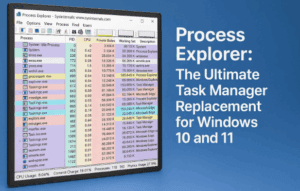
🔎 Process Explorer: The Ultimate Task Manager Replacement for Windows 10 and 11
When your computer starts to feel sluggish or programs behave oddly, the first instinct is usually to open Task Manager. Task Manager has come a long way in Windows 10 and Windows 11, but...
Read More
🎉 Windows 11 Finally Gets Native Live Wallpaper Support After 19 Years
For nearly two decades, Windows users have been relying on third-party apps like Wallpaper Engine or Lively Wallpaper to bring their desktops to life with animated and video backgrounds. Now, after 19 years, Microsoft...
Read More
🚀 Google’s New AI App for Windows: A Complete Guide to Setup, Features, and Productivity Boost
Artificial Intelligence is slowly becoming a part of everything we use daily—whether it’s searching the web, translating text, or simply opening apps faster. Google has now taken a big step by releasing a brand-new...
Read More
🎮 How to Increase Your VRAM (Video Memory) on Windows 10 & 11 – Step by Step Guide
If you’ve ever opened a game or graphics-heavy application only to see stuttering, frame drops, or low performance warnings, chances are your system doesn’t have enough VRAM (Video RAM). The good news? On Windows...
Read More
🎮 Saturday, September 27, 2025 – Weekend Update: Gaming Immersion, YouTube Shifts & AI Creativity (Part 2)
If Part 1 was all about Windows tricks, productivity boosters, and smarter AI tools, this second half dives into the fun side of tech. From Rockstar’s big GTA 6 innovations to YouTube’s surprising “anti-edit”...
Read More
📰Saturday, September 27, 2025 – Weekend Update: Windows Power, AI Updates & Smarter Gaming – Part 1
This week has been packed with fresh guides and exciting updates across Windows, AI, and gaming. From customizing your PC for peak productivity to exploring new AI-powered assistants and even diving into the latest...
Read More
Windows Sill: The New Custom Action Bar for Windows with AI and Extensions
Windows has always been known for its flexibility—whether it’s customizing your desktop, tweaking performance settings, or adding third-party utilities. But every once in a while, a new tool comes along that feels like it...
Read More