Building a PC is always an exciting journey, but it can also become overwhelming when technical terms like chipsets enter the picture. If you have been exploring Intel-based motherboards, you must have come across...
Read More
📍 How to Add Location to an Image in WhatsApp Message – Full Guide
WhatsApp has become more than just a chat app—it’s where people share pictures, memories, and even their live locations. But what if you want to send a photo along with the location in a...
Read More
🎮 How to Fix GTA V Error 1005 – Step-by-Step Troubleshooting Guide
If you’re a GTA V player, nothing is more frustrating than running into connection errors that stop you from joining online sessions or even verifying the game. One common issue many players face is...
Read More
⚡ How to Fix DISM Error 740: Elevated Permissions Required in Windows 10 and 11
When running system repair commands in Windows—especially DISM (Deployment Imaging Service and Management Tool)—you may encounter the following error: At first glance, this can look confusing, especially if you’re not sure what “elevated permissions”...
Read More
🖨️ How to Fix Printer Error 0x0000011B and 0x000040 in Windows 11
Printing is one of those things we often take for granted—until it stops working. Many Windows 11 users have reported facing printer errors like 0x0000011B and 0x000040, especially in shared or workgroup network environments....
Read More
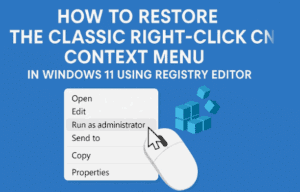
🖱️ How to Restore the Classic Right-Click Context Menu in Windows 11 Using Registry Editor
One of the most noticeable changes in Windows 11 is the redesigned right-click (context) menu. While it looks modern, many users find it less practical because common options are hidden behind an extra “Show...
Read More
🛡️ How to Disable Windows Defender Antivirus via Registry in Windows 11
If you’re a Windows 11 user, you might have noticed that Windows Defender (now called Microsoft Defender Antivirus) is built right into the operating system. For most people, it’s a reliable, always-on solution for...
Read More
How to Fix “Windows Has Stopped This Device Because It Has Reported Problems (Code 43)”
If you’ve ever plugged in a USB device or graphics card and suddenly faced the dreaded Code 43 error in Device Manager, you know how frustrating it can be. The full message usually reads:...
Read More
Fix USB Drives Not Showing Over Remote Desktop (RDP) on Windows 10/11 & Windows Server
Nothing derails a simple task like a USB drive that stubbornly refuses to appear. Maybe you’ve plugged in your pen drive and Windows won’t detect it. Or perhaps it works locally, but the moment...
Read More
HP Pen Drive Not Detected in Windows 10/11? Fix It Now!
External storage devices like pen drives are meant to be simple: plug in, copy files, eject safely. But sometimes, your HP (or any other brand) USB 3.0 flash drive just refuses to show up....
Read More
ASUS TUF F15 Wi-Fi & Bluetooth Missing from Settings? The Complete Fix
Nothing kills momentum like opening your laptop, ready to get things done (or queue into a game), and… no Wi-Fi. Sometimes Bluetooth joins the strike too—headphones won’t pair, your mouse disappears, and Windows Settings...
Read More
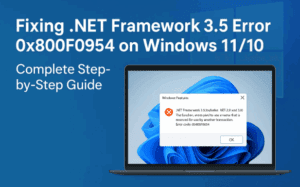
Fixing .NET Framework 3.5 Error 0x800F0954 on Windows 11/10: Complete Step-by-Step Guide
If you’ve ever tried enabling or installing the .NET Framework 3.5 on Windows 11 or 10 and ended up with the dreaded error code 0x800F0954, you’re not alone. This error is one of the...
Read More
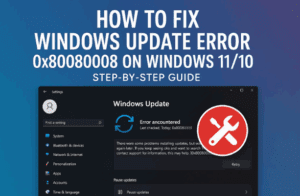
How to Fix Windows Update Error 0x80080008 on Windows 11/10 – Step-by-Step Guide
We’ve all been there: you sit down to install the latest Windows update and—bam—an error pops up with a cryptic code like 0x80080008. The update stalls, your device nags you to “try again,” and...
Read More