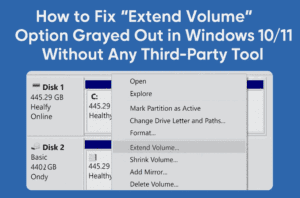
Have you ever tried to extend your C: drive from Disk Management in Windows 10 or 11, only to find that the “Extend Volume” option is grayed out—even though you have unallocated space next...
Read More

How to Get the New HyperOS 3.0 Style Control Center on Your Xiaomi Phone (Theme: Crying Verse)
Hey theme lovers! If you’re someone who loves customizing your Xiaomi or MIUI-based phone and wants a fresh, futuristic feel—then you’re in for a treat. Today, we’re diving into a beautifully redesigned HyperOS 3.0-inspired...
Read More
How to Remove Write Protection from USB Drive or SD Card (3 Proven Methods)
Have you ever tried to format or copy something to your USB drive or SD card, only to be hit with the frustrating message:“The disk is write protected”? Don’t worry—you’re not alone! This is...
Read More

YouTube’s July 15 Monetization Update: Inauthentic content will be demonetized?
We’ve all heard the buzz lately: “YouTube is cracking down on AI content.” Creators everywhere were holding their breath, worried that their channels might suddenly become ineligible for monetization because of AI voices, AI...
Read More
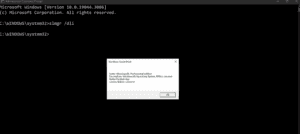
How to Check If Your Windows License Is Genuine or Cracked (With Easy Commands)
Have you ever wondered whether your Windows license is actually genuine? Maybe your PC shows “Windows is activated,” but that doesn’t always mean it’s legit. In many cases, especially with cheap or pre-activated systems,...
Read More
30 Windows Services You Can Safely Disable for Better Performance and Privacy
Ever feel like your PC is slower than it should be, even when you’re not doing much? Well, you’re not alone. One of the most common causes of lag and high RAM or disk...
Read More
5 Easy Ways to Check Your Hard Drive Health in Windows (Before It’s Too Late!)
When most people think about what makes a computer powerful, they’ll name the CPU or graphics card. But what if I told you the most important part of your PC might be your hard...
Read More
How to Get 15GB of Free Cloud Storage with Google Drive on Your Windows PC
If you’re constantly running out of storage on your laptop or want a reliable way to back up your documents, photos, and videos, Google Drive might just be the perfect solution. What makes it...
Read More
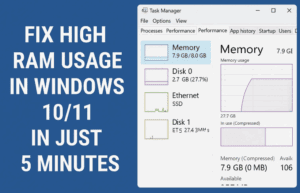
Fix High RAM Usage in Windows 10/11 in Just 5 Minutes
If your Windows 10 or 11 system feels laggy, sluggish, or unresponsive due to high RAM usage, you’re not alone. The good news is that you can fix these problems in just a few...
Read More
5 Real Fixes Make Windows Start Faster In 4 Minutes
If your Windows 10 or 11 machine takes forever to start, you’re definitely not alone. That frustratingly long wait after pressing the power button is something we’ve all experienced. And while Windows may look...
Read More

🎮 How to Optimize Windows 11 for Gaming: A Complete Performance Tuning Guide
If you’re a gamer looking to squeeze every last frame per second (FPS) out of your system, optimizing Windows 11 is a must. While Windows 10 has long been the go-to OS for gaming,...
Read More
How to Speed Up Boot Time on Windows 10 or 11: 3 Effective Methods
If your Windows 10 or 11 PC feels sluggish when starting up, you’re not alone. Many users experience slow boot times, especially on older hardware or systems loaded with unnecessary startup programs. But don’t...
Read More
💿 How to Download Old Windows 10 and 11 ISO Files Using the Media Creation Tool Wrapper
Have you ever needed to reinstall a specific version of Windows—maybe for software compatibility, testing, or just personal preference—only to realize that Microsoft doesn’t provide download links for older Windows 10 or 11 ISO...
Read More
Speed Up Your Windows 11 PC: Ultimate Guide to Boost Performance Smoothly
If your Windows 11 PC feels sluggish or takes forever to boot, don’t panic. You’re not alone—and the good news is that there’s plenty you can do to fix it. Whether it’s slow app...
Read More
How to Create a Bootable USB Drive for Ubuntu Installation (Step-by-Step Guide)
Installing Ubuntu on your system is easier than ever with a bootable USB drive. Whether you’re switching from Windows, trying Linux for the first time, or installing it on a separate partition — this...
Read More

Fix “We Couldn’t Find Any Drives” Error During Windows Installation (Intel RST Driver Solution)
Getting the dreaded “We couldn’t find any drives. To get a storage driver, click Load driver” error while installing Windows 10 or 11? This frustrating issue typically appears on newer laptops and desktops —...
Read More
How to Reset or Remove Windows 10/11 Login Password Using Hiren’s Boot USB (No Data Loss)
Have you forgotten your Windows 10 or 11 login password or PIN and can’t access your system? Don’t panic. Whether it’s your personal PC or an office laptop, there’s a reliable way to regain...
Read More
How to Fix Valorant Not Launching on Windows 10/11 (Complete Step-by-Step Guide)
Is Valorant not launching when you try to open it? You click the icon and… nothing. No error. No game. Just silence. Don’t worry — this issue is quite common, and the good news...
Read More
How to Fix Microsoft Store Not Opening on Windows 10 or 11 (3 Easy Methods)
Is your Microsoft Store refusing to open on your Windows 10 or Windows 11 computer? Whether it freezes on launch, closes immediately, or doesn’t respond at all — this guide will help you fix...
Read More
How to Fix “Unidentified Network” or “No Internet Access” Issue on Windows 10 & 11
Are you facing network problems like “Unidentified Network” or “No Internet Access” on your Windows 10 or 11 computer? Don’t worry — you’re not alone. These issues often show up due to misconfigured settings,...
Read More
How to Upgrade from Windows 10 to Tiny11 25H2 Without a Bootable USB (Step-by-Step Guide)
Looking to upgrade to Tiny11 25H2 but don’t have a spare USB drive? No problem! In this detailed tutorial, we’ll show you how to upgrade from Windows 10 to Tiny11 25H2 without using a...
Read More