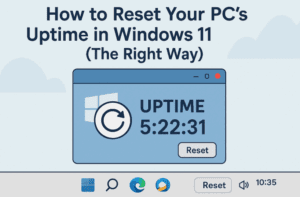
Ever noticed that your Windows 11 PC has been “on” for days, even though you shut it down last night? If you check your system’s uptime in Task Manager and see it still counting...
Read More
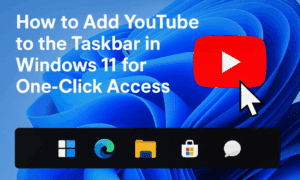
How to Add YouTube to the Taskbar in Windows 11 for One-Click Access
Have you ever wished YouTube was just one click away on your Windows 11 taskbar—just like an app? If you’re someone who opens YouTube frequently, there’s a super simple trick to make it instantly...
Read More
Top 10 Windows 11 Tips and Tricks You Should Know to Boost Your Productivity
Hi everyone!Whether you’re new to Windows 11 or have been using it for a while, there are always little tricks and hidden features that can make your experience faster, smoother, and more enjoyable. In...
Read More
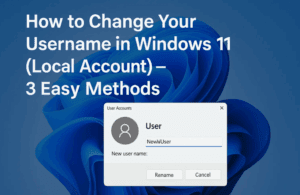
How to Change Your Username in Windows 11 (Local Account) – 3 Easy Methods
Have you ever felt that the username on your Windows 11 PC no longer represents you? Maybe it was set during setup and now feels outdated or incorrect. Good news—you don’t have to stick...
Read More
How to Downgrade from Windows 11 to Windows 10 with a Clean Install (After the 10-Day Limit)
If you’re here, chances are Windows 11 hasn’t lived up to your expectations—or maybe you’re just more comfortable with the familiar layout and stability of Windows 10. Whether it’s driver compatibility, legacy software, or...
Read More
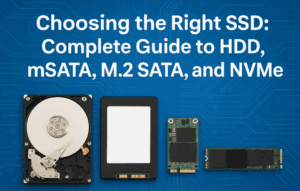
Understanding HDD, SSD, mSATA, M.2 SATA & M.2 NVMe: Which Storage Drive Should You Choose?
Choosing the right storage device can be confusing, especially with all the different terms like SSD, HDD, M.2, NVMe, and mSATA being thrown around. Whether you’re upgrading a laptop, building a custom PC, or...
Read More
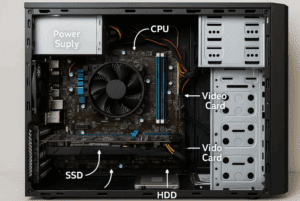
🔬 Inside a Desktop Computer: A 3D Dissection of Every Hardware Component Explained
Have you ever wondered what really goes on inside your desktop computer? This guide takes you on a detailed, step-by-step journey through a full desktop computer dissection — inspired by biology class dissections, but...
Read More
The Ultimate Guide to Perfectly Setting Up Windows 11 with Rufus (Bypass TPM, Secure Boot & Microsoft Account)
Setting up Windows 11 can feel a bit overwhelming, especially with all the new restrictions like TPM 2.0, Secure Boot, and Microsoft account requirements. But what if you could bypass all of that and...
Read More
⚡ How to Reduce Background Processes in Windows 10 & 11 for Lightning-Fast Performance
Is your Windows PC feeling sluggish even though your hardware is decent? Chances are, too many background processes are eating up your system resources. These background apps and services often run silently, slowing down...
Read More
How to Install or Update Intel HD Graphics Drivers on Windows 10 & 11 (Step-by-Step Guide)
Keeping your Intel HD Graphics drivers up to date ensures optimal performance for gaming, video playback, and everyday computing. Whether you’re using Windows 10 or Windows 11, this detailed guide walks you through both...
Read More
🛠️ How to Fix Missing Wi-Fi Option in Windows 11: Step-by-Step Troubleshooting Guide
If you’ve recently booted up your Windows 11 PC and noticed the Wi-Fi option is mysteriously missing from your settings or system tray, you’re not alone. This issue is surprisingly common and can be...
Read More