
In today’s digital age, our online activities are constantly tracked—especially through search engines like Google. Whether you’re cleaning up for privacy reasons, troubleshooting browser issues, or simply want a fresh start, clearing your Google...
Read More
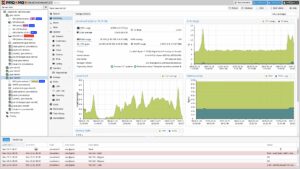
Turn Your Mini PC into a Powerful Home Server with Proxmox
Looking to make the most of a mini PC lying around your house? In this guide, we’ll walk you through how to turn a compact computer—like the AceMagic V1—into a fully functioning home server...
Read More
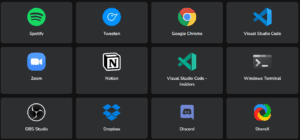
How to Create a Custom App Installer for Any Windows PC Using Winstall
Imagine having the power to install all your favorite Windows apps on any computer with just one click. Whether you’re setting up a new laptop, reformatting an old PC, or just want an easy...
Read More
How to Install Windows 11 Inside Windows 11 Using Hyper-V
Ever wanted to open a suspicious file, test a new app, or browse risky websites without jeopardizing your main computer? Good news—there’s a secure way to do it, right from your current Windows installation....
Read More
How to Install Google Play Store on Windows 11 (No Emulator Needed)
Run Android Apps Natively on Windows 11: Full Guide to Installing Google Play Store with WSA Running Android apps natively on Windows 11 is no longer a distant dream. Thanks to Windows Subsystem for...
Read More

How to Enable File and Printer Sharing in Windows 10 – 11
File and printer sharing is a built-in feature in Windows 10 that allows you to share files, folders, and printers with other devices connected to the same network. This is particularly useful in home...
Read More
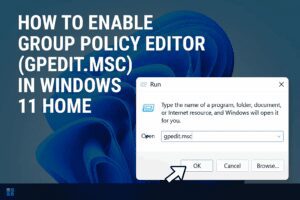
How to Enable Group Policy Editor (GPEdit.msc) in Windows 11 Home
Windows 11 Home lacks one powerful tool that Windows Pro users often take for granted: the Group Policy Editor (gpedit.msc). This utility makes it easier to tweak system settings without diving deep into the...
Read More

Should You Install AMD Chipset Drivers or Stick With Windows Defaults?
If you’re building or maintaining a PC with an AMD processor, you’ve probably wondered: Do I really need to install AMD’s chipset drivers, or are the ones included with Windows good enough? While Windows...
Read More

How to Undervolt Your Ryzen CPU for Better Performance and Lower Temperatures
If you’ve already tried overclocking your Ryzen processor and are looking for ways to enhance performance further—without increasing power consumption or thermals—undervolting might be the solution you need. In this guide, we’ll walk you...
Read More
How to Easily Share Files and Printers in Windows 10 & 11 – With and Without Passwords
File and printer sharing in Windows is one of the most fundamental tasks on a local network—but it’s something many users still find confusing or don’t realize is possible. Whether you’re managing a home...
Read More
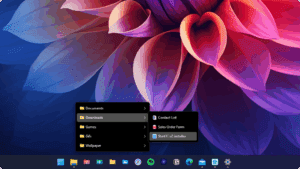
Customize the Windows 11 UI with Start11 v2 – The Ultimate Start Menu Replacement
Are you frustrated with the default Windows 11 Start Menu? Do you miss the functionality of older Windows versions or simply want more control over your desktop experience? If so, you’re not alone. With...
Read More
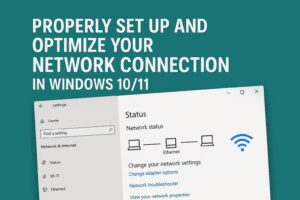
How to Properly Set Up and Optimize Your Network Connection in Windows 10/11
Are you experiencing network issues or simply want to ensure that your Windows network connection is properly configured? A poorly optimized network setup can lead to slow file transfers, lag, and even limited internet...
Read More
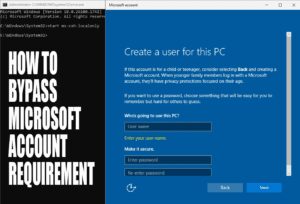
How to Bypass Microsoft Account Requirement in Windows 11 (Updated for 24H2)
Microsoft has once again tightened the screws on users who prefer local accounts over Microsoft accounts during Windows 11 setup. With the release of Windows 11 version 23H2 and the upcoming 24H2, most of...
Read More

⚠️ Beware: Brand-New Mini PC Shipped with Preinstalled Malware
In a shocking turn of events, a recent experience with a seemingly promising Mini PC revealed a critical security concern—malware preinstalled straight out of the box. This article walks through what happened, why it...
Read More
How to Create an Unattended Windows 11 Installer for Unsupported Hardware (with Debloating and No Microsoft Account)
If you’re tired of jumping through hoops to install Windows 11 on unsupported hardware or trying to bypass Microsoft’s online account requirement, this guide is for you. With a few simple steps, you can...
Read More

How to Add Third-Party Apps to Windows Installation Media (2025 Guide)
Tired of manually installing your favorite apps after setting up Windows? This guide will show you how to embed third-party applications directly into your Windows installation media, saving you time and effort. Whether you’re...
Read More
How to Restore the Windows Registry Using Automatic Registry Backups
If you’ve enabled automatic registry backups in Windows (as discussed in this guide), the next critical step is knowing how to use those backups in case your system runs into trouble. This article walks...
Read More
The Complete Guide to Removing Malware from Windows (2025 Edition)
Malware infections aren’t as common as they used to be, thanks to Windows Defender and improved security in Windows 10/11. However, malicious software can still slip through—whether it’s adware, spyware, ransomware, or browser hijackers....
Read More
🔥 AMD X3D CPUs Dying, Nvidia’s G Assist Becomes Real, and Windows 11 25H2 Testing Begins
Welcome back to another week of tech developments. This time, the tech world brings a mix of alarming failures, surprising software updates, and early glimpses at what’s next for Windows 11. Let’s dive in....
Read More

Microsoft Recall Rolls Out, Google Might Lose Chrome, and GTA 6 Delayed—Again
Welcome back to Tech News! This week’s roundup includes Microsoft’s controversial new “Recall” feature, Google facing a potential breakup with Chrome, and Rockstar once again delaying the most anticipated game of the decade—GTA 6....
Read More
How to Install Windows 11 24H2 on Unsupported Hardware (2024 Guide)
Microsoft’s Windows 11 24H2 introduces new features and optimizations, but many older PCs still don’t meet the strict hardware requirements (TPM 2.0, Secure Boot, supported CPU). Fortunately, there are workarounds to install Windows 11...
Read More