
If you’re trying to access old Outlook emails from an OST file and need them in PST format, you’re not alone. Many users face the challenge of converting OST (Offline Storage Table) files into...
Read More

9 Powerful Uses of a USB Drive Beyond File Storage
USB drives are widely known for storing and transferring files, but they offer a lot more potential than just being a data carrier. Whether you’re using an old pen drive or a brand-new USB...
Read More

How to Fix Slow Windows Updates & Speed Up Installation
Are Windows updates taking hours to install? Do you frequently encounter errors or freezing during updates? Slow Windows updates can be frustrating, but the problem often stems from cluttered system files, network issues, or...
Read More

Optimize Gaming Performance on Windows 11 by Disabling These Two Settings
If you’re experiencing lagging issues or FPS (frames per second) drops while gaming on Windows 11, there might be two hidden settings quietly affecting your system’s performance. Disabling these specific features can help improve...
Read More

10 Chrome Settings You Should Disable Right Now to Boost Privacy and Performance
Google Chrome is one of the most widely used browsers in the world. However, its default settings aren’t always ideal — they can compromise your privacy, slow down your computer, and even introduce security...
Read More
How to Fix Lagging and Slow Performance on Windows 11: Step-by-Step Guide
Experiencing lag and slow performance on your Windows 11 device—even if it’s brand new—is more common than you think. Whether you’re a gamer, a professional, or a casual user, these issues can significantly hinder...
Read More
How to Convert Media Files Using Command Prompt with FFmpeg
Tired of using bloated media converters? Did you know you can convert images, audio, and video files directly from Command Prompt without any third-party software? With FFmpeg, a powerful open-source tool, you can quickly...
Read More

The Ultimate Guide to Clearing Cache in Windows 11/10 for Better Performance
Is your Windows PC running slower than usual? Over time, temporary files, browser caches, and system junk can accumulate, consuming valuable storage space and reducing performance. In this comprehensive guide, we’ll walk you through...
Read More
How to Get Unlimited Google Drive Storage for Free Using This Smart Trick
Google Drive provides 15 GB of free storage to every user, which is shared across Google Drive, Gmail, and Google Photos. For many users, this 15 GB fills up quickly due to email attachments,...
Read More

Boost Gaming FPS: 3 Windows Settings to Disable for Better Performance
Are you experiencing low FPS in games despite having decent hardware? While internet speed and system specs play a role, certain Windows settings—like Hyper-V, Memory Integrity, and Nagle’s Algorithm—can silently throttle your gaming performance....
Read More

Boost Your FPS in Windows: 3 Hidden Settings You Should Disable Right Now
Are you frustrated with low FPS (frames per second) and laggy gaming experiences despite having decent hardware and internet speed? While system configuration and network quality certainly impact gaming performance, certain Windows settings can...
Read More

How to Block USB Devices on Windows 10/11 for Enhanced Security
In today’s digital world, protecting your PC from unauthorized USB devices is crucial to prevent data theft, malware infections, and unauthorized access. Whether you’re securing a work computer, shared device, or personal laptop, this...
Read More
How to Clear RAM Cache in Windows 10/11 for Better Performance
Is your Windows PC slowing down over time? One often-overlooked culprit is cached RAM memory, which can consume valuable system resources. In this guide, we’ll show you two effective methods to clear RAM cache—manually...
Read More

10 Best Free Software Alternatives for Windows Users
Are you tired of paying for expensive software subscriptions? Whether you need a PDF editor, video editor, or office suite, there are high-quality free alternatives available. In this article, we’ll explore 10 must-have free...
Read More

7 Reasons Why Your PC Gives Poor Gaming Performance and Low FPS… How to Fix It
Are you frustrated with your computer’s poor gaming performance or unexpectedly low FPS (frames per second)? Many gamers face this issue and often assume the only solution is upgrading their hardware — something not...
Read More
How to Create a macOS Bootable USB on Windows (Easy Guide)
Need to reinstall macOS or fix system issues? A bootable USB installer is essential for macOS recovery, fresh installations, or troubleshooting. While Apple recommends using a Mac to create one, you can actually make...
Read More
Boost Windows 11 Performance with Windows 11 Debloater: The Ultimate Optimization Tool
Is your new Windows 11 PC running slower than expected? Even high-end machines can suffer from bloatware, background processes, and unnecessary services that drain performance. Fortunately, Windows 11 Debloater is a free, powerful tool...
Read More
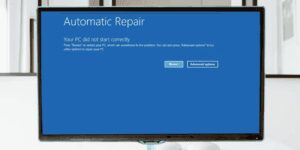
Fix “Your PC Did Not Start Correctly” or Startup Repair Loop in Windows 11/10
One of the most frustrating issues Windows users face is when their computer refuses to boot into the operating system and displays error messages such as: If you’re stuck in a startup repair loop...
Read More
How to Fix Common Windows 11 Problems Using the Built-in Repair Tool
Is your Windows 11 running slow, freezing, or crashing with blue screens? Are system files corrupted, or is malware affecting performance? Instead of performing a full reset, Windows 11 now includes a hidden repair...
Read More
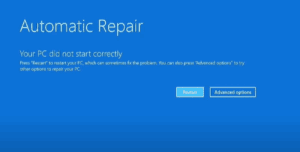
Fix “Your PC Did Not Start Correctly” or Startup Repair Loop in Windows 11/10
One of the most frustrating issues Windows users face is when their computer refuses to boot into the operating system and displays error messages such as: If you’re stuck in a startup repair loop...
Read More

Enhance Your Videos and Images to 4K with Wix Video AI: A Complete Guide
High-quality videos and images are essential—whether you’re creating content for social media, preparing a professional presentation, or preserving personal memories. If you’ve ever dealt with blurry, pixelated, or low-resolution media, there’s good news. Thanks...
Read More