Windows 10 and 11 updates are essential for security patches, feature enhancements, and bug fixes. However, many users find that these updates can take an unexpectedly long time to download and install. If you’re...
Read More
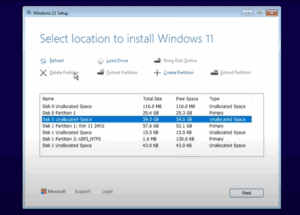
How to Fix Missing Windows Edition Selection During Clean Installation
Are you trying to perform a clean installation of Windows 11 or 10 but not seeing the option to choose between Home, Pro, or other editions? This common issue occurs when creating bootable USBs...
Read More
How to Completely Remove All Viruses from Your Windows 10/11 PC – For Free!
If your Windows PC is running slower than usual, or you’re worried that viruses or malware may be compromising your personal data, it’s time to take action. Fortunately, there’s a powerful and completely free...
Read More
3 Easy Ways to Check HDD, SSD, or USB Drive Health in Windows 10/11
Monitoring the health of your storage drives—whether it’s an HDD, SSD, or USB—is essential for preventing data loss and maintaining system performance. In this guide, we’ll explore three effective methods to check the health...
Read More

✅ How to Set Up a Free VPN on Windows Using VPN Gate (Still Works in 2025)
In 2025, ensuring online privacy and bypassing internet restrictions is more critical than ever. A VPN (Virtual Private Network) helps you encrypt your data, mask your location, and access blocked websites securely. If you’re...
Read More
How to Permanently Delete Files So They Cannot Be Recovered
Many people mistakenly believe that simply deleting files from their computer or emptying the recycle bin is enough to erase data forever. Unfortunately, that’s far from the truth. If you’re planning to sell your...
Read More
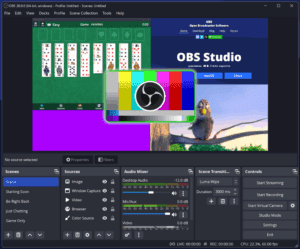
Best OBS Studio Settings for High-Quality Recording (2025) – Fix Blurry Video Output
If you’ve been struggling with poor or blurry video quality while recording using OBS Studio, you’re not alone. This article provides a step-by-step guide to optimize your OBS Studio settings specifically for recording. Whether...
Read More
How to Create and Use Medicat USB for System Recovery and Troubleshooting
If you’re an IT professional, a tech enthusiast, or someone who frequently troubleshoots computers, Medicat USB is an essential tool to have in your toolkit. This powerful, bootable USB drive comes loaded with utilities...
Read More
Boost Your Productivity with ShareX: A Free, Lightweight Tool for Windows
If you’re a Windows user looking to streamline your workflow and supercharge your productivity without compromising system performance, ShareX is the tool you need. Completely free and open-source, ShareX offers an impressive array of...
Read More

Ultimate Windows Optimization Guide for Maximum Gaming Performance (FPS Boost & Lower Input Lag)
If you’re a PC gamer, you know that even small tweaks can significantly boost your system’s performance. Whether you’re using a budget-friendly laptop or a high-end gaming rig, optimizing Windows settings can make a...
Read More

4 Best Lightweight Android Emulators for PC in 2025
Looking to run Android apps and games on your Windows PC or laptop? Whether you’re a gamer, developer, or just want to use mobile apps on a bigger screen, choosing the right lightweight Android...
Read More

Create Viral Faceless YouTube Videos in Minutes Using AI with DubDub
In today’s digital era, creating high-quality video content doesn’t require expensive equipment, a studio setup, or even showing your face or using your voice. With the power of AI, anyone can create stunning, viral-worthy...
Read More
The Best Free Windows 11 Optimization Tool: Debloat GUI
If you’re looking for an easy, safe, and powerful way to optimize Windows 10 or 11, then Debloat GUI is one of the best free tools available. This open-source software helps remove bloatware, improve...
Read More

Convert Any File Format Instantly on Windows or Mac – Using This Free Tool
Converting files from one format to another is a common task — whether it’s changing a PDF into a JPG, an MP4 video into an MP3, or even a PNG image into a PDF....
Read More
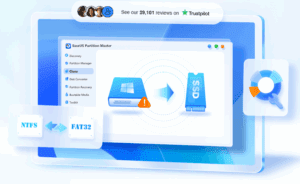
How to Clone or Migrate Windows to a New SSD or Drive Without Losing Data
Upgrading your PC with a new SSD or replacing your old hard drive? One of the most efficient ways to transfer your Windows operating system, settings, and data from your old disk to a...
Read More
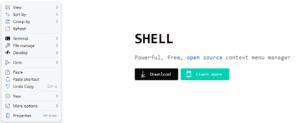
How to Customize and Enhance the Windows 11 Context Menu with Nilesoft Shell
If you’re a Windows 11 user frustrated with the limited default right-click menu, you’ll love Nilesoft Shell—a free tool that supercharges your context menu with advanced customization options. This guide will show you how...
Read More
How to Install Windows 11 24H2 Without USB or Data Loss (Even on Unsupported Hardware)
Upgrading to the latest version of Windows 11 (24H2) doesn’t have to be complicated — or risky. If you’re looking to install Windows 11 24H2 without using a USB drive and without losing your...
Read More
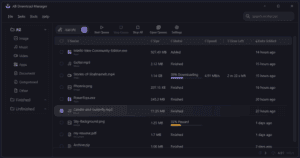
AB Download Manager: The Best Free IDM Alternative for Windows and Linux
If you’ve used Internet Download Manager (IDM) before, you know how efficient and powerful it is when it comes to downloading large files quickly and with ease. However, IDM is only available as a...
Read More

10 Programs You Should Avoid Installing on Your Windows PC
Keeping your computer secure and optimized doesn’t just depend on the software you install—it also depends heavily on what you choose not to install. While many applications claim to improve performance or add useful...
Read More

How to Encrypt Files for Free with Encrypto: A Complete Guide
Are you worried about unauthorized access to your sensitive files? Whether you’re sending confidential documents, protecting personal photos, or securing work files, file encryption ensures only authorized users can open them. In this guide,...
Read More

Run Your Favorite Software from a USB Drive – No Installation Needed!
Is your computer running out of storage space because of numerous software installations? Do you work across multiple computers and get tired of installing the same apps repeatedly? What if we told you there’s...
Read More