If you’ve been searching for a powerful yet completely free AI video generator that works on your local computer, you’re in luck! In this article, you’ll learn how to install WAN 2.1, a popular...
Read More
How to Fix “File Contains a Virus FitGirl” Error When Installing Games (2025 Guide)
If you’ve encountered the frustrating Windows Security warning “Operation did not complete because the file contains a virus or potentially unwanted software” while trying to install a game (such as a FitGirl repack), this...
Read More
Ultimate Guide: Super Quick Tips to Optimize Your Windows PC for Better Performance
Over time, your Windows PC can begin to slow down due to background processes, bloatware, startup apps, and unnecessary system effects. Fortunately, with a few quick tweaks, you can significantly enhance your PC’s performance...
Read More
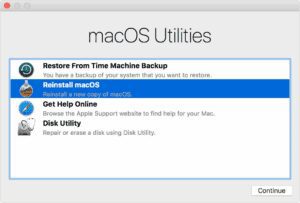
How to Fix a Mac That Won’t Boot into Recovery Mode: 5 Effective Solutions
Apple’s macOS Recovery Mode is a built-in utility designed to help users troubleshoot and repair their system. Whether you need to reinstall macOS, restore from a backup, or manage your disk, Recovery Mode is...
Read More
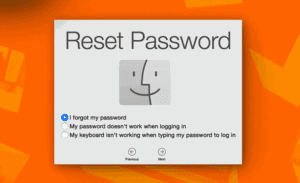
How to Reset Your Forgotten MacBook Password
Forgetting your MacBook password can be frustrating, especially if you’re locked out of your device. Fortunately, Apple provides a built-in method to reset your password without losing data. Follow this step-by-step guide to regain...
Read More

Why Microsoft Isn’t Rushing Windows 12: A Deep Dive into the Company’s Strategic Shift
For decades, Microsoft and Windows have been nearly synonymous. The Windows operating system, known for its user-friendliness and affordability, became a global standard in both personal and professional computing. From Windows XP to Windows...
Read More
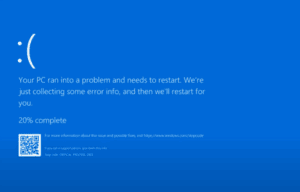
Best Free Windows Repair Tool to Fix PC Problems
If your PC is suffering from the Blue Screen of Death (BSOD) or constant crashes, this guide will help you troubleshoot and fix common issues causing these errors. The Blue Screen of Death occurs...
Read More
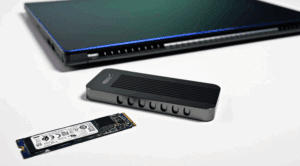
Should You Buy a Ready-Made External SSD or Build Your Own?
External SSDs are popular for their speed, portability, and durability. However, buying a pre-built external SSD isn’t always the best choice. In this article, we’ll explore whether you should purchase a ready-made external SSD...
Read More

How to Install FitGirl Repack Games Without Errors in 2025: Step-by-Step Guide
Installing compressed PC games like FitGirl repacks can be tricky if you don’t follow the right process. Errors like ISDone.dll or unarc.dll often occur due to background tasks, antivirus interference, or improper settings. This...
Read More

How to Fix “USB Device Not Recognized” Error in Windows 10 & 11 (5 Proven Methods)
If you’re encountering the “USB Device Not Recognized” error on your Windows PC, don’t worry—this common issue can often be resolved with a few troubleshooting steps. In this guide, we’ll walk you through five...
Read More

How to Increase Video RAM in Windows 11/10 | Better FPS Performance (Intel, AMD, Nvidia)
If you’re experiencing lag in games or poor performance in graphics-heavy applications, your Video RAM (VRAM) might be limiting your system. This guide will show you how to increase VRAM on Windows 10 and...
Read More
How to Fix “Can’t Find Your Camera” Error on Windows
If you’re seeing the error message “Can’t find your camera” or “No cameras are attached” on your Windows laptop, don’t panic. This common issue can often be resolved with a few troubleshooting steps. In...
Read More
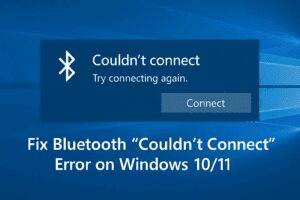
How to Fix Missing Bluetooth Toggle in Windows 10/11
Are you facing a frustrating issue where the Bluetooth on/off toggle is missing from the Windows Settings? This common problem can occur due to various reasons such as disabled services, driver issues, or even...
Read More