
Apple has officially rolled out iOS 18.5, bringing a robust mix of new features, performance enhancements, and important security fixes to supported iPhone models. Whether you’re excited about new visual customizations or backend optimizations,...
Read More
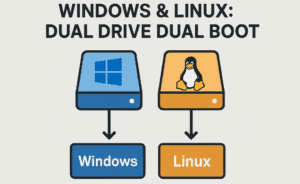
Is Dual Booting Linux and Windows Really Worth It?
Linux is often celebrated for its speed, lightweight footprint, flexibility, and the sheer customizability it offers. Whether you’re building a minimalist workstation or a robust gaming setup, Linux can be a compelling option. However,...
Read More

How to Set Up a Dual Boot System with Windows and Linux on Separate Drives
Setting up a dual boot system with Windows on one drive and Linux on another is an excellent way to enjoy the benefits of both operating systems without compromising performance. Unlike single-drive dual boot...
Read More
How to Install and Set Up MySQL Server on Windows: Step-by-Step Guide
MySQL is one of the most popular open-source relational database management systems, widely used in web development, data science, and enterprise software applications. Whether you’re a student, a developer, or a data enthusiast, having...
Read More
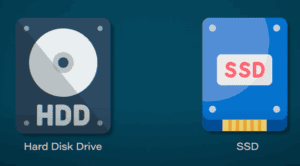
Everything You Need to Know About SSD: How It Works and Why It’s So Fast
If you use a computer or laptop, you’ve likely heard of an SSD. An SSD (Solid State Drive) is a storage device that holds your data—whether it’s photos, videos, games, or software. In the...
Read More

How to Play God of War 3 on Android Using the APS3E PS3 Emulator (Offline)
If you’re a fan of God of War 3 and have always wanted to relive the intense action of Kratos on your Android device, you’re in luck. Thanks to the powerful APS3E emulator —...
Read More
How to Lower CPU Temperatures Using Windows Power Plan Settings
High CPU temperatures can significantly affect your PC’s performance, especially if you’re using a laptop or a system with limited cooling. If you’ve noticed your CPU running hot—often spiking into the 90s Celsius range—there’s...
Read More
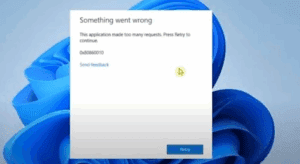
How to Fix “Application Made Too Many Requests” Error in Windows 11/10
If you’re encountering the frustrating “Application Made Too Many Requests” error on your Windows 11 or 10 PC, don’t worry—this issue can usually be resolved with a few simple troubleshooting steps. This error often...
Read More
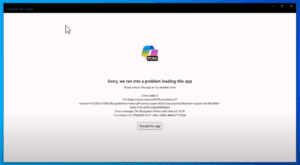
How to Fix “Sorry, We Ran Into a Problem Loading This App” Error in Microsoft Copilot on Windows 10
If you’re encountering the error message: “Sorry, we ran into a problem loading this app” while trying to launch Microsoft Copilot on Windows 10, don’t worry — this is a common issue and can...
Read More
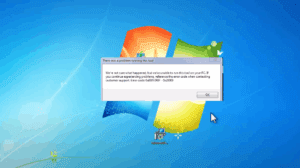
How to Fix Media Creation Tool Error 0x80072F8F – 0x20000 While Upgrading from Windows 7 to Windows 10
If you’re trying to upgrade from Windows 7 to Windows 10 using the Media Creation Tool and encounter the error: You’re not alone. This error typically occurs due to security or permission settings on...
Read More
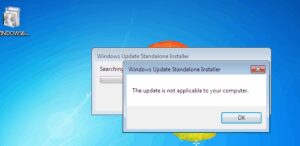
How to Fix “The Update Is Not Applicable to Your Computer” Error in Windows 7
If you’ve encountered the frustrating error “The update is not applicable to your computer” while trying to install Windows 7 updates, you’re not alone. This issue typically occurs due to incorrect system architecture (32-bit...
Read More

How to Install Bliss OS (Android 13) on Your PC – A Complete Guide
Looking to breathe new life into your old Windows PC? Bliss OS, based on Android 13, allows you to run a full-fledged Android operating system on your x86 computer. Whether you want a lightweight...
Read More

Is Someone Spying on Your Phone? Here’s How to Find Out and Protect Yourself
In today’s digital age, smartphone security is more critical than ever. Hackers and spyware can infiltrate your device, gaining access to your calls, messages, camera, microphone, and even your real-time location. If you suspect...
Read More
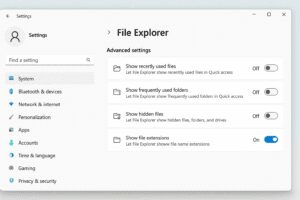
How to Show File Extensions in Windows 11 Using the Settings App
If you’re using Windows 11 and want to view file extensions (like .jpg, .pdf, .docx, etc.) directly in File Explorer, Windows now offers a much simpler method through the Settings app. This makes it...
Read More
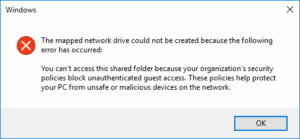
How to Fix “Cannot Access Shared Folder Due to Security Policies” Error in Windows
Have you encountered the frustrating error that says you “”You can’t access this shared folder because your organization’s security policies block unauthenticated guest access. These policies help protect your pc from unsafe or malicious...
Read More