
If you recently got your hands on a Samsung Galaxy S25, S25 Plus, or S25 Ultra, you’re in for a treat. While the Galaxy S25 series comes loaded with premium features, there are some...
Read More
10 Must-Enable Samsung Galaxy Features to Improve Your Smartphone Experience
Samsung Galaxy smartphones are packed with powerful features that go beyond the basics. While many users stick to default settings, enabling a few lesser-known options can significantly enhance your experience — improving call clarity,...
Read More

Android 16 QPR1 Update: A Deep Dive into Material 3 Expressive
Google has just rolled out the Android 16 QPR1 Beta, introducing a major visual overhaul with Material 3 Expressive (M3E). This update brings bold new designs, dynamic animations, and enhanced personalization, making Android feel...
Read More

How to Control Your Android Phone from PC Using Vysor
Do you want to mirror and control your Android phone directly from your PC? Whether you’re a developer testing apps, a gamer streaming mobile gameplay, or just someone who prefers a bigger screen, Vysor...
Read More

How to Fix Internet Connection Issues on Windows (7 Effective Solutions)
If your Windows PC is unable to connect to the internet, the problem could stem from various sources—incorrect settings, firewall restrictions, DNS issues, or even a disabled network adapter. This guide provides seven proven...
Read More
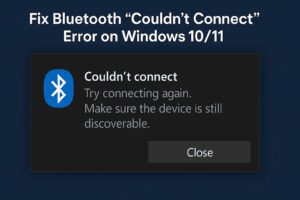
How to Fix Bluetooth “Couldn’t Connect” Error on Windows 10/11
If you’ve encountered issues with Bluetooth on your Windows 10 or Windows 11 PC—such as the Bluetooth switch missing or an error message saying “Couldn’t Connect”—you’re not alone. This problem can occur due to...
Read More
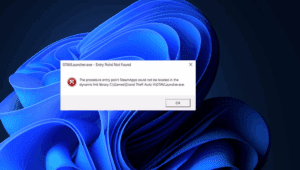
How to Fix “Entry Point Not Found” Error in GTA 5 (2025): A Complete Guide
If you’re trying to launch GTA V on your PC and see an “Entry Point Not Found” error related to FED Gallery Packs or missing DLL files, don’t worry—you’re not alone. This is a...
Read More
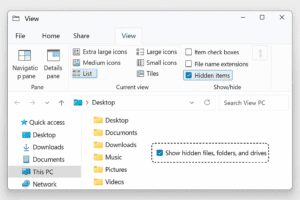
How to Show Hidden Files and Folders in Windows File Explorer: A Quick Guide
Windows hides certain files and folders by default to protect critical system data from accidental changes. However, there are times when you need to access these hidden locations—whether for troubleshooting, deleting leftover app data,...
Read More