If you’ve enabled automatic registry backups in Windows (as discussed in this guide), the next critical step is knowing how to use those backups in case your system runs into trouble. This article walks...
Read More
The Complete Guide to Removing Malware from Windows (2025 Edition)
Malware infections aren’t as common as they used to be, thanks to Windows Defender and improved security in Windows 10/11. However, malicious software can still slip through—whether it’s adware, spyware, ransomware, or browser hijackers....
Read More
🔥 AMD X3D CPUs Dying, Nvidia’s G Assist Becomes Real, and Windows 11 25H2 Testing Begins
Welcome back to another week of tech developments. This time, the tech world brings a mix of alarming failures, surprising software updates, and early glimpses at what’s next for Windows 11. Let’s dive in....
Read More

Microsoft Recall Rolls Out, Google Might Lose Chrome, and GTA 6 Delayed—Again
Welcome back to Tech News! This week’s roundup includes Microsoft’s controversial new “Recall” feature, Google facing a potential breakup with Chrome, and Rockstar once again delaying the most anticipated game of the decade—GTA 6....
Read More
How to Install Windows 11 24H2 on Unsupported Hardware (2024 Guide)
Microsoft’s Windows 11 24H2 introduces new features and optimizations, but many older PCs still don’t meet the strict hardware requirements (TPM 2.0, Secure Boot, supported CPU). Fortunately, there are workarounds to install Windows 11...
Read More

How to Upgrade to Windows 11 on Unsupported Hardware (Without Third-Party Tools)
Are you still running Windows 10? If so, you should know that Microsoft will officially end support for Windows 10 on October 14th, 2025. While many users can easily upgrade to Windows 11 using...
Read More
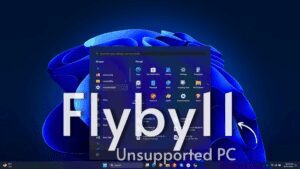
How to Upgrade Unsupported PCs to Windows 11 Using FlyBy11
Are you stuck on Windows 10 because your PC doesn’t meet Windows 11’s official system requirements? Don’t worry—there’s a way around it. Microsoft may tell you your PC is too old to upgrade, but...
Read More
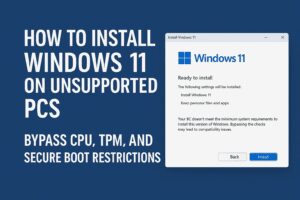
How to Install Windows 11 on Unsupported PCs (No TPM, No Secure Boot, No Microsoft Account)
Microsoft’s Windows 11 comes with strict hardware requirements — like TPM 2.0, Secure Boot, and a supported CPU — which leaves many perfectly usable PCs unable to upgrade via official methods. However, if you’re...
Read More
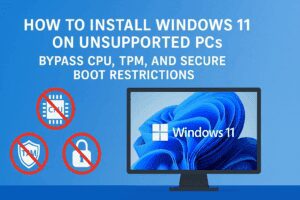
How to Install Windows 11 on Unsupported PCs: Bypass CPU, TPM, and Secure Boot Restrictions
Microsoft’s Windows 11 brings several modern features and enhanced security — but with that also came restrictive minimum system requirements. Many users discovered that relatively recent PCs, including some only a few years old,...
Read More

10 Pieces of Bad Cybersecurity Advice You Should Ignore
Cybersecurity is a critical topic, but not all advice floating around the internet is worth following. In fact, some commonly repeated tips can actively make you less secure. This article breaks down ten of...
Read More

How to Fix the Windows Blue Screen of Death (BSOD): A Step-by-Step Troubleshooting Guide
You’re happily working away on your Windows PC, and suddenly—bam!—your screen flashes blue, and your system crashes. Welcome to the infamous Blue Screen of Death (BSOD). It’s one of the most dreaded errors a...
Read More

How to Fix the Driver Verifier DMA Violation Error in Windows 11
The Driver Verifier DMA Violation error is a common Blue Screen of Death (BSOD) issue in Windows 11, often triggered by outdated or faulty drivers, corrupt system files, or system instability. If you’re encountering...
Read More