If you’ve ever wanted to run Android apps natively on your Windows PC, you’re in luck. This article explains how to install the Google Play Store on your Windows 11 or Windows 10 Pro...
Read More
📱 How to Transfer WhatsApp Chats from Android to iPhone Without Resetting Your iPhone
Switching from an Android phone to a new iPhone is an exciting upgrade—but if you’re not careful, you might run into a frustrating issue: losing your WhatsApp chats during the transfer. Many users make...
Read More
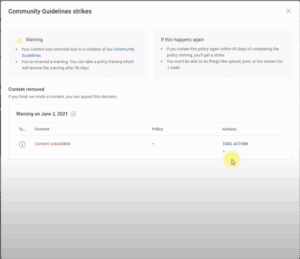
✅ How to Remove a Community Guideline Warning Message from Your YouTube Studio Dashboard
Have you ever logged into your YouTube Studio and noticed a persistent warning about a Community Guidelines violation—even though the original video has already been deleted? If you’re in this situation, you’re not alone....
Read More
🔄 How to Enable or Disable Windows Co-Pilot AI in Windows 11 (23H2)
With the release of Windows 11 version 23H2, many users noticed that Co-Pilot AI, Microsoft’s intelligent assistant, disappeared from their desktops. If you’re wondering why this happened and how you can enable or disable...
Read More
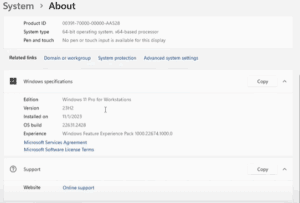
🔧 How to Fix the AMD Software Adrenalin Edition Warning After Windows 11 Update (23H2)
If you’re seeing the AMD Software Adrenalin Edition warning on your system after updating to Windows 11 version 23H2, you’re not alone. Many users are facing this issue where the system mistakenly replaces the...
Read More

🌙 How to Enable Dark Mode on Your WordPress Admin Dashboard
If you’re someone who prefers a sleek, eye-friendly interface while working on your WordPress site, enabling Dark Mode for your WordPress admin panel is a great idea. Not only does it reduce eye strain—especially...
Read More
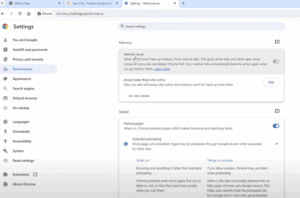
Google Chrome’s New Memory Saver Feature: Speed Up Your Browser Today
Google Chrome has recently received a major performance upgrade, and it’s one every user should know about. This update introduces a powerful Memory Saver feature designed to make Chrome significantly faster and more efficient—especially...
Read More
How to Report and Remove Stolen YouTube Videos from Other Channels
If you’re a content creator on YouTube, one of the most frustrating experiences is seeing someone steal your content—downloading your original video and re-uploading it to their channel as if it were their own....
Read More
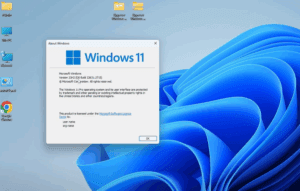
How to Roll Back from Windows 11 to Windows 10 (Even on Unsupported Hardware)
If you’ve recently upgraded from Windows 10 to Windows 11 version 23H2, and you’re running it on unsupported hardware, you might have noticed that things aren’t running as smoothly as expected. Whether it’s performance...
Read More
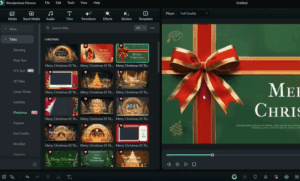
How to Create Stunning Christmas Videos with Filmora 13’s AI Features
Looking to create a beautiful and festive Christmas video, but unsure which video editing software to use? Look no further—Filmora 13 is the ultimate choice for both beginners and seasoned editors. Packed with holiday-themed...
Read More
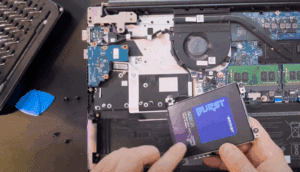
How to Clone Your Old SSD to a New NVMe Drive (Laptop & Desktop Guide)
Upgrading your system drive to a faster NVMe SSD can significantly boost your computer’s speed and performance. Whether you’re using a laptop or a desktop, cloning your existing SSD to a new NVMe drive...
Read More
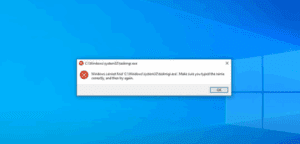
How to Fix Task Manager Not Opening or Responding in Windows
If your Task Manager refuses to open, doesn’t respond, or gives you strange errors—especially after a potential malware attack—there’s a good chance that something has disabled it behind the scenes. This article will walk...
Read More
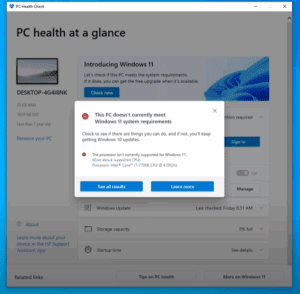
The Easiest Way to Install Windows 11 on Unsupported PCs (2024 Guide)
If you’re using an older computer that doesn’t meet Microsoft’s official requirements for Windows 11, don’t worry—you can still install Windows 11 easily in 2024. This guide walks you through a simple and effective...
Read More
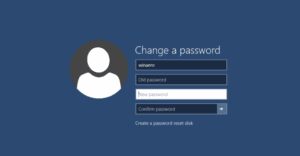
How to Bypass the Microsoft Account Requirement in Windows 11 (2025 Guide)
When setting up a fresh installation of Windows 11, Microsoft now strongly encourages users to sign in with a Microsoft account. However, not everyone wants or needs to connect their personal or professional identity...
Read More
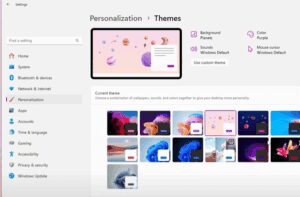
How to Unlock Hidden Education Themes in Windows 11
Did you know that Windows 11 comes with a set of vibrant and unique Education Themes that are hidden by default? These themes are not visible in the standard personalization settings unless you perform...
Read More
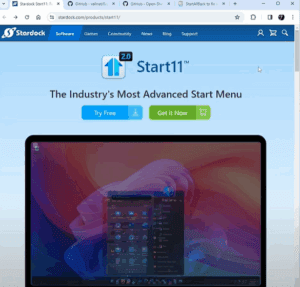
The Best Start Menu Alternatives for Windows 11: Customization, Functionality & Nostalgia
Windows 11 introduced a sleek, modern design with a centered Start menu. While many users appreciate the refreshed look, others miss the familiarity and customization offered by older versions of Windows, such as Windows...
Read More
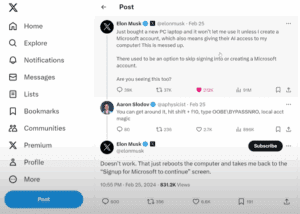
How to Bypass Microsoft Account Setup on Windows 11 with This Simple Trick
When setting up a new Windows 11 PC, Microsoft often requires users to sign in with a Microsoft account before they can proceed. This has frustrated many users who prefer a local account, including...
Read More
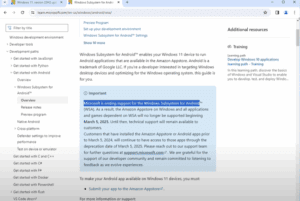
How to Run Android Apps on Windows 11 After Microsoft Ends WSA Support
If you’ve been enjoying running Android apps on your Windows 11 PC through the Windows Subsystem for Android (WSA), you may need to prepare for a change. Microsoft has officially confirmed that WSA support...
Read More

How to Install the Classic Windows Movie Maker on Windows 11 (23H2)
If you’ve been feeling nostalgic about the good old days of video editing with the classic Windows Movie Maker, you’re not alone. While Microsoft officially discontinued Movie Maker years ago, it’s still possible to...
Read More
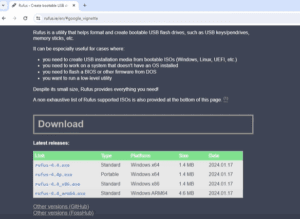
How to Clean Install Windows 11 24H2 Preview on an Unsupported Old Laptop
Have an old laptop that doesn’t meet Windows 11’s minimum requirements like TPM 2.0 or Secure Boot? Don’t worry—you can still experience the latest Windows 11 24H2 Preview build using a clean installation method....
Read More
How to Set Up Two WhatsApp Accounts on One iPhone Using Two Different Phone Numbers
If you use two different phone numbers—one for personal use and one for business—you might want to run two separate WhatsApp accounts on your iPhone. Fortunately, this is completely possible by using WhatsApp Messenger...
Read More