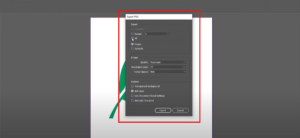
IntroductionSaving a file with a transparent background in Adobe InDesign is a useful technique, particularly for graphics or designs you intend to overlay on other elements without a visible background. In this detailed guide,...
Read More
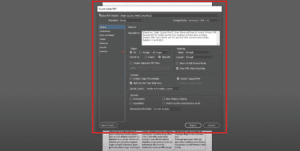
How to Save an InDesign File as a PDF in Adobe InDesign
IntroductionSaving your InDesign project as a PDF is one of the most common tasks, whether you’re preparing it for print, sharing with a client, or creating an interactive digital experience. This guide walks you...
Read More
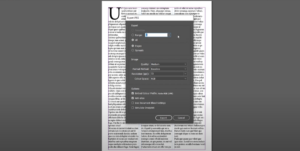
How to Save an InDesign File as a JPEG
IntroductionAdobe InDesign is a go-to tool for creating layouts and designs, but exporting your work in different formats is essential for versatility. In this guide, we’ll walk you through the steps to save an...
Read More
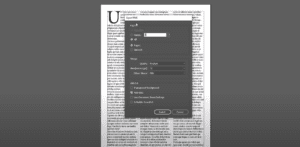
How to Save an InDesign File as a PNG
IntroductionAdobe InDesign is a powerful tool for creating layouts, but sometimes you may need to export your designs as a PNG file. Whether for web usage, sharing with clients, or any other purpose, this...
Read More

How to Easily Identify and Use Fonts from Scanned Documents
IntroductionIn design work, especially when creating business cards, invitations, or other printed materials, identifying the fonts used in a design can be a significant challenge. This guide will walk you through the process of...
Read More

How to Distribute Objects Evenly in Adobe InDesign
IntroductionArranging objects evenly in Adobe InDesign is a crucial skill for achieving clean, professional layouts. Uneven spacing between objects can disrupt the balance of a design, but using InDesign’s Align Panel, you can easily...
Read More

How to Cut a Shape in Adobe InDesign
IntroductionAdobe InDesign offers versatile tools for manipulating shapes and objects. One common task is cutting shapes into separate parts, allowing you to customize your design elements. This article provides a detailed guide on how...
Read More
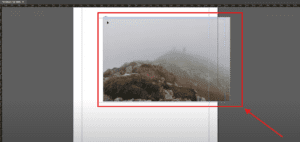
How to Scale and Resize an Image in Adobe InDesign
IntroductionWhen working on designs in Adobe InDesign, you may often need to scale or resize an image to fit your layout perfectly. Whether you want to resize proportionally or adjust specific dimensions, InDesign offers...
Read More
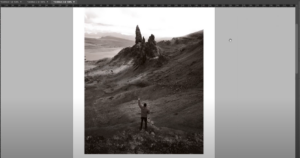
How to Make an Image Black and White in Adobe InDesign
IntroductionTurning a color image into black and white can add a touch of elegance or a professional tone to your design. While Adobe InDesign doesn’t offer a direct grayscale conversion tool, you can achieve...
Read More
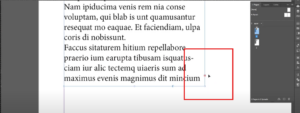
How to Find and Fix Overset Text in Adobe InDesign
IntroductionOverset text is a common issue in Adobe InDesign that occurs when there is more text in a text frame than it can display. This is indicated by a small red rectangle with a...
Read More
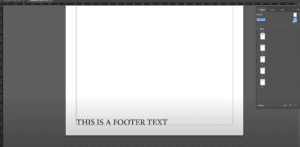
How to Create a Footer in Adobe InDesign
IntroductionFooters play a crucial role in maintaining consistency and professionalism in multi-page documents. They are typically used to display essential information like page numbers, document titles, or dates. This guide will take you through...
Read More
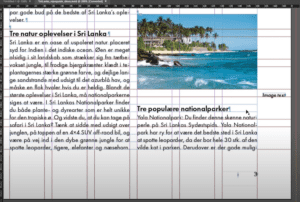
How to Ignore Text Wrap in Adobe InDesign
IntroductionText wrapping in Adobe InDesign is a powerful feature that allows you to control how text flows around objects, such as images, shapes, or other design elements. However, there are times when you may...
Read More

How to Swap Images in Adobe InDesign
IntroductionSwapping images in Adobe InDesign is a common task when working on layouts, especially for magazines, brochures, or any design projects. This article provides a detailed step-by-step guide to easily swap two images in...
Read More
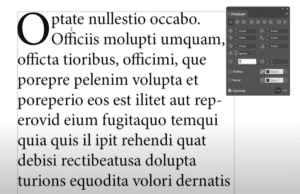
How to Create a Drop Cap in Adobe InDesign
IntroductionA drop cap is a design element often used at the beginning of paragraphs in books, magazines, or other documents to give a visually appealing touch. It enlarges the first letter (or several letters)...
Read More
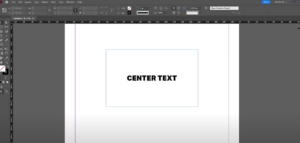
How to Center Text in a Box in Adobe InDesign: A Step-by-Step Guide
Centering text in a box in Adobe InDesign is a simple yet crucial technique for creating visually appealing layouts. Whether you’re working on a brochure, flyer, or any other document, aligning text perfectly enhances...
Read More

How to Zoom In and Out in Adobe InDesign: A Comprehensive Guide
Zooming in and out is an essential skill in Adobe InDesign, allowing you to work on fine details or view your entire layout. Whether you’re working on a complex project or just starting with...
Read More
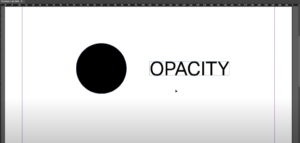
How to Change Opacity in Adobe InDesign: A Complete Guide
Opacity is a versatile feature in Adobe InDesign that lets you adjust the transparency of objects, images, and text. By modifying opacity, you can create stunning design effects, overlays, and subtle visual hierarchy. This...
Read More
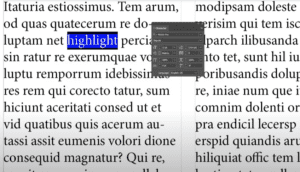
How to Highlight Text in Adobe InDesign: A Detailed Guide
Highlighting text in Adobe InDesign is a simple yet effective way to emphasize certain parts of your content. Whether you’re designing a poster, a magazine, or an interactive PDF, this feature can make key...
Read More

How to Draw an Arrow in Adobe InDesign: Step-by-Step Guide
Drawing arrows in Adobe InDesign can enhance your designs, helping to point out important elements or guide viewers’ attention. This article will walk you through the simple steps to create arrows using InDesign’s built-in...
Read More

How to Group Objects in Adobe InDesign: A Comprehensive Guide
Grouping objects in Adobe InDesign is an essential skill for designers, allowing for more organized layouts and efficient workflows. This article will provide a detailed step-by-step guide on how to group and ungroup objects...
Read More
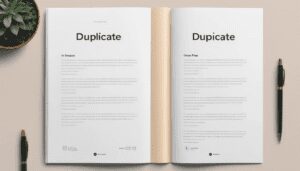
How to Duplicate a Page in Adobe InDesign
IntroductionDuplicating pages in Adobe InDesign is a useful technique, especially when working with multi-page documents. Whether you are designing a brochure, magazine, or any layout that requires repeated pages, knowing how to quickly duplicate...
Read More