IntroductionWhen working on designs in Adobe InDesign, you may often need to scale or resize an image to fit your layout perfectly. Whether you want to resize proportionally or adjust specific dimensions, InDesign offers...
Read More
How to Make an Image Black and White in Adobe InDesign
IntroductionTurning a color image into black and white can add a touch of elegance or a professional tone to your design. While Adobe InDesign doesn’t offer a direct grayscale conversion tool, you can achieve...
Read More
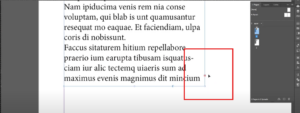
How to Find and Fix Overset Text in Adobe InDesign
IntroductionOverset text is a common issue in Adobe InDesign that occurs when there is more text in a text frame than it can display. This is indicated by a small red rectangle with a...
Read More
How to Create a Footer in Adobe InDesign
IntroductionFooters play a crucial role in maintaining consistency and professionalism in multi-page documents. They are typically used to display essential information like page numbers, document titles, or dates. This guide will take you through...
Read More
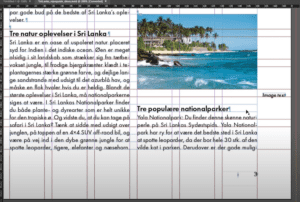
How to Ignore Text Wrap in Adobe InDesign
IntroductionText wrapping in Adobe InDesign is a powerful feature that allows you to control how text flows around objects, such as images, shapes, or other design elements. However, there are times when you may...
Read More

How to Swap Images in Adobe InDesign
IntroductionSwapping images in Adobe InDesign is a common task when working on layouts, especially for magazines, brochures, or any design projects. This article provides a detailed step-by-step guide to easily swap two images in...
Read More
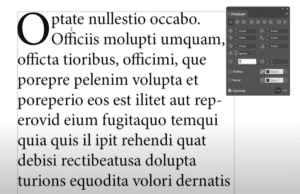
How to Create a Drop Cap in Adobe InDesign
IntroductionA drop cap is a design element often used at the beginning of paragraphs in books, magazines, or other documents to give a visually appealing touch. It enlarges the first letter (or several letters)...
Read More