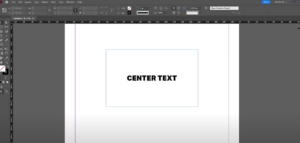
Centering text in a box in Adobe InDesign is a simple yet crucial technique for creating visually appealing layouts. Whether you’re working on a brochure, flyer, or any other document, aligning text perfectly enhances...
Read More

How to Zoom In and Out in Adobe InDesign: A Comprehensive Guide
Zooming in and out is an essential skill in Adobe InDesign, allowing you to work on fine details or view your entire layout. Whether you’re working on a complex project or just starting with...
Read More
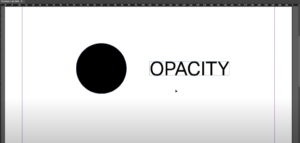
How to Change Opacity in Adobe InDesign: A Complete Guide
Opacity is a versatile feature in Adobe InDesign that lets you adjust the transparency of objects, images, and text. By modifying opacity, you can create stunning design effects, overlays, and subtle visual hierarchy. This...
Read More
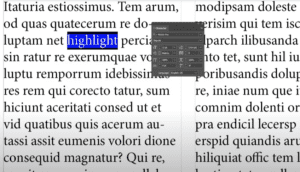
How to Highlight Text in Adobe InDesign: A Detailed Guide
Highlighting text in Adobe InDesign is a simple yet effective way to emphasize certain parts of your content. Whether you’re designing a poster, a magazine, or an interactive PDF, this feature can make key...
Read More

How to Draw an Arrow in Adobe InDesign: Step-by-Step Guide
Drawing arrows in Adobe InDesign can enhance your designs, helping to point out important elements or guide viewers’ attention. This article will walk you through the simple steps to create arrows using InDesign’s built-in...
Read More

How to Group Objects in Adobe InDesign: A Comprehensive Guide
Grouping objects in Adobe InDesign is an essential skill for designers, allowing for more organized layouts and efficient workflows. This article will provide a detailed step-by-step guide on how to group and ungroup objects...
Read More
How to Duplicate a Page in Adobe InDesign
IntroductionDuplicating pages in Adobe InDesign is a useful technique, especially when working with multi-page documents. Whether you are designing a brochure, magazine, or any layout that requires repeated pages, knowing how to quickly duplicate...
Read More

How to Add Multiple Shapes in Adobe InDesign
IntroductionAdobe InDesign is a powerful tool for designing layouts, and adding shapes is an essential part of creating visually engaging designs. Whether you’re working on a brochure, flyer, or other design projects, knowing how...
Read More
How to Create Bold Text in Adobe InDesign
IntroductionAdobe InDesign is a versatile tool for designing text-based layouts. While creating bold text is a common task, understanding the steps to apply it correctly ensures your designs are polished and professional. This guide...
Read More
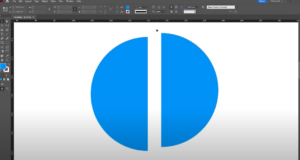
How to Create a Half Circle in Adobe InDesign
IntroductionAdobe InDesign is a powerful design tool that allows you to create and manipulate shapes with ease. While it doesn’t have a direct option to create a half circle, you can achieve this in...
Read More
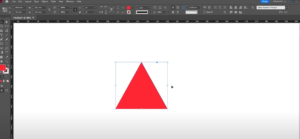
How to Create a Triangle in Adobe InDesign
IntroductionAdobe InDesign is a versatile design tool, and while it does not have a dedicated triangle tool, creating a triangle is straightforward using the Polygon Tool. This article will guide you step-by-step on how...
Read More
How to Create Underline Text in Adobe InDesign
IntroductionAdding an underline to text in Adobe InDesign is a simple process that can enhance your design’s readability or style. This article provides a detailed guide on how to underline text efficiently using InDesign’s...
Read More

How to Rotate a Page in Adobe InDesign
IntroductionRotating a page in Adobe InDesign is a straightforward process that can help you adjust your design perspective or experiment with layouts without altering the actual document orientation. In this article, we’ll walk you...
Read More
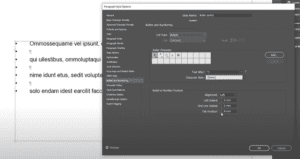
How to Add Bullet Points in Adobe InDesign
IntroductionBullet points are a fantastic way to organize information in a clean and structured manner. In Adobe InDesign, adding bullet points to your text can be accomplished efficiently using the Paragraph Styles feature. This...
Read More

How to Align Text to the Baseline Grid in Adobe InDesign
IntroductionAligning text to a baseline grid ensures uniformity and professionalism in your layouts. This feature is especially useful in long-form documents like books, magazines, or reports. In this article, we’ll walk you through the...
Read More
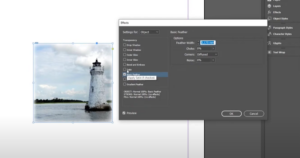
How to Blur an Image in Adobe InDesign: A Step-by-Step Guide
IntroductionWhile Adobe Photoshop is often the go-to tool for image effects like blurring, you can achieve similar results directly in Adobe InDesign. Whether you want to soften the edges of an image or create...
Read More
How to Add a Background Color in Adobe InDesign: A Step-by-Step Guide
IntroductionAdding a background color to your design in Adobe InDesign is a simple yet effective way to enhance your layout. Whether you’re creating a single-page document or a multi-page spread, InDesign offers tools to...
Read More
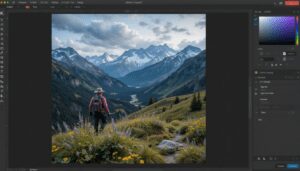
How to Crop an Image in Adobe InDesign: A Detailed Guide
IntroductionCropping an image is a common task in Adobe InDesign, whether you’re focusing on a specific part of an image or resizing it to fit your design layout. In this article, we’ll cover two...
Read More