
When working on multiple projects in Adobe InDesign, you may find yourself needing to reuse color swatches from one document in a new one. Instead of manually recreating these swatches, InDesign offers a simple...
Read More
How to Create a QR Code in Adobe InDesign and Add It to Your Design
QR codes have become an essential tool in both digital and print designs. Whether you want to link to a website, share contact information, or direct someone to a YouTube channel, adding a QR...
Read More
How to Add Bleed to Your Document in Adobe InDesign
When designing professional documents in Adobe InDesign, bleed is an essential element that ensures your artwork extends seamlessly to the edge of a printed page. Adding bleed prevents unwanted white margins when the paper...
Read More
How to Replace Multiple Spaces with a Single Space in Adobe InDesign
When working with text in Adobe InDesign, you may often encounter documents with multiple spaces—double, triple, or even more—causing uneven formatting. Manually fixing these spaces can be time-consuming, especially in lengthy documents. Fortunately, Adobe...
Read More
How to Restore a Missing Toolbar in Adobe InDesign
If you’re working with Adobe InDesign and find that your toolbar has disappeared, don’t panic. It’s a common issue that can occur by accident, but fortunately, it’s easy to fix. In this post, we’ll...
Read More
How to Change the Interface Appearance Color Theme in Adobe InDesign
Adobe InDesign allows users to customize the interface appearance color theme to match their preferences or workspace lighting. The interface appearance color is the background color and other visual elements outside the document area....
Read More
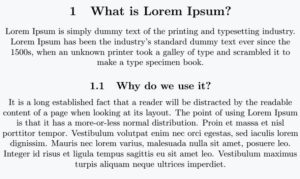
How to Center Align Text in Adobe InDesign
Centering text in Adobe InDesign is a simple yet essential skill for creating balanced and professional designs. Whether you’re working on a brochure, a flyer, or a book layout, aligning your text correctly can...
Read More
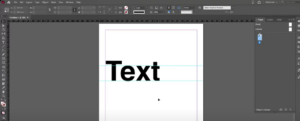
How to Hide and Show Guides in Adobe InDesign
Guides in Adobe InDesign are a useful tool to align and structure your design elements. However, during certain stages of your workflow, you might want to hide them to get a cleaner view of...
Read More
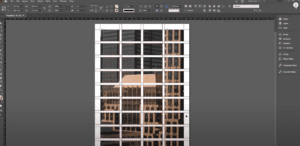
How to Insert an Image into Multiple Frames in Adobe InDesign
Inserting an image into multiple frames in Adobe InDesign is a fantastic way to create visually engaging layouts, such as collages or grid designs. This article provides a detailed guide on how to seamlessly...
Read More
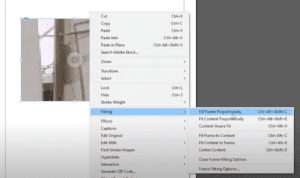
How to Add and Adjust an Image in Adobe InDesign: A Step-by-Step Guide
Adding images to your design projects in Adobe InDesign is essential for creating visually engaging layouts. Whether you’re designing brochures, posters, or books, InDesign makes it easy to insert and manipulate images within your...
Read More
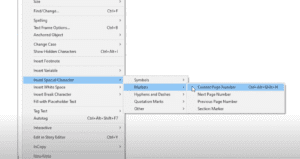
How to Add Automatic Page Numbers in Adobe InDesign: A Step-by-Step Guide
Adding automatic page numbers is an essential feature in Adobe InDesign for creating professional documents such as books, magazines, and brochures. It saves time and ensures consistency, especially when working with multi-page layouts. This...
Read More
How to Change Text Color in Adobe InDesign: A Step-by-Step Guide
Customizing text color is one of the most important aspects of creating visually appealing designs in Adobe InDesign. Whether you’re working on a brochure, flyer, or any other type of project, understanding how to...
Read More