Exporting your design from CorelDRAW to JPEG format is an essential task when preparing your work for clients or presentations. In this detailed guide, we’ll walk you through each step of the process to...
Read More

How to Create an Icon in CorelDRAW: Step-by-Step Guide
Icons are simple graphics designed to represent an object, concept, or action. In this tutorial, we’ll show you how to create a watermelon icon in CorelDRAW using just two simple shapes: a circle and...
Read More
Learn How to Use Focus Mode in CorelDRAW
The new Focus Mode in CorelDRAW is a game changer when working with complex designs and overlapping objects. This feature allows you to bring a single object or group of objects into focus, enabling...
Read More

Learn How to Generate QR Codes and Barcodes in CorelDRAW
In this article, we will guide you step-by-step on how to generate QR codes and barcodes in CorelDRAW. Whether you’re looking to create QR codes for websites, contact details, or generate barcodes for various...
Read More
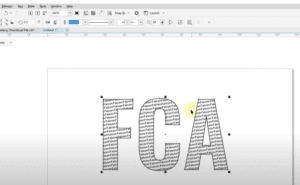
How to Create Text Inside Text in CorelDRAW: A Step-by-Step Guide
Typography is one of the most creative aspects of graphic design, and CorelDRAW offers plenty of ways to explore text effects. In this article, we’ll guide you through the process of creating a text-inside-text...
Read More
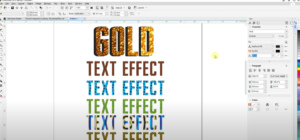
Best Text Effects in CorelDRAW 2024: 3D, Fill Texture, Pattern, Bitmap, and More
Creating impressive text effects is one of the most exciting features in CorelDRAW 2024. Whether you’re designing a logo, creating social media graphics, or making posters, adding textures, patterns, and other effects to your...
Read More
How to Insert Page Numbers in CorelDRAW
Page numbering is an essential aspect of designing documents like magazines, brochures, or booklets in CorelDRAW. Whether you’re working on a small or large project, CorelDRAW offers both automatic and manual methods to insert...
Read More

5 Best Free Image Background Remover Tools
Removing backgrounds from images is a common task for graphic designers, photographers, and even casual users. Fortunately, there are plenty of free tools available online to help with this task. In this article, we’ll...
Read More
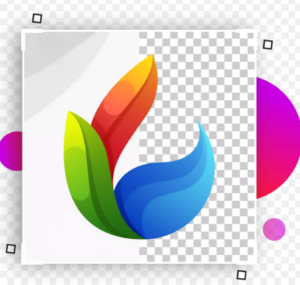
How to Export CDR Files to PNG with Transparent Background in CorelDRAW
If you’re working with CorelDRAW and need to export your designs as PNG files with a transparent background, this guide will walk you through the process step by step. Whether you’re dealing with logos...
Read More
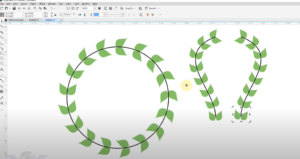
Mastering Fit to Object on Path: Graphics & Designing Course in CorelDraw
Welcome back to another engaging session of our Graphics & Designing course. In today’s lesson, we will dive into an essential concept that every designer should master—fitting an object to a path. What is...
Read More
CorelDRAW Tips & Tricks: Welding with the Smart Fill Tool
When it comes to creating intricate designs in CorelDRAW, the Smart Fill Tool is a game-changer. This blog post will walk you through a detailed process of using the Smart Fill Tool to weld...
Read More
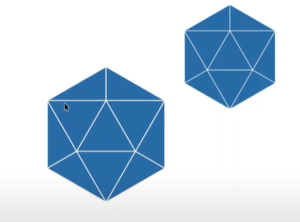
CorelDRAW Tips & Tricks: Creating a 6-Sided Polygon with 4 Triangles
In this article, we’ll guide you through the process of creating a 6-sided polygon with 4 triangles inside it, similar to a design you might find in a logo. While it may look complex...
Read More
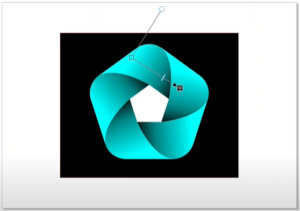
CorelDRAW Tips & Tricks: Creating a 5-Sided Polygon Design
In this article, we’ll explore how to create and manipulate a 5-sided polygon in CorelDRAW. While the 6-sided polygon is often preferred for symmetry and ease of centering, it is also possible to create...
Read More
CorelDRAW Tips: Creating an Infinity Loop Design
Creating an infinity loop, or a figure-eight design, in CorelDRAW can be challenging, especially if you’re trying to use the number eight shape directly. A better approach involves using ellipses and CorelDRAW’s design tools...
Read More
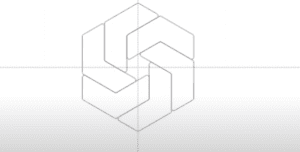
CorelDRAW Tips: Creating a Design Using Three Six-Sided Polygons
CorelDRAW offers endless possibilities for creative designs, including complex geometric shapes. In this guide, we will walk you through creating an intricate pattern using three six-sided polygons. You’ll learn how to manipulate polygons, adjust...
Read More
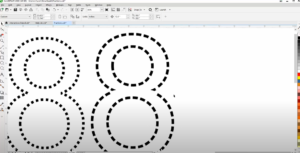
CorelDRAW Tips: Creating Dotted or Dashed Lines on a Number Eight
CorelDRAW offers many versatile tools to create custom designs, including dotted or dashed lines. In this guide, we’ll walk you through the steps to create a dotted or dashed line on a circle, using...
Read More

CorelDRAW Tips & Tricks: Creating a Dotted or Dashed Line and Smoothing It
When working with lines in CorelDRAW, you might encounter a situation where you want to turn a freehand line into a dotted or dashed line and smooth it out for a cleaner appearance. This...
Read More

CorelDRAW Tips & Tricks: Removing White and Gray Colors from a Drawing
When working with CorelDRAW, removing unwanted colors from a drawing, such as white and gray, can be an essential task, especially when preparing images for engraving. In this detailed guide, we will walk you...
Read More
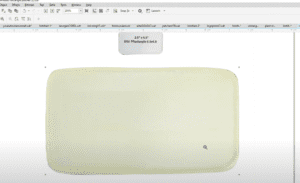
CorelDRAW Tips & Tricks: Mocking Up a Patch for Client Review
In this CorelDRAW tutorial, we’ll guide you through the process of mocking up a patch that you can use to present a design to a client. Whether it’s for showcasing your work or making...
Read More
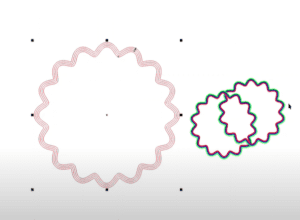
CorelDRAW Tips & Tricks: Creating an Interlocking Pattern with Contour Tool
In this article, we will explore how to create interlocking patterns using the Contour tool in CorelDRAW. If you’re trying to create a design where shapes overlap and appear to go over and under...
Read More
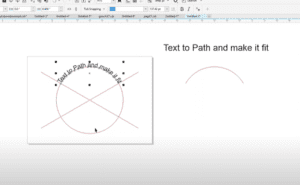
CorelDRAW Tips & Tricks: How to Fit Text to a Path and Make It Perfect
In this tutorial, we will cover how to make text fit perfectly along a path in CorelDRAW. Whether you’re designing logos, emblems, or any artwork where text needs to follow a circular or curved...
Read More