Windows 11 promised a sleek, unified interface, but beneath its modern facade lie clunky legacy menus, ad-filled apps, and missing features. While Microsoft focuses on surface-level changes, third-party developers have created superior alternatives that deliver the experience Windows 11 should have offered.
This guide covers 20 free, modern apps that replace Windows 11’s worst built-in utilities—from file explorers to weather apps—with elegant, feature-packed alternatives.
⚠ Disclaimer
- Some apps are open-source, while others offer premium upgrades.
- Always download from official sources (linked below).
- Registry tweaks can cause instability—back up your data first.
1. Nilesoft Shell – Fix Windows 11’s Broken Right-Click Menu
Replaces: Windows 11’s stripped-down context menu
Why? Microsoft removed useful options (e.g., “Cut/Copy,” “Open With”).
Solution: Nilesoft Shell restores Windows 10’s full menu with modern icons.

✅ Features:
✔ Full right-click functionality
✔ Customizable layout
✔ Light/dark mode support
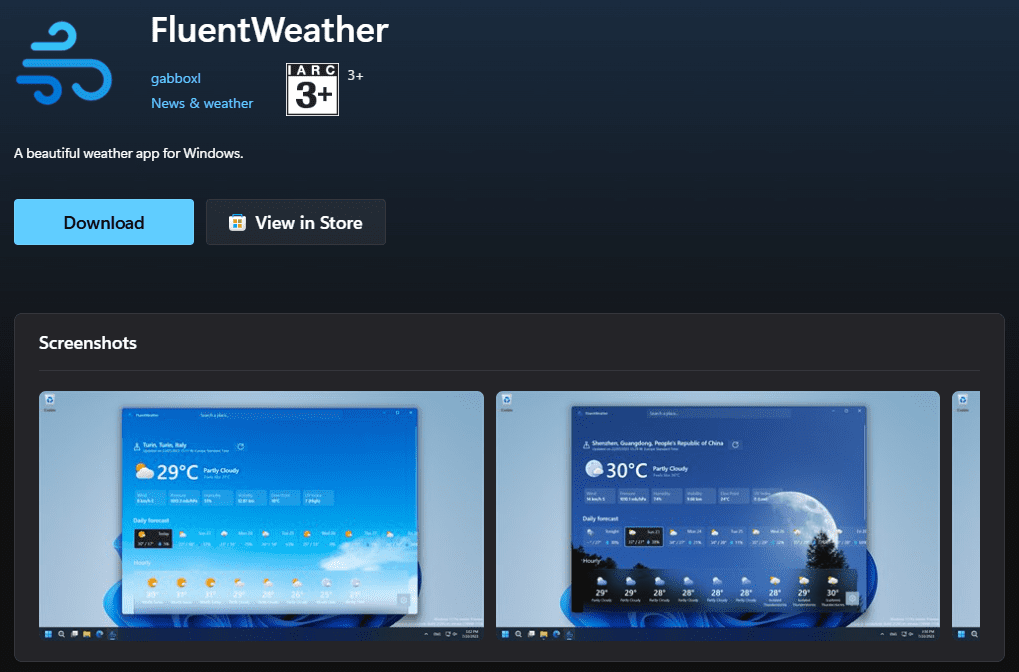
2. Fluent Weather – An Ad-Free Weather App
Replaces: Windows’ ad-infested Weather app
Why? Microsoft serves ads in its built-in weather tool.
Solution: Fluent Weather offers:
✔ Dynamic backgrounds (changes with weather)
✔ Lock screen integration
✔ No ads
3. Files App – A Modern File Explorer
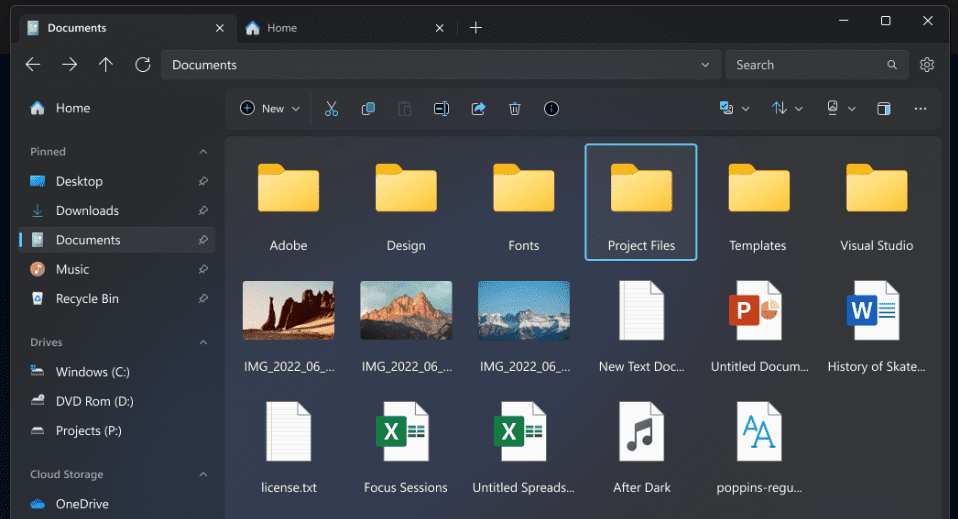
Replaces: Clunky Windows Explorer
Why? Microsoft’s file manager lacks tabs, smooth scrolling, and previews.
Solution: Files App adds:
✔ Tabbed browsing (like Chrome)
✔ Split-view and column mode
✔ Built-in file previews
⚠ Note: Can be CPU-heavy on older PCs.
4. Ambie – A Calming Ambient Noise Player
Replaces: Browser-based white noise sites
Why? Windows lacks a built-in ambient sound tool.
Solution: Ambie provides:
✔ Offline nature sounds (rain, waves, etc.)
✔ Pomodoro timer integration
✔ Focus/work session scheduler
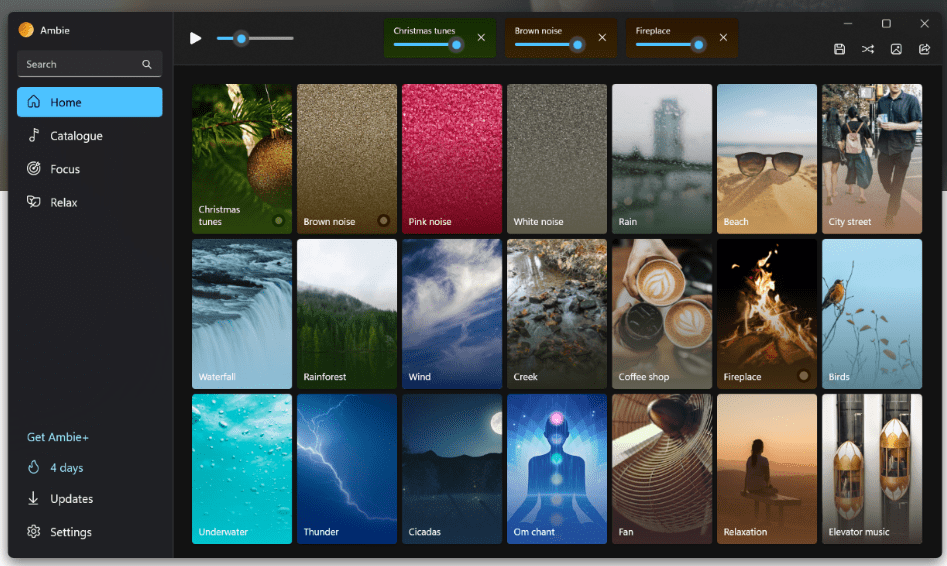
💲 Freemium: Sound layering requires paid upgrade.
5. ModernFlyouts – Better Volume/Power Controls
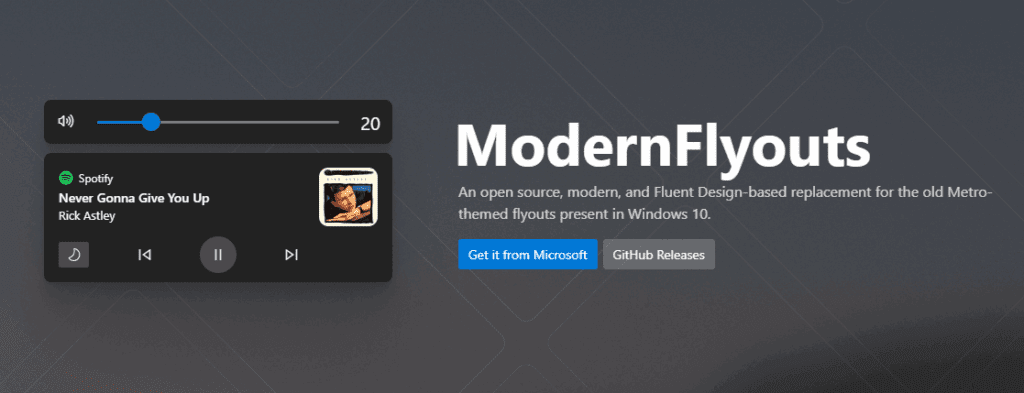
Replaces: Windows 11’s barebones flyout menus
Why? Microsoft removed media controls from the volume pop-up.
Solution: ModernFlyouts brings back:
✔ Media playback buttons
✔ Customizable transparency/position
✔ Open-source & lightweight
6. Auto Dark Mode – Automatic Light/Dark Switching
Replaces: Manual theme toggling
Why? Windows 11 doesn’t auto-switch themes at sunset.
Solution: Auto Dark Mode enables:
✔ Sunset/sunrise-based theme switching
✔ Per-app dark mode rules
✔ Taskbar accent color sync











7. Fluent Search – A Smarter Start Menu
Replaces: Windows’ sluggish search
Why? Microsoft’s search misses files and lags.
Solution: Fluent Search offers:
✔ Instant file/app indexing
✔ Calculator/unit converter integration
✔ Preview panes for docs/images
🔍 Alternative: Flow Launcher (minimalist).
8. NanaZip – A Modern File Archiver
Replaces: WinRAR/7-Zip’s dated UI
Why? Compression tools haven’t updated in years.
Solution: NanaZip provides:
✔ Windows 11-style context menus
✔ Dark/light mode toggle
✔ Supports all major formats (ZIP, RAR, 7z)
9. ImageGlass – A Faster Photo Viewer
Replaces: Windows Photos’ slow performance
Why? Microsoft’s app struggles with large galleries.
Solution: ImageGlass includes:
✔ GPU-accelerated rendering
✔ Metadata inspector
✔ Customizable keyboard shortcuts
10. Screenbox – A Sleek Media Player
Replaces: Windows’ “Films & TV” app
Why? Microsoft’s player lacks customization.
Solution: Screenbox offers:
✔ VLC-based playback engine
✔ Mini-player mode
✔ Dark/light themes
Bonus: OnlyOffice – A Free Microsoft Office Alternative
Replaces: Expensive Microsoft 365 subscriptions
Why? LibreOffice looks outdated.
Solution: OnlyOffice provides:
✔ Near-identical UI to MS Office
✔ Full DOCX/PPTX/XLSX compatibility
✔ Free & open-source
Final Thoughts
Windows 11’s inconsistent design frustrates power users, but these 20 modern apps fix its worst flaws. Whether you need a better file explorer, ad-free weather, or smarter search, there’s a free alternative.
Tags:
Windows 11 apps, modern Windows utilities, free software, Windows 11 tweaks, best Windows replacements
Hashtags:
#Windows11 #ModernApps #FreeSoftware #TechTips #Productivity #OpenSource







