If you’re a YouTuber, knowing the right tools can save you hours of effort, help you cut costs, and most importantly, help your channel grow faster. In this article, I’m sharing 15 powerful and completely free websites that I personally use in my YouTube workflow. These tools will streamline everything—from content creation to optimization and presentation.

Let’s dive in!
1. YouTube Comment Finder
Finding specific comments on a popular YouTube video with thousands of replies can be a nightmare. This tool helps you search for specific keywords in the comments of a video—or even across an entire channel.
- Use case: Quickly find what viewers are saying about a product like “Xiaomi 14” in any video.
- Bonus: You can search across all videos on a channel too.
👉 Visit YouTube Comment Finder
2. Adobe Express – MP4 to GIF Converter
Want to post animated GIFs in YouTube community posts? Converting MP4 videos to high-quality, low-size GIFs is tough—but Adobe Express makes it simple and professional.

- Use case: Turn short clips into attractive GIFs for posts without compromising quality or exceeding file size limits.
- Steps: Upload your video → Convert to GIF → Download in high or medium quality as needed.
3. Open In App
Instagram bio links usually open in the browser—not the YouTube app—which reduces interaction. This tool creates “smart links” that open directly in the YouTube app, improving engagement and subscriptions.
- Use case: Boost conversions from social media to your YouTube channel.
- Bonus: Customize and shorten the link for a clean look in bios and descriptions.

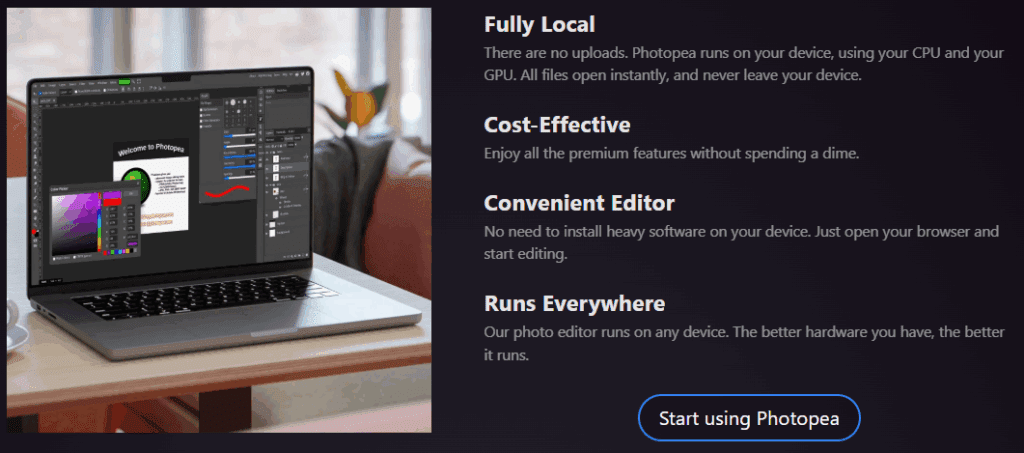
4. Photopea (Photoshop Alternative)
Photopea is a 100% free, browser-based Photoshop alternative. The interface and tools are almost identical to Adobe Photoshop.
- Use case: Design thumbnails and channel art without installing any software.
- Bonus: Supports PSD files and works on both desktop and mobile.
5. ThumbnailPreview.com
Before publishing a video, preview how your thumbnail will look next to others on the YouTube feed. This helps you design more click-worthy thumbnails.










- Use case: Test visibility and impact of your thumbnail among competitors.
- Bonus: Preview on different devices (mobile, tablet, desktop).
6. FlatIcon
Access over 18 million free vector icons and animated stickers. Perfect for enhancing thumbnails, intros, and social media content.
- Use case: Search for icons like “Graph Going Up” or “Hacker” and get hundreds of options.
- Note: Icons are free with credit (e.g., “Icon made by Juicy Fish from flaticon.com”).

7. Font Squirrel
Every font here is 100% free for commercial use—ideal for YouTube thumbnails, channel branding, merch, etc.
- Use case: Browse fonts by tags like “Sans Serif” or “Bold.”
- Bonus: Has a font identifier tool (or you can use the Matcherator if it’s down) to find similar fonts from screenshots.
8. Adobe Podcast – Enhance Speech
Recording in a noisy environment? Adobe Podcast uses AI to clean up your audio and make it sound like it was recorded in a professional studio.
- Use case: Improve voiceovers with noise reduction and clarity enhancement.
- Limit: Files must be under 30 minutes and 500 MB.
9. Return YouTube Dislike
YouTube removed public dislike counts, but this browser extension brings them back using crowd-sourced data and API estimation.
- Use case: Evaluate videos more accurately, especially tutorials or product reviews.
- Bonus: Works automatically after installation.
👉 Install from Chrome Web Store
Tags:
YouTube tools, free websites for YouTubers, content creation tools, thumbnail design, YouTube optimization, Adobe Express, Photopea, Font Squirrel, Open In App, Return YouTube Dislike, FlatIcon, Adobe Podcast, MP4 to GIF, YouTube SEO, thumbnail preview
Hashtags:
#YouTubeTips #FreeTools #ContentCreation #YouTubeGrowth #Thumbnails #YouTubeMarketing #YouTubeHacks #Photopea #AdobeExpress #YouTuberTools








