If you’re serious about growing on YouTube, what you do after uploading a video is just as important as the video itself. Many small creators make the mistake of simply hitting “Publish”, sharing the video once, and hoping for the best—only to see their videos underperform.
But there’s a reason some videos get millions of views while others barely get any. The difference? A winning upload strategy.
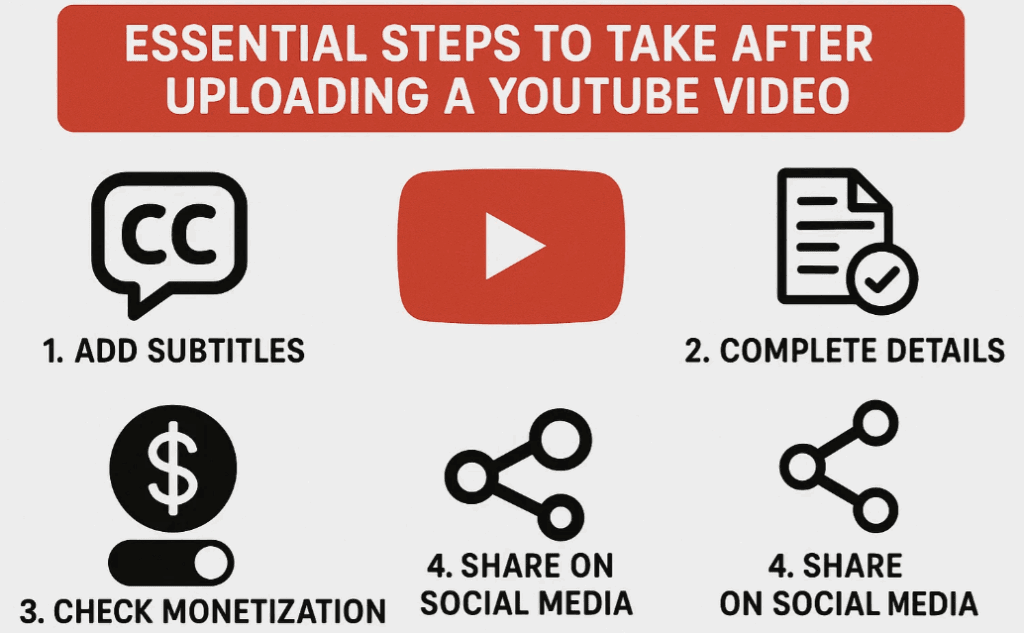
In this guide, I’ll break down the exact 14 steps I take after every upload to maximize views, engagement, and long-term growth.
Step 1: Optimize Your Video File Name
Before uploading, rename your video file to match your target keyword or title.
- Why? YouTube’s algorithm scans file names for SEO clues.
- How? Instead of
Untitled_Project.mp4, use: - ✅ Good:
How-to-Grow-on-YouTube-2025.mp4 - ❌ Bad:
Final_Video_Edit_1.mp4
🔹 Pro Tip: If you edit in Premiere Pro, CapCut, or Final Cut, rename the export file before uploading.
Step 2: Craft a Click-Worthy Title
Your title is the #1 factor in getting clicks.
✅ Do this:
- Include keywords (e.g., “How to Grow on YouTube in 2025”)
- Spark curiosity (e.g., “This Strategy Got Me 100K Subscribers”)
- Keep it under 60 characters (for full visibility in search).
❌ Avoid:
- Clickbait (misleading titles hurt retention).
- Overly vague titles (e.g., “My YouTube Journey”).
🔹 Example: Instead of “Editing Tips”, use “5 Photoshop Tricks Every YouTuber Needs in 2025”.
Step 3: Write a Killer Description
Your description helps YouTube understand your video’s content.
✅ Best Practices:












- First 2 lines should summarize the video (this appears in search).
- Use ChatGPT to generate an SEO-optimized description.
- Prompt: “Write a YouTube description for my video titled [Your Title]. Target [Your Audience].”
- Include timestamps (helps with watch time).
🔹 Example:
“Want more views on YouTube? In this video, I reveal the exact strategy I used to get 50K subscribers in 4 months. Learn SEO tips, thumbnail secrets, and how to rank #1 on YouTube in 2025!”
Step 4: Add Relevant Hashtags
Hashtags help YouTube categorize your video.
✅ How to Use Them:
- Add 3-5 hashtags (only the first 3 appear above the title).
- Use a mix of broad and niche tags (e.g., #YouTubeTips, #GrowOnYouTube, #VideoSEO).
❌ Avoid:
- Overstuffing (YouTube ignores excessive hashtags).
- Irrelevant tags (hurts your video’s reach).
Step 5: Create an Eye-Catching Thumbnail
Your thumbnail + title decide whether people click.
✅ Thumbnail Best Practices:
- Use high contrast (stands out in feeds).
- Include text (but keep it minimal).
- Show emotion (faces attract more clicks).
🔹 Pro Tip: Use Thumbnail Test Tools (like ThumbnailTester) to A/B test designs.
Step 6: Add Video to a Playlist
Playlists increase watch time by keeping viewers on your channel.
✅ How?
- Go to YouTube Studio > Content > Playlists.
- Create a new playlist (e.g., “YouTube Growth 2025”).
- Add your new video + related older videos.
🔹 Bonus: Link to the playlist in your description to boost retention.
Step 7: Use Tags for SEO
Tags help YouTube understand your video’s topic.
✅ How to Find the Best Tags?
- Use free tag generators (e.g., RapidTags).
- Include long-tail keywords (e.g., “how to grow on YouTube fast”).
❌ Avoid:
- Spammy tags (e.g., “MrBeast PewDiePie”).
- Overusing the same tags on every video.
Step 8: Set Up End Screens & Cards
End screens keep viewers watching your content.
✅ Best Practices:
- Add an “End Screen” (last 20 seconds).
- Promote 1-2 other videos (not too many choices).
- Use “Best for Viewer” (YouTube auto-suggests relevant videos).
Step 9: Schedule (Don’t Publish Immediately)
Let YouTube analyze your video before going live.
✅ How?
- Upload your video as “Private” or “Unlisted”.
- Wait 2-24 hours (helps with initial ranking).
- Then, switch to “Public”.
Step 10: Add Subtitles for More Reach
Subtitles help non-English speakers engage with your content.
✅ How to Add Them?
- Go to YouTube Studio > Subtitles.
- Click “Auto-Generate” (fix any errors).
- Translate into other languages (Spanish, Hindi, etc.).
🔹 Pro Tip: Translated subtitles can *boost international views.
Step 11: Watch Your Own Video (Twice)
✅ Why?
- Helps with initial watch time.
- YouTube prioritizes videos with early engagement.
🔹 Pro Tip: Use a second account to like, comment, and watch fully.
Step 12: Link Shorts to Your Long Videos
Shorts can drive traffic to your main content.
✅ How?
- Go to YouTube Studio > Shorts.
- Under “Related Videos”, link your latest upload.
🔹 Bonus: Use AI tools (like Nexus Clips) to auto-create Shorts from long videos.
Step 13: Engage with Comments
Comments signal engagement to YouTube’s algorithm.
✅ Best Practices:
- Reply to every early comment (within 24 hours).
- Ask follow-up questions to spark discussions.
Step 14: Promote Outside YouTube
Don’t just rely on YouTube—share everywhere.
✅ Where to Share?
- Instagram Reels / TikTok (repurpose clips).
- Facebook Groups (niche-related).
- Pinterest (for evergreen content).
FAQs
Q: How long should I wait before publishing?
A: 2-24 hours (lets YouTube analyze the video first).
Q: Do hashtags really matter?
A: Yes, but only 3-5 (the rest are ignored).
Q: Should I use AI for descriptions?
A: Yes! ChatGPT can write SEO-friendly descriptions in seconds.
Final Thoughts
Following these 14 steps will dramatically improve your YouTube growth. The key? Consistency.
🚀 Want More? Check out YouTube’s Creator Academy for advanced strategies.
Tags:
YouTube Growth, Video SEO, YouTube Tips, Content Creation, Video Marketing
Hashtags:
#YouTubeTips #GrowOnYouTube #VideoMarketing #ContentCreation #YouTubeSEO
Disclaimer: Results may vary based on niche, consistency, and video quality. Always focus on providing value first.
Now, go apply these steps and watch your views grow! 🎥🔥








