Windows 11 is Microsoft’s most advanced and secure operating system to date. It brings a sleek new design, AI-powered tools, and modern under-the-hood improvements. But despite all its innovations, a large group of users—especially power users and IT professionals—aren’t entirely happy.
In this article, we’ll walk through the 10 most controversial things people genuinely dislike about Windows 11. Whether you’re a casual user or an IT pro managing multiple systems, many of these issues may sound all too familiar. Let’s dive in.
1. Strict Hardware Requirements: Goodbye Older PCs
Let’s begin with the elephant in the room—Windows 11’s rigid hardware requirements.
To install Windows 11, your computer must support:
- TPM 2.0 (Trusted Platform Module)
- Secure Boot
- UEFI
- Supported CPUs from Intel 8th Gen or AMD Ryzen 2000 series onwards
This change left millions of perfectly usable older PCs unable to upgrade—even if they perform just fine. Many people feel Microsoft is pushing forced obsolescence, causing environmental waste and frustrating users who don’t want to toss out their machines.
🧠 Did you know?
Millions of working PCs that could run Windows 10 smoothly are now headed to landfills simply because of this hardware blockade.
2. Forced Microsoft Edge Usage
Here’s where things get a little pushy—Windows 11 tries very hard to make Microsoft Edge your default browser.
Yes, you can technically install Chrome, Firefox, or Brave. But setting them as default takes extra effort. Edge is deeply integrated into the system, and in many regions (outside of the EU), you can’t even uninstall it. Even after switching, links from Windows Search and Widgets often still open in Edge.
📌 Annoying Fact: Microsoft Edge regularly sends telemetry data in the background, even when not in use.
3. BitLocker Automatically Enabled
BitLocker is Microsoft’s encryption feature, and while it’s great for security, the way it’s implemented in Windows 11 is problematic.
When you sign in using a Microsoft account or an Azure Active Directory account, BitLocker encryption is enabled by default. If you’re not tech-savvy, you may not even know your drive is encrypted—until you’re locked out of your own files after a reinstall or hardware change.





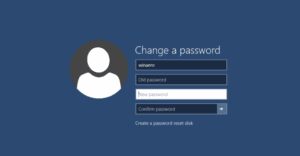


💡 Common Scenario: A non-tech-savvy user forgets the recovery key, and suddenly all their data is inaccessible. Nightmare!
4. Mandatory Microsoft Account Login
One of the most frustrating trends in Windows 11 is Microsoft’s insistence on requiring a Microsoft account to set up a new system.
Yes, there are workarounds, but they’re becoming more difficult with every update. And once you log in with a Microsoft account, a cascade of automatic setups begins—BitLocker gets enabled, OneDrive syncs your files, and telemetry starts collecting your usage data.
👎 Why it matters:
- PC repair shops struggle with forced accounts
- Users lose control over local data
- Some people don’t want their data in the cloud
5. Windows Recall: AI That Watches Everything
Now let’s talk about one of the most controversial features—Windows Recall.
This AI-powered feature takes automatic screenshots of everything you do and stores them locally, allowing you to “recall” past activity. It sounds helpful, but feels invasive to many. It’s available only on CoPilot+ PCs (currently).
🔐 Privacy Concerns:
Even if it’s opt-in, many people are uncomfortable with the idea of their every activity being recorded and searchable.
6. Copilot AI Everywhere (Even Where It’s Not Needed)
Copilot is Microsoft’s AI assistant built into Windows 11. It can:
- Summarize web content
- Generate images
- Answer questions
- Write code
- Control Windows settings
It’s powerful—but not everyone wants AI in Notepad, Paint, Outlook, and every other corner of their OS. Unfortunately, it’s becoming harder to disable or avoid.
🎯 The Problem?
People want the option to opt-out. Many users feel overwhelmed by AI being embedded across the entire operating system.
7. Hidden Telemetry & Data Collection
Let’s be real—Windows 11 collects a lot of data.
From diagnostics to search queries and app usage, Microsoft is continuously pulling telemetry data. Disabling it is possible, but only partially, and requires going through deep settings or using scripts.
👁🗨 Examples of data collection sources:
- Edge
- Copilot
- Cortana
- Windows Search
- App usage stats
Some of these services even call home while idle. And users have to repeat these privacy setting changes after every major feature update.
8. Bloatware and Pre-Installed Apps
Remember when a fresh install meant a clean system? Not anymore.
Windows 11 comes preloaded with:
- Xbox Game Bar
- TikTok
- Spotify
- OneNote
- Candy Crush (on some systems)
- Microsoft Teams
- And more…
These apps often can’t be removed fully, and worse, some run in the background or auto-install when you’re not paying attention.
🧹 Pro Tip: Tools like O&O AppBuster and PowerShell scripts can help debloat, but use with caution as some changes are irreversible.
9. Forced Updates and Stability Issues
Windows 11 updates are not always friendly.
Microsoft’s “Patch Tuesday” updates often fix bugs—while introducing new ones. Common complaints include:
- Broken taskbar
- Flickering screen
- Missing features
- Blue screen of death (BSOD)
People just want stability. But with each update, you’re rolling the dice. Some users are disabling updates altogether, which creates a new security risk.
⚠️ Note: Disabling updates is dangerous. Consider using tools like Windows Update Blocker to delay non-critical updates without blocking essential security patches.
10. Clunky Interface & Buried Settings
The new Windows 11 interface looks modern—but not everything is intuitive.
Common problems users complain about:
- Right-click context menus hide key features
- Start Menu feels less customizable
- Settings are buried deep inside multiple layers
- No opt-out options for features like inking, speech, and location
🔄 Every major feature update resets many of your customizations, making you redo everything from scratch.
💬 Human Frustration Moment:
Why does it take 7 clicks now to change default apps, when it used to take 2?
Bonus: OneDrive Syncs Without Asking
This one really annoys users.
When you set up Windows 11 with a Microsoft account, OneDrive begins syncing your:
- Desktop
- Documents
- Pictures folder
- Other user profile data
You can disable it—but most users don’t even realize it’s happening. Your local folders are now in the cloud, whether you wanted them there or not.
🔓 Fix it: You can unlink OneDrive by right-clicking the icon in the tray > Settings > Account > Unlink this PC.
Final Thoughts: Windows 11 Is a Double-Edged Sword
Let’s be honest—Windows 11 has potential. It’s faster, more secure, and forward-thinking in terms of AI and cloud integration.
But Microsoft is walking a fine line between innovation and control. Features like Copilot, Recall, and BitLocker offer real benefits—but users deserve transparency and choice.
It’s not that people hate security or dislike modern tools. They just don’t want to be forced into using features they never asked for, especially if it affects privacy, usability, or trust.
FAQs
Q1: Can I install Windows 11 without a Microsoft account?
Yes, using tricks like typing OOBE\BYPASSNRO at the setup screen or using local account creation via Shift+F10 method during installation.
Q2: Is it possible to fully disable telemetry in Windows 11?
Not completely. Some data collection is hardcoded. However, you can reduce it significantly using Settings, Group Policy Editor, and registry tweaks.
Q3: Can I uninstall Microsoft Edge in Windows 11?
Only in the EU. For other regions, it’s integrated and cannot be removed without unofficial workarounds.
Q4: Is Recall enabled by default on every Windows 11 PC?
No. As of now, Recall is only available on Copilot+ PCs and must be enabled manually.
Q5: Are there safe tools to debloat Windows 11?
Yes, tools like:
- How to Debloat Windows 10 and 11 Without Any Third-Party Software
- How to Use WinScript to Optimize and Debloat Windows 10 & 11 for Better Performance
- How to Create an Unattended Windows 11 Installer for Unsupported Hardware (with Debloating and No Microsoft Account)
- Boost Windows 11 Performance with Windows 11 Debloater: The Ultimate Optimization Tool
- The Easiest Way to Debloat and Customize Windows 11
Final Words
So far, we’ve dissected the top issues plaguing Windows 11 users—ranging from hardware restrictions to privacy concerns. While the OS shines in security and futuristic integration, it loses points for being overly controlling and inconsistent in performance.
As always, the best approach is to stay informed, tweak your system responsibly, and voice your concerns through official feedback channels.
You deserve an OS that works for you—not the other way around.
Tags:
Windows 11 issues, Microsoft Edge, BitLocker problems, Microsoft account, telemetry, Windows 11 bloatware, Recall AI, Copilot Windows, OneDrive syncing, Windows 11 bugs
Hashtags:
#Windows11 #WindowsProblems #TechPrivacy #BitLocker #CopilotAI #OneDriveIssues #MicrosoftTelemetry #WindowsUpdateBugs #RecallFeature #WindowsTips
💡 If you’re planning to switch to a more private, lightweight OS or want help optimizing Windows 11, stay tuned to our future tutorials. We’ll cover alternatives, privacy-focused tools, and optimization scripts for all levels of users.









I was attempting to enable cookies on my new W11. HAH!! A series of screens popped up, all of which had choices, none did I have any clue of the content, what to choose, the jargon or how they would help achieve my goal. Compared to Windows 10 this piece of software is virtually impossible for the average user to navigate. It is far too complex and for me nearly totally non-functional. I never did manage to enable cookies.
MS forced me to buy a new computer ($1400.00) then populated it with software that I don’t have, nor do I need, the time or training to figure out how to enable cookies which means I CAN’T easily connect with my banking software. LONG LIVE WINDOWS 10!
😂 You spent $1400 just to play “Where’s Waldo?” with the cookie settings. Microsoft really turned “Enable Cookies” into a full-blown escape room challenge. At this rate, by Windows 12 they’ll probably make you solve a Rubik’s cube just to open Notepad.