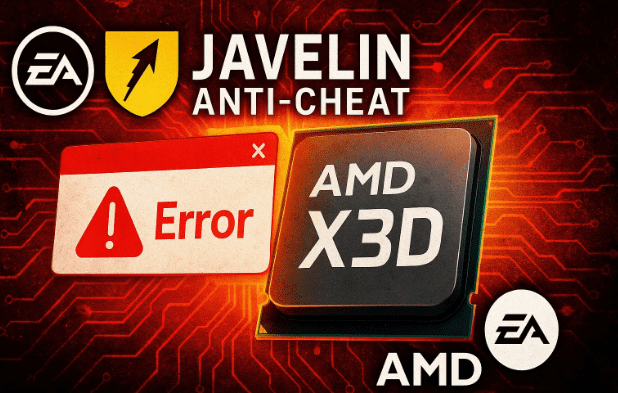
For years, AMD’s Ryzen X3D CPUs have reigned supreme in the gaming world. Their innovative 3D V-Cache design delivered unmatched frame rates, low latency, and superb efficiency — especially in CPU-bound games like Cyberpunk 2077 and Battlefield 6. But now, a new and rather ironic challenge has surfaced: EA’s Javelin anti-cheat system, designed to fight hackers, is unintentionally undermining AMD’s most advanced processors.
Let’s unpack exactly what’s happening, why your shiny Ryzen 7950X3D or 9950X3D might not be giving you the FPS you paid for, and what you can safely do about it without risking a game ban.
⚙️ 1. Understanding the Basics: What Makes AMD X3D CPUs Special
Before diving into the problem, it’s important to understand what makes X3D CPUs so unique. AMD introduced 3D V-Cache as a breakthrough in processor architecture. Essentially, it adds an additional layer of ultra-fast cache memory directly on top of the CPU die — improving how much data can be accessed without waiting for RAM.
How It Works
Imagine your CPU as a chef in a busy kitchen. Normally, it has to run back and forth to the pantry (RAM) every time it needs ingredients (data). But 3D V-Cache acts like a massive countertop right next to the chef, where all the frequently used ingredients are already placed. This means faster meal prep — or in CPU terms, faster frame rendering and game logic.
Key Benefits
- Lower latency: The CPU accesses crucial game data faster.
- Higher frame rates: Especially in games where CPU performance limits FPS.
- Cooler operation: Since less data is shuttled around, energy use stays efficient.
The CCD Concept
AMD’s multi-chip design introduces CCDs (Core Complex Dies). In most high-end CPUs such as the Ryzen 9 7950X3D, there are two CCDs:
- One high-cache CCD (with the 3D V-Cache layer).
- One high-clock CCD (runs faster but without extra cache).
Games are supposed to run primarily on the cache-rich CCD, while background tasks use the other. This balance is managed automatically by Windows and AMD’s chipset driver through core parking — a system that “parks” unused cores to minimize latency.
🕹️ 2. The Rise of EA’s Javelin Anti-Cheat
Let’s move to the other side of the story — EA’s new Javelin anti-cheat system. Designed to tackle the persistent plague of hackers in games like Battlefield 6, Jedi Survivor, and Madden 24, Javelin has been hailed as a revolutionary step forward in game integrity.
Unlike older anti-cheat systems that run at the application level, Javelin operates at the kernel or hypervisor level. That means it has deep access to your operating system and hardware — including your CPU’s behavior. This is what makes it so effective, but also where things start to go wrong.
🧩 3. The Collision: Javelin vs. AMD’s Core Parking
So far, we’ve done a good job understanding both sides. Now let’s bring them together and see how they clash.
When you launch a game like Cyberpunk 2077, Windows recognizes the executable as a game process and automatically parks the high-clock CCD, letting the cache CCD handle the load. You can observe this using tools like Process Lasso, which shows the active cores and threads in real time.
In Cyberpunk, this setup works beautifully — one CCD handles all the action, and performance shoots up. But when you launch Battlefield 6 or any EA title using Javelin, something very different happens:










- No cores get parked.
- Both CCDs stay fully active.
- Cross-latency increases as threads bounce between CCDs.
- Result: reduced FPS and inconsistent performance.
Essentially, Javelin’s deep-level CPU monitoring interferes with AMD’s automatic core parking system, causing the game to behave as if it’s running on a standard dual-CCD CPU rather than an optimized X3D chip.
🔍 4. Why This Happens — The Kernel-Level Explanation
At the root of the issue lies how Javelin hooks into the Windows kernel. Anti-cheat tools often require elevated privileges to detect tampering, memory injections, or unauthorized background programs. In Javelin’s case, this means it interacts directly with CPU scheduling at a hypervisor level.
Unfortunately, AMD’s X3D core parking also relies on similar low-level access to determine which CCD should be active. When both systems attempt to manage the same hardware behavior, conflicts arise. Javelin sees the core-parking mechanism as potential manipulation — something a cheater might do to hide activity — and blocks it.
The result? The CPU can’t park its non-cache CCD, so your game never takes full advantage of the 3D V-Cache’s power.
🧮 5. Real-World Impact: FPS Loss and Player Frustration
Let’s talk numbers and practical outcomes.
In titles like Battlefield 6, users have reported frame drops of 5–15 %, depending on resolution and GPU pairing. For high-end systems with RTX 4080/4090 cards, this drop might not feel dramatic. But for competitive players or those chasing ultra-high refresh rates, it’s noticeable — especially in CPU-bound moments or large-scale multiplayer maps.
AMD’s Ryzen 9 9950X3D, which normally excels thanks to its 96 MB of L3 cache, now performs closer to a non-X3D model in these scenarios. The irony? The anti-cheat designed to protect the integrity of gameplay ends up hurting legitimate gamers using one of the best CPUs available.
🧭 6. Should You Try to Fix It Yourself?
Here’s where things get tricky — and potentially risky.
Some players, noticing the performance dip, have tried to manually force CPU affinity using tools like Process Lasso or Windows Task Manager. The idea is to restrict the game to the cache CCD (cores 0–15) while parking the others. On paper, this should mimic normal X3D behavior.
However, there’s a catch — and it’s a big one.
🚫 Why You Shouldn’t Do It
Javelin’s kernel-level monitoring expects to see specific CPU patterns. If it detects inconsistencies — such as a process artificially limited to certain cores — it may interpret that as tampering. In anti-cheat logic, tampering equals cheating.
Result: Instant ban with no appeal.
EA’s system automatically flags any unexpected modification to process behavior, even if your intention was innocent performance optimization. Several players have already reported permanent bans after experimenting with affinity tweaks or background software that altered thread distribution.
So yes — it’s possible to “fix” the problem manually, but the risk is simply not worth it.
🧱 7. Why EA and AMD Must Collaborate
This issue highlights a broader challenge in the gaming ecosystem: coordination between hardware and software vendors. Javelin’s anti-cheat is revolutionary in scope — it’s catching cheaters who’ve evaded detection for years. But when such systems reach into hardware-level processes, they need to align with CPU manufacturers like AMD and Intel to prevent side effects.
AMD already has the expertise to manage multi-CCD scheduling through its chipset driver and 3D V-Cache optimizer. If EA were to integrate official exceptions for X3D models within Javelin’s logic, this problem could be resolved at the driver level — without sacrificing cheat detection.
Until then, users are stuck with a frustrating choice: accept a small FPS drop or risk a game ban.
🧰 8. Safe Workarounds You Can Try
Let’s move to the practical side — what you can safely do for now.
1. Enable “Game Mode” in BIOS or Ryzen Master
AMD provides a Game Mode toggle within Ryzen Master (and sometimes directly in BIOS). Activating this disables one CCD entirely, ensuring the game runs only on the cache-rich cores.
Pros:
- Restores near-full X3D performance.
- Completely safe — no risk of triggering anti-cheat bans.
Cons:
- You lose half your CPU’s cores for all tasks until you re-enable them.
- Requires a system restart each time.
For competitive players, this may still be the best short-term solution.
2. Keep AMD Drivers Fully Updated
AMD often releases chipset driver updates that refine CCD parking and scheduler behavior. Visit the official AMD support page:
👉 https://www.amd.com/en/support
Install the latest 3D V-Cache optimizer driver — it ensures Windows correctly identifies your games and parks cores appropriately wherever possible.
3. Avoid Background Tools That Touch CPU Affinity
While apps like Process Lasso are safe in general, combining them with Javelin’s environment is asking for trouble. Disable any third-party utilities that modify thread or priority assignments automatically.
4. Stick to Balanced Power Mode in Windows
Don’t switch to “High Performance” or “Ultimate Performance” power plans — they can interfere with the scheduler’s ability to park CCDs. Balanced mode allows Windows to hand off game threads dynamically to the proper cores.
5. Wait for Official Fixes
AMD and EA are both aware of the community chatter. The best long-term solution will come through a driver or anti-cheat patch, not manual tweaks. Keep an eye on AMD’s release notes and EA’s support pages for announcements.
🤔 9. Common Questions Answered
Q1. Is this issue only in Battlefield 6?
Not anymore. Any EA title using Javelin — such as Madden 24, Apex Legends (if updated), and Star Wars Jedi Survivor — may experience similar behavior. The key symptom is when your CPU refuses to park CCDs during gameplay.
Q2. Does this affect Intel CPUs?
No. Intel processors use a monolithic die or hybrid cores (P- and E-cores) managed differently by Windows. The specific conflict between multi-CCD scheduling and Javelin is unique to AMD’s architecture.
Q3. Will AMD fix it with new drivers?
Most likely yes. AMD has a strong track record of releasing compatibility updates quickly when such issues arise. Expect coordination once the root cause is confirmed.
Q4. Can I get banned for just monitoring CPU behavior?
No — tools like HWInfo or MSI Afterburner are safe for monitoring. The risk comes only from tools that modify affinity or scheduling, not those that display information.
Q5. What if I already got banned?
Unfortunately, EA’s policy for Javelin bans is strict. There’s currently no public appeal mechanism. You may contact EA Support, but bans issued at the kernel level are generally final.
🔮 10. Looking Ahead: What This Means for Future Gaming CPUs
The Javelin-AMD issue is more than a temporary inconvenience — it’s a glimpse into the future of PC gaming security. As anti-cheat systems become more invasive to stay ahead of sophisticated hackers, they will inevitably collide with the hardware optimizations that power modern gaming.
If such systems aren’t properly synchronized, users could face reduced performance, privacy concerns, or even false bans. The ideal scenario is a shared standard where anti-cheat tools and CPU vendors exchange telemetry safely, ensuring both fairness and efficiency.
AMD’s next-generation processors (the 10-series and beyond) will likely integrate smarter firmware-level communication to prevent such conflicts. Similarly, EA’s Javelin will evolve to recognize legitimate behaviors unique to X3D chips.
⚖️ 11. A Balanced Perspective
It’s easy to blame EA here, but the situation is more nuanced. Javelin is doing its job — and doing it well. For the first time in years, cheaters in Battlefield 6 are being effectively blocked. The number of public complaints from banned players proves its success.
However, security at this depth always comes with a cost. Much like how antivirus programs once slowed down PCs, kernel-level anti-cheat systems are now revealing the growing pains of deep hardware integration.
For everyday gamers, patience is key. The FPS drop is small, temporary, and likely to be patched. But tampering with core affinity to reclaim a few frames could permanently lock you out of your favorite game — a trade-off no one wants.
🧾 12. Final Thoughts: What You Should Do Right Now
If you own a multi-CCD X3D CPU and play EA titles:
- Do not modify core affinity or use CPU-tweaking software.
- Enable Game Mode in Ryzen Master before launching EA games.
- Stay updated on both AMD’s and EA’s official driver releases.
- Monitor, don’t modify — use tools like HWInfo only for observation.
- Be patient. A long-term fix is highly probable.
AMD’s X3D lineup remains the best gaming CPU family on the market. A temporary compatibility hiccup doesn’t change that. With ongoing collaboration between AMD and EA, gamers can look forward to a smoother experience — without having to choose between fairness and performance.
⚠️ Disclaimer
Altering CPU affinities, disabling cores, or modifying anti-cheat interactions can result in game bans or system instability. This article is for informational purposes only. Always use official drivers and settings from AMD and Electronic Arts.
#AMD #RyzenX3D #Battlefield6 #JavelinAntiCheat #GamingPerformance #PCGaming #Ryzen9950X3D #AMDvsIntel #EA #TechExplained







