Artificial Intelligence continues to reinvent how we handle information — from text and video to DNA and even healthcare data. Among these breakthroughs, DeepSeek OCR has recently taken the AI community by storm for one simple reason:
it doesn’t just read text, it sees it.
Let’s dive into what makes DeepSeek OCR a major milestone in AI document processing, how it works under the hood, and why it’s being called a “vision-language revolution” in open-source AI.
1. What Is DeepSeek OCR?
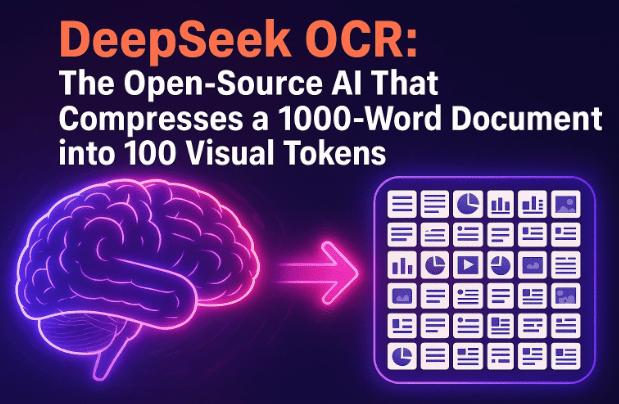
DeepSeek OCR is a new open-source AI model designed to read massive documents, convert them into visual “tokens,” and drastically compress their information footprint.
In simple terms, it can take a 1000-word article and summarize it into 100 compact image-like tokens, preserving almost 97% of the original information.
This makes DeepSeek OCR a game-changer for AI pipelines that depend on document ingestion — such as retrieval-augmented generation (RAG), legal archives, financial compliance, and enterprise search systems.
2. Why DeepSeek Went Viral on GitHub
The excitement started the moment DeepSeek OCR dropped as an open-source release on GitHub and Hugging Face.
Within hours, it collected thousands of stars — not just because it was free to use, but because it flipped the traditional concept of tokenization on its head.
Normally, large language models (LLMs) like GPT-4 or Claude process text as a sequence of tokens — small text fragments.
More tokens mean more computation and higher costs.
DeepSeek’s trick? Render text as images and let a vision encoder handle compression before sending the processed data to the language model.
In essence, it bridges computer vision and natural language understanding, achieving stunning compression rates while retaining meaning and structure.
3. How DeepSeek OCR Works: Vision Instead of Tokens
Before diving into architecture, let’s simplify the core concept.
Most OCR (Optical Character Recognition) systems read characters line by line and reconstruct text. DeepSeek OCR instead treats each document as a visual scene — converting words, diagrams, and layouts into a single unified image.
Here’s the step-by-step logic behind it:
- Input Rendering – The text or document (PDF, page, or paragraph) is rendered visually, maintaining spacing, fonts, and structure.
- Vision Encoding – The rendered image is passed through a deep visual encoder that converts it into compact vision tokens.
- Token Compression – Instead of thousands of text tokens, only ~100 visual tokens represent the same amount of data.
- Language Decoding – These tokens are fed to a mixture-of-experts (MoE) language model that reconstructs or summarizes the text with high fidelity.
- Output Options – You can export plain text, formatted output, or even image descriptions — depending on your workflow.
This pipeline is faster, cheaper, and less error-prone than traditional OCR methods that must deal with unicode, byte encoding, and language irregularities.








4. Model Architecture Explained
The model has two major parts: a visual encoder and a language decoder.
| Component | Description | Parameters |
|---|---|---|
| Visual Encoder | Processes rendered pages into vision tokens (images as data) | ~380 million |
| Language Model (Mixture of Experts) | Generates or interprets text from vision tokens | ~3 billion total (~570M active at a time) |
DeepSeek’s architecture uses sparse activation, meaning not all experts in the model activate at once.
This keeps compute costs low while maintaining high contextual understanding.
It’s a clever balance — similar to Google’s Mixture of Experts in Gemini 1.5, but optimized for OCR-style workloads.
5. Performance & Benchmarks
So far, the numbers speak loudly.
On OmniDoc Bench, DeepSeek OCR outperforms Google’s Goo-OCR 2.0, which typically needs around 256 tokens per page, while DeepSeek only needs 100 vision tokens for equivalent accuracy.
Another comparison:
- MiniU 2.0 sometimes consumes over 6000 tokens per dense scientific page.
- DeepSeek does it under 800 tokens, achieving 61% fewer tokens than Google’s model and 87% fewer than MiniU.
It also performed strongly on the FOX benchmark, which tests dense PDFs with equations and diagrams — a common pain point for document AI systems.
And the best part?
A single NVIDIA A100 GPU can process ~200,000 pages per day, making it enterprise-ready for massive pre-training datasets or compliance workloads.
6. Training Data & Dataset Scale
Training breadth is another reason DeepSeek stands out.
Its developers trained it on roughly 30 million PDF pages spanning 100 languages, with heavy emphasis on Chinese and English.
Breakdown of the data mix:
- 25M real-world multilingual pages
- 10M synthetic diagrams
- 5M chemical formulas
- 1M geometric figures
That diversity explains its strong results across both structured and visually chaotic layouts — from financial reports to research papers.
7. Why Token Efficiency Matters
Token count isn’t just a technical detail — it directly affects speed, cost, and scalability.
Every 1000 extra tokens in an LLM prompt can drastically raise compute costs.
By reducing tokens by 7–20x, DeepSeek OCR effectively gives developers:
- Cheaper inference and pre-training
- Faster RAG (retrieval-augmented generation) systems
- Longer context windows
- Simpler pipelines with fewer encoding errors
This “visual compression” approach may even influence future LLM architectures where text and image understanding merge seamlessly.
8. Real-World Applications
So where can DeepSeek OCR make a difference?
Here are a few scenarios:
- 🏢 Enterprise Search & Compliance – Rapidly index, compress, and search large document archives.
- 🧑⚖️ Legal Discovery – Extract key insights from thousands of legal PDFs.
- 🧬 Scientific Research – Handle formula-rich, multi-language papers with embedded charts.
- 📚 Education & Publishing – Convert scanned textbooks into searchable summaries.
- 🔍 AI Pre-training – Prepare massive multilingual datasets for training language-vision models.
Because it outputs both structured text and visual summaries, it’s ideal for mixed-media workflows — even feeding downstream systems like LLaVA, Gemini, or Claude’s RAG integrations.
9. Expert Opinions & Reactions
The release has already drawn comments from well-known AI researchers.
- Andrej Karpathy, former Tesla AI lead, praised it as “a good OCR model and a smart design — a computer vision system pretending to be a language model.”
- Bu Sing from NYU added that OCR is just “one stop on a highway where vision and language will merge.”
In other words, the model isn’t just about reading documents — it’s a glimpse into the future of multimodal intelligence, where text and imagery are treated as two sides of the same coin.
10. Potential Challenges & Concerns
Of course, no innovation comes without caveats.
Some U.S. researchers questioned DeepSeek’s cost claims from prior projects, suggesting the reported throughput might be optimistic.
But even if those numbers are slightly inflated, the model’s practical efficiency gains are undeniable.
The other challenge lies in open-source governance.
Models trained on multilingual and mixed datasets can raise copyright and security concerns — especially when used in compliance or government pipelines.
To mitigate this, DeepSeek provides tools for on-premise deployment and tokenization transparency so users can audit their pipelines.
11. DeepSeek OCR vs. Other OCR Models
Let’s see how DeepSeek stacks up:
| Feature | DeepSeek OCR | Google OCR 2.0 | MiniU 2.0 |
|---|---|---|---|
| Token Type | Vision Tokens | Text Tokens | Text Tokens |
| Avg. Tokens/Page | ~100 | ~256 | ~6000 |
| Model Size | 3B (MoE) | Undisclosed | ~2.5B |
| Multilingual | ✅ 100+ languages | ✅ | Limited |
| Diagram Handling | Excellent | Moderate | Weak |
| GPU Efficiency | 200K pages/day (A100) | ~60K | ~25K |
| Open Source | ✅ Yes | ❌ No | ✅ Partial |
The advantage is clear: visual tokenization offers compactness and cross-domain stability that text-only OCR struggles to achieve.
12. How to Try DeepSeek OCR Yourself
If you’d like to explore or integrate it:
- GitHub: DeepSeek-AI/DeepSeek-OCR
- Hugging Face Model: huggingface.co/DeepSeek-AI
Basic Setup (Requires NVIDIA GPU)
- Install dependencies
git clone https://github.com/DeepSeek-AI/deepseek-ocr.git cd deepseek-ocr pip install -r requirements.txt - Load the model
from deepseek_ocr import DeepSeekOCR model = DeepSeekOCR("deepseek-ai/deepseek-ocr") output = model.read("sample.pdf") print(output) - For faster performance, enable VLM acceleration as documented in the repo.
Disclaimer
If you plan to use DeepSeek OCR for medical, legal, or financial documents, ensure human verification of outputs — OCR results may contain minor distortions in complex layouts or non-Latin scripts.
13. Frequently Asked Questions (FAQ)
Q1: Is DeepSeek OCR really better than Google’s OCR?
→ In terms of token efficiency and multilingual visual handling, yes. But Google’s OCR still leads in cloud integrations and ready APIs.
Q2: Do I need a high-end GPU to run it?
→ For production workloads, yes (A100 or better). For experimentation, consumer GPUs like RTX 4090 can handle smaller batch jobs.
Q3: Can DeepSeek OCR summarize documents automatically?
→ Yes. Its language decoder can generate plain summaries or even extract structured metadata directly from PDFs.
Q4: Is it suitable for scanned handwritten pages?
→ Limited. It’s optimized for printed digital documents and mixed diagrams, not cursive handwriting.
Q5: What license does it use?
→ Apache 2.0 — completely open for commercial and research use.
14. Conclusion
DeepSeek OCR is more than just another AI reader — it’s a fundamental shift in how machines perceive documents.
By treating text as vision, it bridges the worlds of image encoding and language modeling, leading to faster, cheaper, and more reliable document AI.
Whether you’re building a RAG pipeline, a research indexer, or an enterprise compliance engine, DeepSeek OCR is one of those rare tools that actually push the boundary of what open source can do.
It’s not just an upgrade. It’s a re-imagination of text itself — compressed, visual, and powerful.
#DeepSeekOCR #AI #MachineLearning #OpenSource #DocumentAI #VisionLanguage #GitHub #HuggingFace #DeepLearning