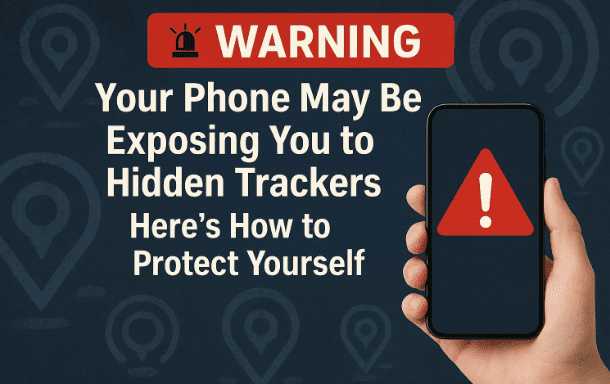
Have you ever had that unsettling feeling that someone might be following you? In today’s world, that fear is not just paranoia. Technology has advanced so much that tiny tracking devices, some no bigger than a coin, can follow you everywhere without your knowledge.
These trackers, often marketed as tools to help people find lost keys, wallets, or luggage, have also been misused in worrying ways. They work silently through Bluetooth and can send your real-time location to someone else without you even noticing.
Thankfully, some modern smartphones—especially Samsung devices—come with a life-saving feature called Unknown Tracking Device Alerts. When enabled, this tool automatically scans your surroundings for suspicious trackers and warns you if one is moving along with you.
In this article, we’ll take a deep dive into:
- What tracking devices are and how they work
- Real-life dangers of hidden trackers
- How the Unknown Tracking Device Alert feature works on Samsung phones
- Step-by-step instructions to enable it
- What to do if you get an alert
- Additional tips to protect yourself from unwanted tracking
- FAQs around safety and tracking technology
By the end, you’ll know exactly how to use your smartphone as a shield against hidden trackers.
1. What Are Bluetooth Tracking Devices?
Let’s begin with the basics.
Bluetooth trackers are small devices that can be attached to items like keys, wallets, or bags. Their original purpose is helpful: they connect to your phone via Bluetooth so that if you misplace an item, you can easily locate it using a companion app.
The convenience is undeniable—many people use them daily to avoid losing expensive items. But the same technology can be exploited in sinister ways.
Because these devices broadcast a Bluetooth signal that other smartphones can detect, someone with bad intentions could hide one in your bag, car, or even clothing. Once hidden, they can monitor your movements without your knowledge.
2. Popular Trackers That Can Be Misused
Some of the most widely known trackers include:
- Apple AirTag: Designed to help Apple users track belongings, but frequently reported in stalking and theft cases.
- Samsung SmartTag: Works similarly to AirTag, integrated into Samsung’s SmartThings ecosystem.
- Tile Tracker: One of the earliest and most popular third-party tracking brands.
These devices are not inherently bad—they’re tools. But like any tool, in the wrong hands, they can be used maliciously.





3. Why Hidden Tracking Is Dangerous
You might wonder: “Why would anyone track me?” Sadly, there are numerous documented cases where hidden trackers were misused:
- Theft Planning: Criminals place trackers on luxury cars parked in malls, then follow them later to steal.
- Stalking: Individuals use trackers to secretly monitor partners, ex-partners, or even strangers.
- Surveillance: Some misuse trackers for spying or controlling behavior in abusive relationships.
The scariest part? Because these devices are so small, you may never realize they’re there—until it’s too late.
4. Introducing Unknown Tracking Device Alerts
To address this growing threat, Samsung has introduced Unknown Tracking Device Alerts in its recent phones.
This feature works quietly in the background to protect you. It constantly scans your surroundings for tracking devices that:
- Are near you
- Move with you
- Do not belong to your account
If such a device is detected, your phone sends you an instant notification warning you about the suspicious activity.
5. How This Feature Works
Think of it as a Bluetooth radar built into your phone:
- Every few minutes, your phone checks for Bluetooth signals.
- If it finds a tracker registered to your account, it ignores it.
- If it finds a tracker not linked to you, and notices that it is moving with you, it raises an alert.
- The alert shows details like:
- The type of device
- Its last recorded location
- Options to make the tracker play a sound so you can find it
This feature can literally be the difference between peace of mind and a potential safety threat.
6. Step-by-Step: Enabling Unknown Tracking Device Alerts on Samsung
Now that we understand the importance, let’s turn it on.
- Open Settings on your Samsung phone.
- Scroll down and tap Safety and Emergency.
- Look for Unknown Tracking Device Alerts.
- Tap to open it.
- Turn on the toggle labeled Allow Alerts.
That’s it! Once enabled, your phone will keep scanning in the background and alert you automatically if something suspicious is detected.
7. How to Scan Manually for Trackers
Sometimes, you may want to run a check yourself—especially if you feel unsafe in a public place.
- Inside the Unknown Tracking Device Alerts menu, tap Search Now.
- Your phone will immediately scan the area for active tracking devices.
- If nothing is found, you’ll see a message saying no trackers were detected.
It’s a good habit to occasionally run this manual scan in high-risk areas like malls, parking lots, or crowded events.
8. What to Do If You Receive an Alert
Getting an alert can feel frightening, but here’s how to respond calmly and safely:
- Tap the Alert: Open the details to see the type of device and its last location.
- Play a Sound: Use your phone’s option to make the tracker beep so you can physically locate it.
- Check Device Details: Some trackers may show the manufacturer or partial serial number.
- Disable It: If you find the tracker, remove its battery or power source immediately.
- Contact Authorities: If you believe you’re being targeted or stalked, report it to the police along with the tracker details.
Never ignore an alert—it’s there for your safety.
9. Additional Safety Tips Beyond the Alerts
While Samsung’s alerts are a strong defense, they’re just one piece of the puzzle. Here are extra measures to enhance your security:
- Check your belongings regularly: Look inside bags, under cars, or around personal items.
- Use physical blockers: RFID-blocking bags or cases can sometimes reduce signal strength.
- Stay updated: Keep your phone and apps updated to ensure new safety features are active.
- Limit sharing locations: Be cautious with apps or social media that share your real-time location.
- Travel smart: If you receive repeated alerts, change your route or seek safe public areas.
10. Frequently Asked Questions
Q1: Does this feature work on iPhones?
Apple has its own version built into iOS. iPhones automatically notify users if an unknown AirTag is moving with them.
Q2: Do all Samsung phones have this feature?
It’s available on newer Samsung Galaxy devices with updated software. Always check your phone’s settings.
Q3: Will this feature drain my battery?
No. The scanning is lightweight and optimized for background operation.
Q4: Can this feature stop someone from tracking me?
It won’t physically stop the device from working, but it alerts you so you can find and disable it.
Q5: What should I do if I find a tracker but can’t disable it?
Keep it safe, note its details, and hand it to law enforcement.
11. Conclusion: Stay Alert, Stay Safe
We live in a world where technology brings both convenience and risk. While Bluetooth trackers are handy for everyday use, they can also be misused for theft or stalking.
The Unknown Tracking Device Alerts feature on Samsung phones gives you the ability to detect and respond to hidden trackers quickly. By enabling it and staying vigilant, you add an essential layer of security to your daily life.
Remember—your safety is worth more than convenience. Keep this feature on, stay aware of your surroundings, and don’t hesitate to act if you receive an alert.
12. Disclaimer
This article is for informational and educational purposes only. Tracking devices can be used both legally and illegally. If you ever suspect criminal misuse, always contact local law enforcement. Do not attempt to confront stalkers or thieves directly.
Tags
hidden trackers, bluetooth tracking devices, samsung safety features, unknown tracking device alerts, mobile privacy, anti-stalking technology
Hashtags
#Privacy #Samsung #Safety #Bluetooth #AirTag #SmartTag #StaySafe








