Artificial Intelligence has become the new digital revolution — and now, Indian users are getting a major surprise. Jio, India’s largest telecom operator, has partnered with Google to offer something extraordinary: a free Gemini Pro AI subscription worth ₹3,500, available for up to 18 months.
If you’re a Jio user, this article will walk you through everything step by step — how to activate it, what benefits you’ll get, who is eligible, and what limitations exist. Let’s begin this journey into Jio’s biggest AI subscription offer yet.
1. What Is Jio’s Free Google Gemini Offer?
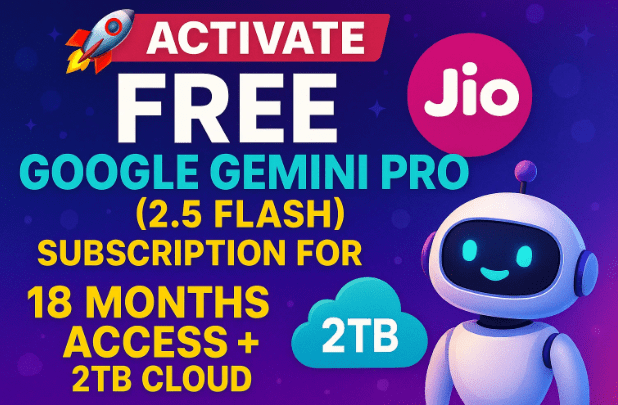
Let’s start from the basics. Google Gemini Pro is Google’s flagship AI subscription that gives users access to advanced tools such as Gemini 2.5 Flash, Pro-level reasoning and coding assistance, and 2TB of Google One cloud storage — all bundled in a single premium plan.
Normally, this plan costs around ₹3,500 to ₹4,950 per year depending on the region. But Jio is offering it completely free for 18 months to select users as part of its AI initiative.
So, if you’re a Jio user, you can use Gemini’s premium AI features without paying anything — including writing, coding, translation, reasoning, and data management tasks powered by Google’s newest model.
2. Who Is Eligible for the Offer?
The announcement initially mentioned the 18–25 age group, leading many users to assume the offer was only for students or young professionals. However, in practice, the system doesn’t strictly verify age.
Here’s what we know so far:
- ✅ You must be a Jio SIM user (Prepaid or Postpaid).
- ✅ The offer is available through the MyJio App only.
- ✅ You need an active Google Account (preferably Gmail).
- ✅ Users of any age can try activating it — Jio doesn’t currently block older users.
So, even if you’re not 18–25, go ahead and follow the steps below. Many users have confirmed successful activation even outside that range.
3. Why This Offer Matters: A Quick Overview
Before diving into setup, it’s worth understanding why this offer is such a big deal.
Google Gemini is an AI ecosystem that competes directly with ChatGPT Plus and Microsoft Copilot Pro. With this Jio partnership, millions of users get to experience:
- Access to Gemini Advanced (2.5 Flash) — Google’s fastest reasoning AI.
- Free 2TB Cloud Storage (Google One benefit).
- Cross-device access (up to five devices).
- Seamless integration with Gmail, Docs, Sheets, and Android.
For most users, this is the first time a global AI subscription is bundled free in India — and it’s a strong signal that AI accessibility is becoming mainstream.








4. How to Activate Free Google Gemini Pro Subscription
Alright, let’s move to the most exciting part — activating your Gemini Pro plan using the MyJio App.
Follow these steps carefully:
Step 1: Install or Update the MyJio App
If you don’t already have it, download the latest version of MyJio from the Google Play Store.
Once installed, open the app and log in with your Jio mobile number. Make sure your SIM is active on the same phone.
Step 2: Look for the AI Subscription Banner
On the MyJio home screen, scroll down until you see the “Biggest Offer – Free AI Subscription” banner. It usually appears as a pop-up or at the top of the homepage.
If you’ve received an SMS from Jio about this offer, it will also include a direct link to this page.
Step 3: Tap on “Get Early Access”
You’ll notice an “Early Access” or “Activate Now” button. Tap on it. The app will start connecting with Google’s servers to validate your number and prepare activation.
Step 4: Link Your Gmail Account
Once prompted, log in using your Google (Gmail) account — preferably the one you use for your Android device or Google Drive.
This email will be linked to your Gemini Pro subscription and Google One 2TB storage.
Step 5: Confirm Activation Details
The screen will display a plan summary similar to this:
- Plan: Gemini Pro (via Jio)
- Duration: 18 Months Free
- Value: ₹4,950
- Cloud Storage: 2TB (Google One)
- Linked Devices: Up to 5
Just confirm and tap Activate Plan.
Step 6: Wait for Automatic Activation
Once confirmed, the process is mostly automatic. Within a minute or two, you’ll get a confirmation message or email that says:
“Your Gemini Pro subscription is now active on your Jio number.”
Step 7: Verify the Activation
Open Google Gemini in your browser (or in Chrome on your phone).
Log in with the same Gmail account. You’ll notice a “Pro” badge in the top right corner — this means your account has been upgraded successfully.
🎉 Congratulations! You now have Gemini Pro access for 18 months, powered by Jio.
5. Understanding Gemini 2.5 Flash and Gemini Pro
Now that your subscription is active, let’s understand what exactly you’ve received.
Gemini currently has multiple AI models — 1.5 Pro, 1.5 Flash, and 2.5 Flash being the latest generation.
| Model | Speed | Strengths | Availability |
|---|---|---|---|
| Gemini 1.5 Pro | Moderate | Deep reasoning, long context | Paid users |
| Gemini 1.5 Flash | Fast | Chatting, summarizing, and multitasking | Free/Pro |
| Gemini 2.5 Flash | Fastest | Math, coding, reasoning | Jio users get this |
| Gemini Ultra (future) | Experimental | Multimodal, enterprise AI | Not yet public |
In Jio’s free subscription, you get Gemini 2.5 Flash for everyday queries — including reasoning, coding, and educational use — and access to Gemini Pro tools in Gmail, Docs, and Drive.
6. Benefits You Get with the Jio-Google Partnership
So far, we’ve seen how to activate it — but what do you really get once it’s active? Let’s break it down.
🔹 1. Google Gemini Pro Access
Full access to Gemini 2.5 Flash, capable of reasoning, problem-solving, and conversation-level understanding. You can use it for:
- Writing essays or articles.
- Debugging or explaining code.
- Learning new concepts interactively.
- Translating languages or summarizing PDFs.
🔹 2. Google One (2TB Cloud Storage)
This is one of the biggest perks — you get 2 terabytes of cloud storage automatically linked with your Gmail.
That’s enough space to store:
- High-resolution photos and videos.
- Complete device backups.
- Project files or university materials.
You can access this from one.google.com.
🔹 3. Multi-Device Access
The plan supports up to five devices, meaning you can use Gemini and cloud storage simultaneously on your phone, tablet, laptop, and desktop — all synced under the same account.
🔹 4. AI in Google Workspace
You’ll notice Gemini appearing inside Google apps like Docs, Sheets, and Gmail — allowing you to generate emails, create outlines, summarize notes, and more.
This is part of the Gemini for Workspace integration, which normally costs extra but is bundled free here.
🔹 5. Easy Cancellation and Renewal
You don’t need to worry about payments or renewals during the 18 months. After that, Google will simply ask you whether you’d like to continue the subscription.
7. Testing the Subscription: What Works and What Doesn’t
So far so good, but let’s talk about real usage. When you activate Gemini Pro through Jio, you’ll get two AI versions under the same account:
- Gemini 2.5 Flash – Fast, general-purpose AI for reasoning and conversations.
- Gemini Pro (Classic) – Designed for coding, maths, and deep logic queries.
During initial testing, some users noticed:
- Gemini Pro does not generate images at the moment.
- Some multimedia or API-connected tasks are restricted.
- Text generation, data explanation, and educational tasks work perfectly.
In short: it’s more tuned for education, productivity, and development tasks, not image creation or entertainment-based prompts.
8. Troubleshooting: Common Issues & Fixes
Let’s move to the next important step — fixing potential errors during activation or use.
Here are the common problems and their solutions:
🧩 Issue 1: “Activation Failed” in MyJio App
- Ensure your Jio SIM is inserted and connected to mobile data.
- Try logging out and re-opening the app.
- If it still fails, clear app cache or reinstall MyJio.
🧩 Issue 2: Gemini Shows “Free” Instead of “Pro”
- Open Gemini Web and sign in again.
- Make sure you’re using the same Gmail linked during activation.
- Wait up to 10–15 minutes — sometimes the upgrade syncs slowly.
🧩 Issue 3: Cannot Generate Images
This is not a bug — Google has currently restricted image generation in Gemini 2.5 Flash for Jio users. It focuses mainly on reasoning and education features.
🧩 Issue 4: Offer Not Visible in MyJio
- Update your app.
- Try switching between Wi-Fi and mobile data.
- If still missing, it might not have rolled out to your account yet — check again later.
9. FAQs: Everything You Should Know Before Activating
Let’s clear up some of the most common questions users have been asking.
❓ Q1: Is this offer only for 18–25-year-old users?
Answer: No. While initially targeted toward younger users, the system doesn’t currently verify age strictly. Anyone with a Jio SIM can try activating it.
❓ Q2: How long does the free period last?
Answer: You get 18 months of free access, after which Google may offer renewal or upgrade options.
❓ Q3: What happens if I change my Jio number or SIM?
Answer: The offer is tied to your Google account, not permanently to your SIM. However, you might lose the benefit if you switch to a different operator before activation completes.
❓ Q4: Can I use Gemini on desktop too?
Answer: Yes. Visit https://gemini.google.com/ and sign in with the same Gmail account to use it on your PC or laptop.
❓ Q5: Does it support Hindi and other Indian languages?
Answer: Yes. Gemini supports over 100 languages, including Hindi, Bengali, Tamil, and Marathi.
❓ Q6: Can I generate images or videos using Gemini Pro?
Answer: Not yet. This feature is still restricted in India for educational versions. You can only generate text, summaries, or code.
10. Final Thoughts
Jio’s free Google Gemini Pro offer is a huge step in bringing advanced AI to everyday users — and it’s not just about chatbots. With Gemini 2.5 Flash, 2TB storage, and cross-device integration, this partnership is shaping the way India experiences AI.
For students, it’s an incredible learning companion.
For professionals, it’s a productivity tool.
For everyone else, it’s a chance to experience the future — at zero cost.
So, if you’re a Jio user, don’t wait — open MyJio, activate the plan, and start exploring Gemini today.
⚠️ Disclaimer
This article is for informational purposes only. The availability, duration, and features of the Jio–Google Gemini offer may change without notice based on company policies. Always refer to the official MyJio app or Google Gemini official site for the latest updates.
#Jio #GoogleGemini #AIIndia #GeminiPro #dtptips #FreeAI








