Instagram has recently introduced a new feature called Instagram Maps — also known as Map Sharing. If you’ve opened your app lately, you may have noticed a new map-style story appearing near the Explore section or stories bar.
At first glance, it seems like a fun and interactive way to see where your friends are hanging out. But what exactly is this feature, how does it work, and what are its privacy implications?
Let’s break it down in detail, understand how it compares with Snapchat’s similar feature, and explore why it may not be suitable for everyone.
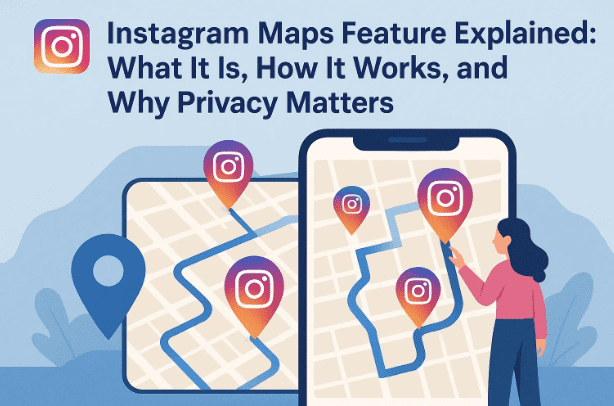
🌍 1. What Is Instagram Maps and How Does It Work?
Instagram Maps allows users to share their real-time or recent locations with friends directly through the app.
When you open the feature, you can view a map interface that shows where your friends or followers are currently located (if they’ve chosen to share it).
It essentially turns Instagram into a social map, letting you:
- See nearby friends and their activities.
- Discover trending hangout spots (cafes, malls, events).
- Check posts and stories tagged in a particular area.
It’s similar to a mix of Google Maps + Instagram Stories, with a social twist.
🧭 2. The Inspiration Behind Instagram Maps
If this feature feels familiar, that’s because it’s heavily inspired by Snapchat’s Snap Map, launched years ago.
In Snapchat’s version:
- Friends can view each other’s real-time locations on a map.
- You can zoom into specific cities to see who’s where.
- Users can share their position privately or with selected groups.
Instagram has borrowed this same concept — almost as-is — integrating it into its ecosystem.
The key goal?
To increase social engagement beyond photos and reels — by encouraging users to connect offline, meet up, or explore nearby events.
However, while this might sound fun in theory, it raises serious privacy questions, especially for younger users.
🧩 3. How to Use Instagram Maps Feature Step by Step
Let’s move to the next step — understanding how to use this feature if it’s already active on your app.









Here’s how it works:
- Open Instagram and navigate to your home feed.
- Tap the “Map” or “Location” story icon near the Explore or Story tray.
- Grant location permissions when prompted (you can choose “While using the app” or “Always allow”).
- Once enabled, Instagram will display a map view showing your nearby friends or shared locations.
- You can then:
- Tap on any friend’s avatar to see where they’re currently located.
- Share your own location with a selected group of friends or followers.
- Choose to hide your location anytime using the privacy toggle.
You can even form private groups (like close friends lists) and allow only them to view your shared location.
🔒 4. Who Can See Your Location and How Sharing Works
This is one of the most critical parts of the feature — understanding who can see your location.
Instagram gives you three main visibility options:
- Private: Only you can see your location (default).
- Friends Only: Only mutual followers or close friends can view it.
- Public: Anyone who follows you or views your story can access your map activity.
You can also decide how long your shared location remains visible — for example, a few hours or an entire day.
However, keep in mind that Instagram’s location sharing isn’t fully end-to-end private. While your exact coordinates aren’t shown publicly, metadata (like your city, check-ins, or nearby landmarks) may still be visible.
👨👩👧 5. Instagram Maps for Teenagers and Parental Controls
Instagram has confirmed that for users under 18, the Maps feature includes extra restrictions:
- Teen accounts are automatically set to private visibility.
- Parents or guardians can monitor and control map access using Instagram’s Family Center.
- Teenagers can only share their location with pre-approved contacts.
This is a smart move, as real-time location sharing can pose genuine safety risks to younger users.
If you’re a parent, you can manage this by visiting Instagram Family Center to adjust visibility settings and monitor interactions.
🎯 6. Real-Life Use Cases — Where This Feature Makes Sense
Let’s talk about where Instagram Maps can actually be useful.
It’s particularly helpful in large or crowded cities, where meeting up with friends can be chaotic.
For instance:
- You’re attending a concert or event in Delhi or Mumbai.
- You and your friends get separated in a crowded place.
- Instead of calling repeatedly, you can simply check who’s nearby and meet up.
It can also be helpful when:
- Traveling in a new city and exploring local hangout spots.
- Organizing group outings.
- Checking nearby cafes or tourist attractions where your circle hangs out.
So far, so good. But let’s move to the next part — where the feature starts to raise concerns.
🚨 7. Why Instagram Maps May Be Risky for Privacy
While the idea sounds exciting, location sharing always comes with risks — especially in a country like India, where people often connect with strangers online.
Here’s why this feature could be problematic:
1. Exposure to Strangers
Many users on Instagram follow or are followed by people they’ve never met. Sharing live location with such users can unintentionally reveal your whereabouts to strangers.
2. Data Privacy Concerns
Instagram collects geolocation data, and like most Meta products, this data may be used for analytics or targeted recommendations.
3. Stalking and Harassment Risks
Unwanted users may exploit map visibility to track movements.
4. False Sense of Safety
Users may assume they’re only visible to close friends, but visibility settings can be confusing — especially for teenagers.
In short, while the feature promotes social connection, it also opens a door for potential misuse if not handled carefully.
🧠 8. Expert Tips to Stay Safe While Using Instagram Maps
So far we’ve done a good job understanding both sides — now let’s see how to balance fun with safety.
Here are some expert-recommended tips:
- ✅ Share location only with trusted people. Avoid enabling public visibility.
- ✅ Turn off location sharing when not needed. Constant sharing increases risk.
- ✅ Review your follower list regularly. Remove accounts you don’t personally know.
- ✅ Use “Close Friends” lists. Great for limiting your audience.
- ✅ Check app permissions in your phone settings. Ensure Instagram only accesses your location “While using the app.”
- ✅ Educate teenagers and younger users. Teach them why sharing locations casually isn’t safe.
If used responsibly, Instagram Maps can be a useful social tool — but if left unchecked, it can also compromise your privacy.
❓ 9. Frequently Asked Questions (FAQs)
Q1. Is Instagram Maps available for everyone?
It’s gradually rolling out worldwide. Some users in major cities like Delhi, Mumbai, New York, and London already have it.
Q2. Can I hide my location on Instagram Maps?
Yes. You can toggle off location sharing anytime in your app settings or the map interface itself.
Q3. Does Instagram track my live location all the time?
Only if you’ve granted “Always allow” permission in your phone settings. You can switch to “While using app” for better control.
Q4. Can businesses use Instagram Maps for marketing?
Yes — verified local businesses can tag their stores or events to appear on the map.
Q5. Is Instagram Maps safe for teenagers?
With parental controls, yes — but parents should still supervise usage closely.
🏁 10. Final Thoughts
Instagram Maps is an interesting experiment — bringing real-world interaction into the social media space.
For some users, it’s a fun way to discover nearby events and connect offline. But for many, it introduces unnecessary privacy and safety concerns.
The truth is: social media was never meant to broadcast your exact physical location.
Features like this need to be handled with care — used only in trusted circles, with strict privacy controls, and clear understanding of the risks involved.
If you’re an active Instagram user in a major city, this feature might add a new dimension to your experience.
But if you live in a smaller town or value privacy above all, it’s best to keep location sharing turned off.
At the end of the day, social media should connect hearts, not expose homes.
Disclaimer:
This article is for informational and educational purposes only. The Instagram Maps feature is still rolling out, and options may vary by region or app version. Always review your privacy settings before enabling any location-sharing features.
Tags: Instagram Maps, Instagram Update, Social Media Privacy, Location Sharing, Snapchat Map Alternative, Instagram Safety, Digital Privacy, Parental Controls, Social Media Features
Hashtags: #InstagramMaps #InstagramUpdate #SocialMediaPrivacy #LocationSharing #InstagramSafety #ParentalControls #DigitalPrivacy #dtptips








