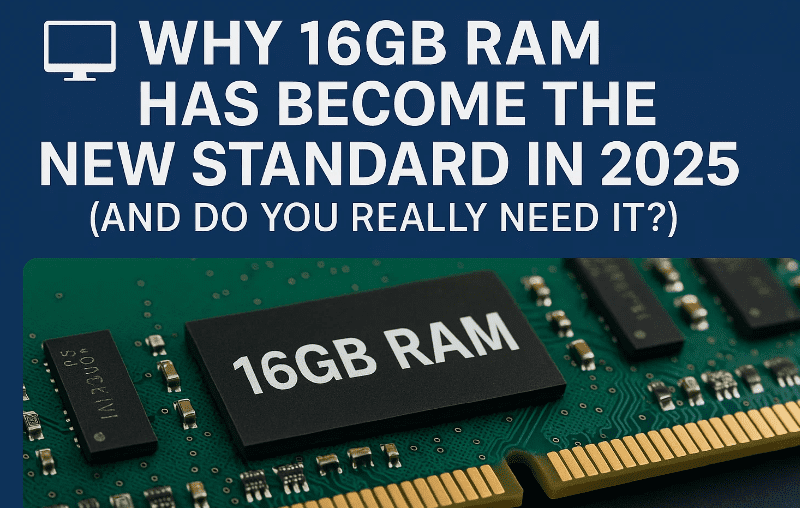
If you’ve shopped for a new laptop or desktop recently, you’ve probably noticed something: 16GB of RAM has quietly become the “new normal.”
A few years ago, most mid-range machines shipped with 8GB by default. Go back a little further, and 4GB was considered enough for everyday computing. Fast-forward to today (2025), and many laptops, ultrabooks, and even gaming desktops now start with 16GB as the baseline configuration.
But why is this happening? Do you really need 16GB of memory, or is it just a marketing trick? And how does it affect different types of users — from casual browsers to gamers, programmers, and creative professionals?
This article will walk you through the evolution of RAM standards, explain where the extra memory really matters, and help you decide whether upgrading to 16GB (or more) is right for you.
1️⃣ What is RAM and Why It Matters
Let’s start simple. RAM (Random Access Memory) is your computer’s short-term memory. Unlike your SSD or hard drive, which stores data permanently, RAM is used to hold temporary information your system needs right now — open browser tabs, active apps, system processes, and so on.
The more RAM you have:
- The more apps and tabs you can run at the same time.
- The smoother heavy apps like Photoshop, Premiere Pro, or games will perform.
- The less likely your system is to slow down when switching tasks.
👉 Think of RAM as your desk space:
- With a small desk (4GB or 8GB RAM), you can only keep a few papers (apps) open before it gets cluttered.
- With a large desk (16GB+ RAM), you can spread out more work without constantly shuffling things back and forth.
2️⃣ How RAM Standards Have Changed Over the Years
To understand why 16GB is “standard” today, it helps to look at the history of memory requirements:
| Year / Era | Common Standard | Why It Was Enough |
|---|---|---|
| 2010–2014 | 4GB RAM | Windows 7/8 was lighter, apps were simpler, fewer background processes. |
| 2015–2018 | 8GB RAM | Windows 10 launched, web browsing became heavier, more multitasking, gaming pushed past 4GB. |
| 2019–2022 | 8GB still common, 16GB premium | More creative workloads, bigger games, Windows 10 updates required more memory. |
| 2023–2025 | 16GB RAM standard | Windows 11 resource usage, heavier Chrome/Edge browsing, AAA games requiring 12–16GB, creative work rising. |
👉 Notice how every 3–5 years, the baseline doubled. This isn’t just marketing — software and operating systems naturally grow heavier over time.
3️⃣ Why 16GB RAM is the New Baseline in 2025
Now let’s answer the big question: Why has 16GB become the default?
- Windows 11 is memory-hungry: Even with a clean install, Windows 11 easily uses 3–4GB RAM idle, before you open a single app. Add background services, and the number rises quickly.
- Modern apps demand more: Chrome with 20+ tabs, Microsoft Teams, Photoshop, and Spotify can easily chew through 8–10GB together.
- Games keep growing: AAA titles like Cyberpunk 2077, RDR2, and GTA V need 12GB+ for smooth performance.
- Creative & professional work: Editing 4K video, working with large Photoshop files, or compiling code in Android Studio requires more headroom.
- Future-proofing: RAM usage only increases with time. Buying an 8GB laptop in 2025 means it may feel outdated in just 1–2 years.
So yes, 16GB isn’t overkill anymore — it’s the sweet spot.





4️⃣ Real-World Scenarios Where 16GB Makes a Difference
It’s one thing to talk numbers, but let’s go step by step through real situations where extra RAM makes a clear difference.
🔹 Multitasking
If you’re the kind of user who has:
- 20+ Chrome or Edge tabs open
- Excel and Word documents running
- Spotify or YouTube playing in the background
- A design app like Photoshop open
…then 16GB ensures no lag when switching tasks. With 8GB, you’ll often see apps freeze or reload.
👉 Example: Task Manager might show 9GB in use just from opening apps, leaving little headroom on an 8GB machine.
🔹 Photo Editing
Large, layered Photoshop files can consume gigabytes of RAM on their own. The more layers, the more RAM needed.
- 8GB RAM: Fine for light editing and small projects.
- 16GB RAM: Handles big files smoothly, avoids “scratch disk” warnings.
So far, so good — let’s move on to an even heavier task.
🔹 Video Editing
Video editing is one of the biggest RAM consumers. Each clip, transition, and effect has to be buffered.
- Editing 1080p video: 8GB is just about enough.
- Editing 4K video or multiple tracks: 16GB+ is almost mandatory.
- Editing 8K video or using After Effects with Premiere: You’ll want 32GB or more.
🔹 Gaming
Gamers often underestimate how much RAM they need.
- Older titles (Skyrim, Witcher 3) run fine on 8GB.
- Modern AAA games (Cyberpunk, RDR2, Hogwarts Legacy) recommend 16GB minimum.
- Competitive shooters (Fortnite, Valorant) run on 8GB, but multitasking (Discord, streaming) pushes you past that.
👉 RAM isn’t everything — you still need a decent GPU. But without enough RAM, load times increase and stuttering appears.
🔹 Coding & Development
Developers often run multiple IDEs, emulators, and local servers:
- VS Code + Chrome + Docker = easily 12GB used.
- Android Studio emulators? They eat RAM for breakfast.
- Data science with Python (Pandas, TensorFlow) = RAM-intensive operations.
This is why many programmers say 16GB is the bare minimum in 2025.
🔹 Virtualization & Data Science
Running virtual machines (VMware, VirtualBox, Docker, WSL2) requires large amounts of memory.
Example: Running a Linux VM with 4GB allocated already consumes half of an 8GB machine. With 16GB, you still have space for Windows and other tasks.
For AI/ML researchers, Jupyter Notebooks with large datasets easily consume 10GB+.
5️⃣ When 8GB RAM is Still Enough
Not everyone needs 16GB. If your usage is light, 8GB is still fine in 2025.
- Web browsing with under 10 tabs
- Watching YouTube or Netflix
- Office apps (Word, Excel, PowerPoint)
- Occasional light Photoshop edits
👉 In short, students and casual users can survive with 8GB. But if you want a machine that stays relevant for years, upgrading to 16GB is smarter.
6️⃣ When You Might Need 32GB or Even 64GB
For most people, 16GB is enough. But some professionals should consider higher capacities:
- 32GB:
- 3D modeling and rendering
- Heavy 4K/8K video editing
- Advanced game development
- Running multiple virtual machines
- 64GB+:
- Scientific simulations
- Machine learning training
- Enterprise-level server hosting
These are niche cases. For 95% of users, 16GB remains the balance point.
7️⃣ How Windows and Apps Drive RAM Demand
Windows itself has grown heavier. Each update adds new features (widgets, Copilot AI, visual effects) that consume more memory. Add modern browsers, which treat every tab as a separate process, and the memory demand skyrockets.
- 2015: Windows 10 ran okay on 4GB.
- 2025: Windows 11 + Chrome + Teams = nearly 8GB idle usage.
👉 This is why laptops shipping with 4GB or even 8GB in 2025 feel sluggish right out of the box.
8️⃣ FAQs
Q1. Do I need 16GB RAM for office work?
👉 Not strictly. For basic Word, Excel, and browsing, 8GB is fine. But 16GB ensures smoother multitasking.
Q2. Is dual-channel RAM better than single?
👉 Yes. Two 8GB sticks (dual-channel) perform faster than one 16GB stick (single-channel). Always choose dual if possible.
Q3. Can I upgrade my 8GB laptop to 16GB?
👉 Depends. Some ultrabooks have soldered RAM. Check your laptop’s specs before buying.
Q4. Will 16GB still be enough in 2030?
👉 For casual users, yes. But for professionals, 32GB may become the new standard by then.
Q5. Does more RAM improve gaming FPS?
👉 Only if you were previously limited by RAM. In most cases, the GPU is more important, but extra RAM reduces stutters.
⚠️ Disclaimer
This article is for educational purposes only. Recommendations are based on current hardware/software trends as of 2025. Always check your specific device for upgrade options and compatibility before purchasing RAM modules.
📑 Tags
ram 16gb standard 2025, why 16gb ram laptop, 8gb vs 16gb ram, ram for gaming 2025, ram for programming, ram for video editing, windows 11 memory usage, upgrade laptop ram 16gb, dual channel ram benefits, future proof ram
📢 Hashtags
#RAM #Windows11 #PCBuild #LaptopTips #GamingPC #TechExplained #Programming #VideoEditing #Multitasking #FutureProof