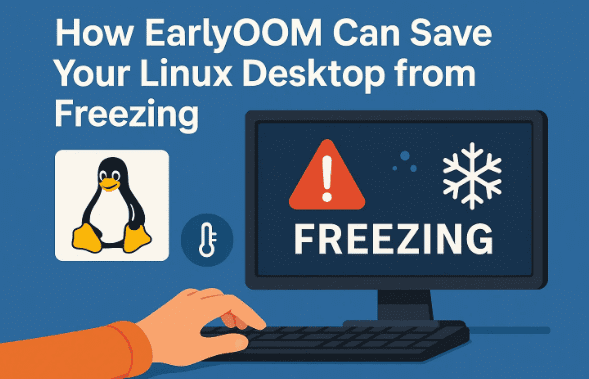
Computers freezing unexpectedly is one of the most frustrating experiences a user can face. You’re in the middle of rendering a video, downloading a file, or running a resource-intensive task, and suddenly your system becomes unresponsive. The mouse cursor barely moves, windows refuse to open or close, and you’re left staring helplessly at a frozen screen.
If you’ve used Linux desktops long enough, you’ve likely encountered this situation. While Linux is admired for its stability and intelligent memory management, the truth is that its memory handling is designed with servers in mind, not desktop user experience. That’s where a small, elegant tool called EarlyOOM comes to the rescue.
In this article, we’ll dive deep into why Linux systems freeze under heavy memory usage, how EarlyOOM solves the issue, how to install and configure it, and why it may still be the simplest yet most effective solution for desktop users.
1. Why Linux Systems Freeze Under Memory Pressure
Let’s begin by understanding the root problem.
Modern applications can be extremely demanding on memory. Browsers like Chrome and Firefox open dozens of tabs, video editors allocate huge buffers, and games consume gigabytes of RAM. Once memory fills up, the system starts relying on swap space, which is much slower because it’s disk-based.
When both RAM and swap are nearly exhausted, the system enters a state of limbo. Everything slows to a crawl, the desktop becomes unresponsive, and you’re often forced to perform a hard reset—risking data loss.
This is not because Linux doesn’t have memory management. In fact, Linux has one of the most advanced memory systems. The issue lies in its priorities.
2. The Limitations of the Linux OOM Killer
The Linux kernel includes a mechanism called the OOM Killer (Out-Of-Memory Killer). Its job is to terminate processes when the system is running out of memory.
But here’s the catch:
- It’s a last resort. The OOM Killer only acts when the system is already in crisis.
- It’s not user-focused. Designed with servers in mind, it avoids killing processes until absolutely necessary, even if that means desktop freezes.
- It doesn’t always pick wisely. Sometimes it terminates your browser with 30 open tabs instead of a background process that isn’t critical.
This makes sense on servers, where uptime and critical process stability matter more than responsiveness. But on desktops, this behavior is disastrous.
3. Introducing EarlyOOM: A Simple yet Powerful Daemon
Now enters EarlyOOM—a lightweight daemon that acts before the system collapses.









- It checks memory and swap usage at regular intervals.
- When free memory drops below a set threshold, it proactively kills the worst offender before the system becomes unresponsive.
- Unlike the kernel OOM Killer, it prioritizes keeping your desktop responsive over keeping every process alive at all costs.
In practice, this means instead of your entire computer freezing, EarlyOOM may close a memory-hungry browser tab or application—but your desktop stays usable.
👉 Official GitHub Repository – EarlyOOM
4. A Brief History of EarlyOOM
EarlyOOM was first created in December 2013 by German developer Jakob Unterwurzacher.
The motivation was simple: Jakob had a low-RAM computer, and under memory pressure, Linux would freeze for minutes before the OOM Killer eventually stepped in. Tired of the frustration, he wrote EarlyOOM to act sooner and save desktop usability.
For years, EarlyOOM remained a niche tool among Arch and Debian users. But its turning point came in 2020, when Fedora 32 included it by default to improve desktop responsiveness.
Although Fedora later switched to systemd-oomd, EarlyOOM had already established itself as a trusted and effective solution. Today, it is packaged for most distributions, including Debian, Ubuntu, Arch Linux, and others.
5. How EarlyOOM Works Under the Hood
Let’s break down how it functions:
- Runs in user space, unlike the kernel OOM Killer.
- Reads from
/proc/meminfoto monitor free memory and swap. - Uses configurable thresholds (e.g., 10% free RAM) to decide when to act.
- Kills the biggest memory hogs first, usually via polite
SIGTERM, followed by forcefulSIGKILLif needed. - Can whitelist or blacklist processes to better align with your workflow.
This makes it predictable, efficient, and perfectly suited for desktops.
6. Installing EarlyOOM on Popular Linux Distributions
Before we dive into configuration, let’s cover installation.
- On Ubuntu/Debian:
sudo apt install earlyoom - On Fedora:
sudo dnf install earlyoom - On Arch Linux:
sudo pacman -S earlyoom - Enable the service:
sudo systemctl enable --now earlyoom
And that’s it—EarlyOOM is now watching your memory and ready to save your desktop from freezes.
7. Configuring EarlyOOM for Different Scenarios
Once installed, you can fine-tune EarlyOOM’s behavior through its configuration file, usually located at:
/etc/default/earlyoom
Here are the key parameters:
--mem(Minimum RAM Threshold):- Default: 10%
- Example:
--mem 5(start killing processes when free RAM < 5%) - Useful for systems with lots of RAM.
--swap(Swap Threshold):- Default: 10%
- Example:
--swap 15(act earlier on swap exhaustion).
- Polite vs Forceful Kill:
- EarlyOOM first tries
SIGTERM. - If ignored, it escalates to
SIGKILL.
- EarlyOOM first tries
- Whitelisting Processes (Avoid):
- Example:
--avoid 'mygame|pulseaudio' - Protects important apps like games or audio servers.
- Example:
- Blacklisting Processes (Prefer):
- Example:
--prefer 'chrome|java' - Makes memory-hungry apps first in line for termination.
- Example:
Example: Gamer Setup
If you want to prioritize gaming:
EARLYOOM_ARGS="--mem 10 --swap 10 --avoid 'steam|pulseaudio' --prefer 'chrome|java'"
This ensures your game stays safe, while Chrome tabs get axed first.
8. Alternatives to EarlyOOM (Systemd-oomd, NoHang, etc.)
EarlyOOM isn’t the only player in this field. Let’s compare alternatives:
| Tool | Strengths | Weaknesses |
|---|---|---|
| Systemd-oomd | Integrated into systemd, uses PSI (Pressure Stall Information) for granular monitoring | Kills entire groups of processes, which may cause more data loss |
| NoHang | Written in Python, extremely configurable | Complex setup, overkill for casual users |
| Facebook OOMD | Designed for large data centers | Too heavy for desktops |
| Kernel OOM Killer | Native, requires no setup | Acts too late, poor desktop responsiveness |
For most desktop users, simplicity trumps complexity, making EarlyOOM the best middle ground.
9. Common Issues and How to Fix Them
EarlyOOM is reliable, but there are times when it may behave unexpectedly.
- Problem: It kills your code editor or important app.
- Solution: Add it to
--avoid.
- Solution: Add it to
- Problem: It’s too aggressive.
- Solution: Lower thresholds from 10% → 5%.
- Problem: It’s too permissive, and freezes still happen.
- Solution: Raise thresholds to 15–20%.
- Problem: Check intervals feel slow.
- Solution: Use
--intervalto adjust checking frequency.
- Solution: Use
10. When You Should Not Use EarlyOOM
EarlyOOM is excellent for desktops, but it’s not a universal solution.
- Avoid on production servers. Service stability matters more than responsiveness.
- Avoid on mission-critical environments. A wrong process kill could cause bigger problems.
For servers, it’s better to rely on the kernel OOM Killer or enterprise-grade memory management.
11. Final Thoughts: The KISS Philosophy in Action
The beauty of EarlyOOM lies in its simplicity. Written in C, with no external dependencies, it does one job and does it well.
Where complex tools like systemd-oomd or Facebook’s OOMD add layers of sophistication, EarlyOOM embodies the Unix philosophy:
“Do one thing, and do it well.”
For desktop users, that one thing—preventing freezes before they happen—is exactly what we need.
12. FAQs
Q1. Will EarlyOOM cause data loss?
Yes, like any OOM manager, it kills processes. But it does so earlier, preventing total system freeze. Losing one Chrome tab is better than losing unsaved work across your entire desktop.
Q2. Can I use EarlyOOM alongside systemd-oomd?
Technically yes, but it’s not recommended. Choose one to avoid conflicts.
Q3. Is EarlyOOM suitable for gaming PCs?
Absolutely. Configure --avoid to protect your game, and --prefer to target browsers or background apps.
Q4. Does EarlyOOM consume system resources?
No. It’s extremely lightweight and won’t impact performance.
Q5. How often should I adjust thresholds?
Start with defaults (10%). If it feels too aggressive or permissive, tweak based on your system’s RAM size and workload.
Disclaimer
EarlyOOM is designed for desktop environments where responsiveness is key. It should not be used in production servers or mission-critical systems where process stability outweighs responsiveness. Always back up important work and test configurations carefully before relying on automated process termination.
Tags
linux performance, linux freezes, earlyoom, memory management, ubuntu, fedora, arch linux, linux desktop
Hashtags
#Linux #EarlyOOM #Performance #OpenSource #Ubuntu #Fedora #ArchLinux #MemoryManagement