One of the biggest reasons many users switch from iPhones to Android has always been freedom. Freedom to customize, to sideload apps, to use emulators, and to generally treat your phone as your own device. But recent policy changes by Google are sparking serious debates. Is Android losing the very openness that made it attractive in the first place?
In this article, we’ll explore:
- Why sideloading apps has always been an essential part of Android.
- Google’s new developer verification policy.
- The possible risks and hidden motives behind these changes.
- Real-world examples of apps and tools that could be impacted.
- The broader debate of privacy, censorship, and user control.
We’ll also wrap up with a FAQ section and practical advice for Android users who want to balance freedom vs security.
🎮 Gaming on Smartphones: Why Freedom Matters
To set the stage, let’s take an example from gaming. Today, thanks to powerful hardware and projects like Wine or emulators, it’s possible to play heavy PC games like Grand Theft Auto V on a modern Android smartphone.
Of course, playing GTA V on a 6-inch screen with touch controls isn’t practical for everyday use—but that’s not the point. The point is, Android gives you the freedom to try it. You can connect a controller, install experimental apps, and push your device in ways Apple’s iOS would never allow.
And this is where the core frustration arises. If Android starts limiting sideloading, we lose not just the ability to run “fun experiments” but also essential tools like emulators, modding apps, or privacy-focused alternatives.
🍏 iPhone vs Android: Why Freedom Was Always the Difference
Apple’s ecosystem is famously restrictive. You can’t just install any app you want—everything must go through the App Store, and Apple decides what is allowed. Jailbreaking is possible, but it’s risky, temporary, and often breaks with updates.
Android, on the other hand, built its reputation on openness:
- You can sideload APKs from sources like APKMirror or GitHub.
- You can install custom ROMs like LineageOS or GrapheneOS.
- Developers can build and distribute apps without needing approval from a central authority.
Now, with Google introducing new restrictions, Android risks becoming more like iOS—locked down and controlled.
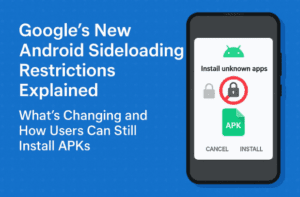
🛡️ Google’s New Developer Verification Policy
Recently, Google announced that starting next year:
Every app installed on certified Android devices must come from a verified developer.




Let’s break this down.
- Certified devices = Phones you buy from major brands (Samsung, Pixel, OnePlus, etc.).
- Verified developers = Developers who go through Google’s identity verification process.
At first glance, this sounds like a good move. Google cites statistics showing 50x more malware infections from sideloaded apps compared to Play Store apps. By verifying developers, they claim to reduce the risk of malicious apps spreading.
Think of it like an ID check at an airport. Only verified passengers can board. That sounds safe, right? But here’s the problem—your phone is not an airport. It’s a personal device you purchased. Shouldn’t you have the right to install whatever you want?
🧩 The Hypocrisy: Google’s Own Stores Aren’t Always Safe
Google positions itself as the guardian of security. But reality shows a different picture.
Take the Chrome Web Store, for instance. There have been multiple reports of malicious extensions like “Free VPN” being downloaded by thousands of users while stealing browsing data and even capturing screenshots. Despite serious allegations, some of these extensions remain listed for months.
So, when Google argues that sideloading is unsafe, critics rightly point out:
- The Play Store and Chrome Web Store already host malicious apps.
- Bad actors can still sneak in through official channels.
- Instead of restricting freedom, Google should focus on stronger vetting in their own stores.
🎮 Who Gets Hurt? Emulators, Mods, and Privacy Apps
One of the biggest fears with this policy is that useful but unofficial apps will be blocked under the guise of “security.”
Some examples include:
- Emulators – Tools like DraStic DS Emulator, AetherSX2 (PS2 emulator), or forks of Winlator (which lets you run Windows games) often come from independent developers. Many of them may not bother with verification or fail Google’s criteria.
- YouTube alternatives – Apps with features like background play, ad blocking, or pinch-to-zoom are widely used but technically against YouTube’s terms. Under stricter rules, these apps could be banned outright.
- Privacy apps – In countries with censorship, people rely on sideloading apps like Signal APKs or VPN clients when the Play Store versions are restricted. If verification prevents these installs, it could literally endanger activists and journalists.
👉 The risk isn’t just losing fun apps. It’s losing tools that protect privacy, bypass censorship, and preserve digital freedom.
🖥️ Workarounds: Custom ROMs and Alternatives
Some advanced users point to custom operating systems like GrapheneOS as solutions. These privacy-focused ROMs strip away Google’s control and let you sideload freely.
But there are limitations:
- Only certain devices (like Pixels) support them.
- Installing custom ROMs often disables manufacturer features (e.g., Samsung Pay if you trip Knox).
- The process is too technical for most users.
So while power users may survive, the average Android owner is left with fewer choices.
🔒 Freedom vs Security: The Trojan Horse Argument
Google frames this as a security update. But many argue it’s a Trojan horse for control.
- Today: “We’re protecting you from malware.”
- Tomorrow: “We’re preventing you from installing apps that block ads, bypass restrictions, or compete with our services.”
The pattern is familiar—start with safety, end with profit protection. By forcing verification, Google gains the power to quietly blacklist apps that hurt its business model.
For example:
- Ad-blocking YouTube clients could be denied.
- Competing app stores could be made harder to use.
- Experimental apps like emulators might vanish.
This isn’t just about Android—it’s about the broader question of who controls your devices: you, the buyer, or the company you bought it from?
🧭 Real Security Already Exists
Here’s the irony: Android already includes robust security features.
- Play Protect scans apps for malware.
- Sideloading requires explicit user consent (you must enable “Install from unknown sources”).
- Many devices, like Samsung phones, include additional protections like blocking APKs by default, scanning files from USB, and malware protection.
So why the extra layer? Critics believe it’s less about safety and more about limiting user choice.
❓ Frequently Asked Questions (FAQs)
Q1. Will I still be able to sideload apps after this change?
Yes, technically. But only from developers who pass Google’s verification. Many indie or controversial apps may not.
Q2. Can I bypass this restriction?
Advanced users can install custom ROMs like GrapheneOS. But for mainstream users on Samsung or Pixel devices, options will be limited.
Q3. Does this make Android the same as iOS?
Not fully, but it moves closer. If restrictions tighten further, Android risks losing its reputation as the “open” alternative.
Q4. Is sideloading really that dangerous?
If you install apps blindly, yes, there are risks. But if you stick to trusted sources like APKMirror, F-Droid, or official GitHub releases, sideloading is generally safe.
Q5. What should users do to stay secure without losing freedom?
- Use trusted APK repositories.
- Verify file hashes when possible.
- Keep Play Protect on.
- Avoid random “free” apps with unrealistic claims.
⚖️ Final Thoughts: The Future of Android Freedom
Android was once seen as the platform of choice and flexibility, while iOS was the walled garden. But with Google tightening control, that distinction is blurring.
Yes, malware is a concern. Yes, some protections are necessary. But when protections start looking like restrictions on freedom, users have every right to push back.
If companies truly care about user safety, they should:
- Clean their own app stores first.
- Educate users about safe practices.
- Provide warnings, not bans.
At the end of the day, you bought your phone. It should be your choice what you install on it. If Google keeps tightening the screws, Android risks losing the very thing that made it special.
Tags
android sideloading, google developer verification, android freedom, app sideloading ban, play protect vs sideloading, android vs ios, emulators on android, grapheneos, android privacy, sideload apk safety
Hashtags
#Android #Google #Privacy #DigitalFreedom #Sideloading #Smartphones #TechFreedom