We’ve all been there: you start training locally because it feels free and instant, then hit VRAM walls, thermal throttling, or late-night crashes. You flip to the cloud, enjoy blazing speed… and then the invoice lands. After months of bouncing between both worlds—fine-tuning LLMs, testing deep-learning models, and shuttling full pipelines back and forth—I landed on a workflow where local and cloud stop fighting and start complementing each other.
In this guide, we’ll build that system step by step. We’ll cover when to stay local, when to go cloud, and how to stitch them together in a hybrid setup that’s fast, cost-aware, and scalable. We’ll also fix common bottlenecks (VRAM, overheating, slow I/O), add cost-saving tactics (spot/preemptible instances, checkpointing), and give you a ready-to-use runbook you can follow tomorrow morning. Let’s get started.
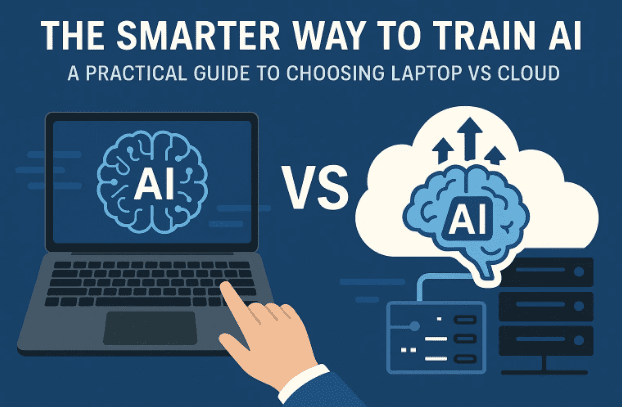
1) 🔎 Why Local vs Cloud Feels Confusing (and How to Reframe It)
It’s easy to frame the question as “Which is smarter: laptop or cloud?” But that binary mindset creates whiplash—every time something goes wrong, you swing to the other side. The reality is simpler:
- Local ≈ instant iteration & zero marginal cost (after buying the laptop).
- Cloud ≈ elastic performance & scale on demand (with a real-time price tag).
The winner isn’t one or the other; it’s a workflow that uses local for speed of thought and cloud for speed of compute. Once you think in workflows, you stop fighting your hardware and start shipping.
Let’s break down each side honestly before we stitch them together.
2) 🧠 What Laptops Are Really Good At (and Where They Break)
Your laptop is your sketchbook: it’s always there, boots in seconds, and costs nothing per hour. This makes it ideal for:
- Prototyping & small datasets (e.g., MNIST/CIFAR, small tabular sets).
- Light fine-tuning (e.g., DistilBERT or smaller vision models).
- Pre-/post-processing (feature engineering, evaluation, plotting).
- Fast feedback loops (try an idea at midnight without spinning servers).
But laptops hit physics limits:
- VRAM ceilings: 4–8 GB is common; bigger models need 24–80 GB+.
- Thermal throttling on long runs (training slows to protect the GPU).
- I/O bottlenecks (slower disks, shared system memory).
- Stability: all-night training can crash due to heat or sleep settings.
Transition note: we’ll still get surprising mileage out of laptops with the right tricks; when those run out, we’ll gracefully hand off to the cloud.
3) 🚀 What the Cloud Is Really Good At (and Its Hidden Costs)
Cloud GPUs (e.g., NVIDIA A100/H100, L4, V100, A10G) obliterate local limits:
- Scale: 40–80–96 GB VRAM, multi-GPU, high-bandwidth memory.
- Speed: hours → minutes; enables 10× more experiments/day.
- Elasticity: pay for exactly what you need, when you need it.
But there’s a catch:
- Costs accumulate: $5–$20 per hour adds up across iterations.
- Setup friction: data upload, environment management, dependency pinning.
- Operational risks: forgetting to stop an instance; flaky Wi-Fi for notebooks; preemptions on discounted instances.
The takeaway: cloud is best when the model is too big or too slow locally, or you’re productionizing. It’s not a replacement for your laptop; it’s the power stage of your workflow.






4) 🧮 Decision Checklist: Local or Cloud for This Experiment?
Before we jump into steps, let’s make decisions predictable. The goal is to avoid second-guessing mid-experiment.
- A. Data & Model Size
- Small dataset + simple model → Laptop
- Large dataset or transformer-scale model → Cloud
- B. Budget & Frequency
- Daily long runs → Laptop first (optimize), then scheduled cloud bursts
- Occasional heavy runs → Cloud (spot/preemptible if possible)
- C. Time Sensitivity
- Need results today → Cloud
- Iterating on ideas → Laptop until a design “sticks”
- D. Hardware Reality
- <8 GB VRAM, thin-and-light thermals → Local only for prototyping
- Cooling pad, 16–32 GB system RAM, fast NVMe → Better local endurance
5) 🧰 Squeeze More from Your Laptop (Precision, Batches, Offloading)
Before abandoning local runs, try these proven knobs. A little setup gives outsized gains.
Let’s move to specific techniques and why they work, so you can apply them quickly.
5.1 Mixed/Automatic Precision (AMP)
Using lower precision (e.g., FP16/bfloat16) slashes memory use and often speeds training with negligible accuracy loss.
- PyTorch AMP:
Docs: https://pytorch.org/docs/stable/amp.htmlscaler = torch.cuda.amp.GradScaler() for data, target in loader: optimizer.zero_grad() with torch.cuda.amp.autocast(): loss = model(data).loss scaler.scale(loss).backward() scaler.step(optimizer) scaler.update()
5.2 Batch Size & Gradient Accumulation
If VRAM is tight, lower the batch size and simulate larger batches via gradient accumulation.
accum_steps = 4
optimizer.zero_grad()
for i, (x, y) in enumerate(loader):
    with torch.cuda.amp.autocast():
        loss = model(x, y) / accum_steps
    loss.backward()
    if (i + 1) % accum_steps == 0:
        optimizer.step()
        optimizer.zero_grad()
5.3 Gradient Checkpointing
Trades compute for memory by re-computing activations during backprop.
- PyTorch doc topic: “checkpoint” (torch.utils.checkpoint)
- Many HF Transformers models expose
model.gradient_checkpointing_enable().
5.4 Parameter-Efficient Fine-Tuning
LoRA/QLoRA drastically reduce memory for LLM fine-tuning by learning low-rank adapters (store only adapters, keep base frozen).
- Hugging Face PEFT: https://github.com/huggingface/peft
- bitsandbytes (8-bit/4-bit quantization): https://github.com/TimDettmers/bitsandbytes
5.5 Offloading & Memory Tricks
- CPU offload for optimizer states (e.g., DeepSpeed, Accelerate).
- Pin memory, prefetch, and ensure fast NVMe for dataloaders.
- Try bf16 if your GPU supports it (more numerically stable than fp16).
5.6 Thermals & Stability
- Use a cooling pad, clean vents, keep the lid open.
- Set Windows/macOS/Linux performance mode; don’t let the OS sleep.
- Prefer wired power; disable battery-saver modes during training.
6) 💸 Make Cloud Affordable (Spot/Preemptible + Checkpointing)
Now we’re ready to scale—but without exploding costs. The secret: combine discounted instances with resilient training.
Key idea: discounted GPUs (AWS Spot, Google Cloud Spot VMs, Azure Spot, etc.) can be reclaimed by the provider—so you must checkpoint.
- AWS EC2 Spot: https://aws.amazon.com/ec2/spot/
- Google Cloud Spot VMs: https://cloud.google.com/compute/docs/instances/spot
- Azure Spot VMs: https://learn.microsoft.com/azure/virtual-machines/spot-vms
6.1 Frequent Checkpointing
Save model + optimizer state every N minutes/steps to persistent storage (object store or mounted volume). If preempted, you resume.
if step % SAVE_EVERY == 0:
    torch.save({
        "model": model.state_dict(),
        "optimizer": optimizer.state_dict(),
        "scaler": scaler.state_dict(),
        "step": step
    }, f"checkpoints/ckpt_{step}.pt")
6.2 Automation & Guardrails
- Auto-stop idle instances with a cron or cloud watchdog.
- Tag resources; enable budget alerts and per-project cost caps.
- Keep startup scripts to rebuild environments fast (conda/pip + pinned versions).
- For notebooks, prefer providers that persist the disk; for stateless, pack a Docker image.
6.3 Mid-scale “Free” or Low-Friction Options
Great for medium experiments or teaching:
- Google Colab (GPU runtime): https://colab.research.google.com/
- Kaggle Notebooks (GPU): https://www.kaggle.com/code
6.4 Managed GPU Clouds (Neutral Examples)
- Paperspace Gradient: https://www.paperspace.com/gradient
- Lambda GPU Cloud: https://lambdalabs.com/service/gpu-cloud
- AWS (broadest ecosystem): https://aws.amazon.com/
(Links are for convenience; always compare current pricing/specs.)
7) 🔀 The Hybrid Strategy: Start Local, Scale in the Cloud
Now the fun part—working smarter, not harder. The hybrid playbook keeps ideas cheap and fast locally, then ships heavy lifting to the cloud once there’s signal.
Before steps, a small mindset shift: think of your laptop as R&D and the cloud as manufacturing. You iterate locally until the design works; then you mass-produce results in the cloud.
7.1 Hybrid Flow (End-to-End)
- Prototype locally
- Create a minimal training loop; verify data pipeline; overfit a tiny batch to de-risk bugs.
- Add AMP + gradient accumulation; profile memory/time.
- Define a scaling spec
- Decide target batch size, sequence length, epochs, metrics.
- Estimate memory/VRAM requirements and expected runtime.
- Dockerize or script your environment
- Freeze versions (
requirements.txt/environment.yml). - Optional: build a Docker image for reproducibility.
- Freeze versions (
- Push to cloud
- Choose an instance type; prefer spot/preemptible for experiments.
- Mount data from object storage; configure auto-resume from checkpoints.
- Monitor & log
- Use TensorBoard/W&B/MLflow; store logs remotely.
- Tight feedback loop
- Pull intermediate checkpoints; evaluate locally if convenient.
- Tweak hyperparams locally; rerun cloud jobs as needed.
- Finalize
- Promote best checkpoint; run final eval; export artifacts (ONNX/TensorRT/etc.).
8) 🧪 A Concrete Cost–Time Scenario (With Numbers)
Let’s assign numbers so trade-offs are obvious. Suppose you’re training a mid-size Transformer:
- Local laptop (8 GB VRAM):
- Batch needs to be tiny; gradient accumulation required.
- Runtime: ~8–12 hours.
- Marginal cost: $0/hour (you already own it).
- Hidden cost: your time + increased risk of thermal throttling.
- Cloud GPU (e.g., A100 40 GB):
- Runtime: ~45–60 minutes for the same job.
- Cost: say $10/hour on demand → $7/hour on spot (illustrative).
Ten runs to iterate hyperparameters:
- Local: ~100 hours (free dollars, but expensive time).
- Cloud: ~10 hours × $7/hour (spot) ≈ $70 total (expensive dollars, cheap time).
Rule of thumb:
- One-off deadlines → cloud.
- Dozens of runs weekly → prototype locally, then batch in the cloud with spot + checkpointing to keep dollars in check.
9) 🧱 The 3 Biggest Mistakes (and How to Avoid Them)
Let’s pause and address the pitfalls you can dodge right away.
- Overloading laptops
- Symptom: fans screaming, training slows halfway.
- Fix: AMP, smaller batches, checkpointing, cooling pad, limit run length; promote heavy jobs to cloud sooner.
- Overspending on cloud
- Symptom: on-demand H100 for a toy model; idle instances overnight.
- Fix: spot/preemptible, budget alerts, auto-stop, right-size the GPU (L4/A10G can beat H100 on price/perf for some workloads).
- Ignoring hybrid
- Symptom: either stuck on slow local runs or burning money in the cloud.
- Fix: prototype → measure → dockerize → push heavy phases only.
10) 📋 Your “Tomorrow” Checklist (Do-This-Next Plan)
We’ve covered a lot. So far we’ve done a good job getting the ideas in place; now let’s turn it into action you can take tomorrow.
- Decide per experiment using the checklist in Section 4.
- Optimize local (Section 5): AMP + smaller batches + gradient accumulation + checkpointing.
- Pick a cloud path (Section 6): spot/preemptible + frequent checkpoints + budget alerts.
- Create a tiny runbook (Section 11) to repeat the steps consistently.
- Track everything (metrics, artifacts) so you learn faster and waste less.
11) 🔄 Bonus: A Reproducible Runbook Template
Copy this into a README in your project and tweak.
Project: YourModel
Goal: Achieve X metric on Y dataset in Z hours or less.
Local Phase (Prototype)
- Create/verify conda env or
requirements.txt. - Run unit test on data pipeline.
- Overfit 1 batch to confirm loss decreases.
- Enable AMP + gradient accumulation; record VRAM/time.
- Save a checkpoint after N steps; test resume.
Scale Plan
- Target batch size / seq length / steps / epochs.
- Est. VRAM & runtime; pick instance type(s).
- Log tool: TensorBoard / W&B / MLflow.
Cloud Phase (Train)
- Build Docker image or run setup script.
- Launch spot/preemptible instance; mount data.
- Start training with checkpoint_every = N.
- Auto-stop on idle; send budget alerts.
- Resume on preemption → verify time to recovery.
Finalize
- Pick best checkpoint.
- Evaluate and export (e.g., ONNX).
- Document exact versions + command line.
12) 📚 Official Resources & Useful Links
- PyTorch AMP: https://pytorch.org/docs/stable/amp.html
- Hugging Face Accelerate: https://github.com/huggingface/accelerate
- Hugging Face PEFT (LoRA): https://github.com/huggingface/peft
- bitsandbytes (4-/8-bit): https://github.com/TimDettmers/bitsandbytes
- MLflow: https://mlflow.org/
- Weights & Biases: https://wandb.ai/
- DVC: https://dvc.org/
- Google Colab: https://colab.research.google.com/
- Kaggle Notebooks: https://www.kaggle.com/code
- Paperspace Gradient: https://www.paperspace.com/gradient
- Lambda GPU Cloud: https://lambdalabs.com/service/gpu-cloud
- AWS EC2 Spot: https://aws.amazon.com/ec2/spot/
- Google Cloud Spot VMs: https://cloud.google.com/compute/docs/instances/spot
- Azure Spot VMs: https://learn.microsoft.com/azure/virtual-machines/spot-vms
(Links are official where possible; pricing/specs change regularly—verify before you run.)
📊 Side-by-Side Comparison (At-a-Glance)
| Factor | Laptop (Local) | Cloud (GPU Instances) |
|---|---|---|
| Cost per hour | $0 marginal (after purchase) | $5–$20+ / hr (varies widely) |
| Spin-up time | Instant | Minutes (plus setup/data transfer) |
| VRAM | 4–16 GB typical | 16–80 GB+ (multi-GPU available) |
| Thermals | Risk of throttling on long runs | Data center cooling |
| Throughput | Limited; great for protos | High; great for full training |
| Best use | Ideation, debugging, small data | Scaling, large models/datasets |
| Risk | Crashes due to heat/sleep | Cost leakage; preemptions on spot |
| Mitigation | AMP, small batches, LoRA | Checkpointing, auto-stop, budgets |
13) ❓ FAQ
Q1. Is Google Colab/Kaggle enough for “real” experiments?
They’re great for medium workloads and teaching. For long, repeatable runs with specific GPUs, you’ll want a dedicated cloud instance (spot/preemptible to save).
Q2. How do I prevent surprise cloud bills?
Use spot/preemptible for experiments; set budget alerts; write a tiny watchdog that auto-stops idle VMs; shut down every time you commit code.
Q3. Do I need Docker?
Not required—but it makes cloud handoffs reproducible. If you skip Docker, at least pin versions and keep a shell script that rebuilds the environment.
Q4. What if my laptop only has 4 GB VRAM?
Try LoRA/QLoRA, bitsandbytes 4-/8-bit quantization, AMP, and gradient accumulation. You can still prototype heads/adapter layers locally.
Q5. How frequently should I checkpoint?
For spot/preemptible, think every 5–20 minutes or every N steps depending on run length. Push to persistent storage.
Q6. Are desktop PCs better than laptops for local training?
If you have the option, a desktop with better cooling and a mid-range GPU (e.g., 12–24 GB VRAM) is a sweet spot for local iteration. Laptops win on portability.
Q7. Any privacy/compliance concerns with cloud?
Yes—never upload regulated or sensitive data unless your cloud setup meets compliance requirements. Use encryption at rest/in transit and follow your org’s policies.
Q8. Is H100 always best?
Not necessarily. For many tasks, price/perf on L4/A10G/A100 can be better. Benchmark a small subset first.
Q9. My local runs still overheat. What now?
Shorten runs, add a cooling pad, clean vents, cap power draw if your driver supports it, or offload long training to the cloud and keep local for prototyping only.
Q10. How do I estimate whether to go cloud?
If a single run exceeds 3–4 hours locally and you need multiple runs today, cloud likely pays off—especially with spot pricing and checkpointing.
14) Disclaimer
This article is for educational purposes. Cloud pricing, GPU availability, and platform features change frequently—always verify on official sites before launching jobs. Be mindful of data privacy and compliance when moving datasets to the cloud. The tools and providers listed above are examples, not endorsements.
Tags: AI/ML workflow, deep learning training, laptop vs cloud, hybrid ML pipeline, spot instances, checkpointing, mixed precision, gradient accumulation, LoRA, bitsandbytes, PyTorch AMP, Hugging Face, ML cost optimization
Hashtags: #MachineLearning #DeepLearning #AIML #MLOps #PyTorch #HuggingFace #CloudComputing #GPUs #CostOptimization #DataScience








