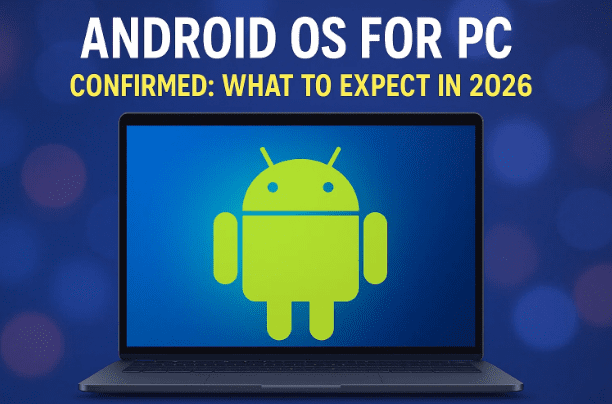
For years, tech enthusiasts have speculated whether Google would ever bring Android to the desktop as a full operating system. We’ve seen hints in projects like Chrome OS, Android-based tablets, and experimental forks such as Bliss OS. But now, confirmation has finally arrived: an official Android OS for PC is in development, expected to launch as early as 2026.
This news was revealed during a recent Snapdragon Summit, where Google executives outlined their strategy for unifying mobile and PC experiences under one technical foundation. For the first time, Android will extend beyond phones and tablets into the realm of desktop and laptop computing.
👉 Official website: Android
1. The Big Announcement at Snapdragon Summit
During Qualcomm’s Snapdragon Summit, Google officially confirmed that a desktop version of Android is in the works. The executives explained that they are building a common technical foundation across smartphones, tablets, XR devices, and now PCs.
Key highlights from the summit:
- Google is focusing on convergence—making phones, laptops, and other devices work together seamlessly.
- Android’s AI stack, including Gemini models and Assistant integration, will be central to the PC experience.
- Instead of keeping separate systems for mobile and PC, Google wants to unify development under Android.
This means the traditional division between Chrome OS and Android may finally dissolve.
2. Replacing Chrome OS with Android
For over a decade, Chrome OS has been Google’s answer to lightweight laptops. While successful in schools and low-end devices, it has limitations:
- Web-centric design with limited offline capabilities.
- Reliance on extensions rather than full applications.
- Fewer native productivity tools compared to Windows or macOS.
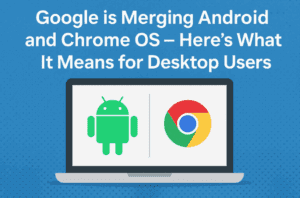
According to statements at the summit, Google’s plan is to “rebaseline Chrome OS on Android”. In practice, this means:
- The look and feel of Chrome OS will likely remain familiar.
- Underneath, the system will run on Android foundations.
- This allows direct integration with the broader Android ecosystem—apps, AI services, and developer tools.
In short: Chrome OS isn’t going away, but its heart will now be Android.
3. Why Google is Doing This
The move makes sense for several reasons:
- Ecosystem Building: Apple’s ecosystem works seamlessly across iPhone, iPad, and Mac. Google wants the same consistency with Android across phones, tablets, and PCs.
- AI Integration: By unifying platforms, Google can accelerate adoption of Gemini AI across all devices.
- Simplified Development: Developers will only need to target one OS family instead of juggling Android and Chrome OS.
- Competition with Windows: Windows dominates PC computing. An Android OS for PC could finally present a true competitor, especially on ARM devices.
4. Android OS for PC and the Role of AI
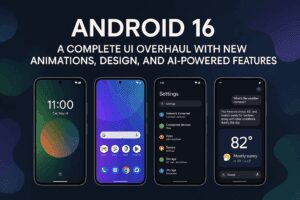
Google emphasized that Android on PC will not just be a ported mobile OS. Instead, it will integrate AI deeply into the user experience, including:





- Intelligent assistants across devices.
- Real-time transcription, summarization, and automation.
- Enhanced productivity with context-aware AI (similar to Microsoft Copilot on Windows).
This focus aligns with industry trends—every major OS is now embedding AI as a core feature, not just an add-on.
5. Design and User Experience Expectations
Although Android OS for PC is not yet public, we can make educated guesses:
- Interface: Likely to resemble Chrome OS, with a taskbar, start menu-style launcher, and resizable windows.
- Apps: Full access to the Google Play Store, optimized for larger screens.
- Continuity: Seamless hand-off between Android phone and PC, similar to Apple’s Continuity and Handoff.
- Multitasking: Improved support for split-screen, multiple desktops, and external monitor setups.
This design philosophy could make Android laptops feel like a natural bridge between smartphones and traditional computers.
6. Snowy: The Leaked Google Android Laptop
Leaks suggest that Google is working on a premium laptop code-named “Snowy”, designed to compete directly with Apple’s MacBook series.
Rumors indicate:
- Snowy may run the new Android OS for PC instead of Chrome OS.
- It could be Google’s flagship showcase device for the platform.
- Premium hardware design to match macOS laptops.
If true, Snowy could be the first official Android laptop from Google.
7. ARM vs x86 – Hardware Compatibility
One of the biggest questions: Will Android OS for PC run on all computers?
- Early signs suggest it will primarily target ARM-based PCs.
- Apple has already shifted completely to ARM with its M-series silicon.
- Microsoft’s Copilot+ PCs also use Qualcomm Snapdragon ARM chips.
- Traditional x86 PCs (Intel/AMD) may not be officially supported.
However, this doesn’t mean x86 users will be left behind—third-party projects are likely to adapt Android OS for wider compatibility.
8. Third-Party Android for PC Projects
Even if Google restricts its OS to ARM devices, communities will likely extend support. Projects like:
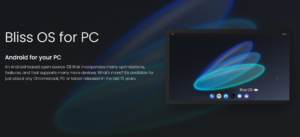
- Bliss OS → Open-source Android for PCs.
- Android-x86 → Longstanding project for running Android on standard laptops and desktops.
These developers could fork Google’s Android OS for PC, making it usable on older Intel or AMD hardware. This has happened before with Chrome OS Flex, so the pattern is clear.
👉 Official Bliss OS project: BlissOS.org
9. Comparison: Android OS for PC vs Chrome OS Flex
Google already offers Chrome OS Flex, which lets users install Chrome OS on almost any PC or Mac. Could a similar approach be taken with Android OS for PC?
- Chrome OS Flex → Designed for lightweight use, older machines, schools.
- Android OS for PC → Likely aimed at power users, gaming, productivity, and AI-enhanced workflows.
It’s possible we’ll see an Android Flex in the future, enabling installation on broader devices.
10. How This Could Affect Windows and macOS
If Android OS for PC succeeds, it could:
- Challenge Windows dominance in low-to-mid range laptops.
- Offer a stronger ecosystem than Chrome OS ever could.
- Attract users who want mobile app compatibility on desktop.
- Push Microsoft and Apple to accelerate their AI-driven innovations.
It won’t replace Windows overnight, but it may carve out a niche similar to how Chrome OS did—only bigger.
11. Potential Advantages of Android OS for PC
- Unified Ecosystem: Phone, tablet, and laptop all running Android.
- AI Power: Gemini AI integrated across apps and workflows.
- Play Store Access: Millions of Android apps available on PC.
- ARM Optimization: Efficient battery life and performance.
- Google Services: Tight integration with Drive, Docs, Gmail, and Workspace.
12. Possible Limitations and Concerns
Despite the excitement, there are uncertainties:
- Hardware Limits: If ARM-only, many existing PCs won’t support it.
- App Optimization: Mobile apps may not translate perfectly to desktop productivity.
- Adoption Curve: Developers will need to adapt apps for large screens.
- Competition with Windows: Convincing businesses and professionals to switch will be difficult.
- Bugs and Stability: First-generation releases often face growing pains.
13. Step-by-Step: How Android on PC Might Work
Let’s imagine how the rollout could look based on current information:
- 2026 Release → Google launches Android OS for PC alongside a flagship laptop (possibly Snowy).
- ARM Focused → Early devices use Qualcomm Snapdragon ARM chips.
- Chrome OS Merge → Chrome OS design is kept, but Android powers the backend.
- Play Store Access → Laptops ship with full Android app support.
- AI Features → Gemini integrated into search, productivity, and workflow.
- Gradual Expansion → Over time, the OS could extend beyond ARM to x86 through Flex-like solutions or third-party forks.
This roadmap aligns with both Google’s AI strategy and industry hardware trends.
14. FAQs
Q: When will Android OS for PC release?
A: Likely in 2026, though no official month is confirmed yet.
Q: Will it replace Chrome OS completely?
A: No, but Chrome OS will be re-based on Android, making the distinction less important.
Q: Can I install Android OS for PC on my existing laptop?
A: Possibly not at launch—initial builds may only support ARM PCs. However, third-party forks could bring compatibility later.
Q: How is this different from emulators like BlueStacks?
A: Emulators run Android inside Windows. Android OS for PC would be a native operating system, replacing Windows or Chrome OS.
Q: Will Android OS for PC support gaming?
A: Yes, since Android already supports many games. Performance on ARM laptops will be a key factor.
15. Final Thoughts
The confirmation of Android OS for PC marks a turning point in personal computing. For the first time, Android will extend beyond mobile and tablet devices into full desktop and laptop territory. With AI at its core, ARM optimization, and seamless ecosystem integration, it could rival Windows, macOS, and even Apple’s M-series laptops.
There are still unanswered questions—particularly around hardware support and developer adoption—but the direction is clear: Google wants Android to power every screen in your life.
For users who already live inside the Android ecosystem, this could be the long-awaited bridge between their phone and computer. And for the broader market, it introduces competition that will likely benefit everyone.
Disclaimer
This article is based on publicly available information, leaks, and statements from industry events. Features and timelines are subject to change as the project develops. Always refer to Google’s official announcements for the most accurate updates.
Tags: android os for pc, google android laptop, chrome os vs android, android desktop os, snapdragon summit, arm vs x86, android vs windows
Hashtags: #AndroidOS #GooglePC #AndroidDesktop #TechNews #OperatingSystems








