If you still think Windows works the same way it did years ago, it’s time to update your understanding.
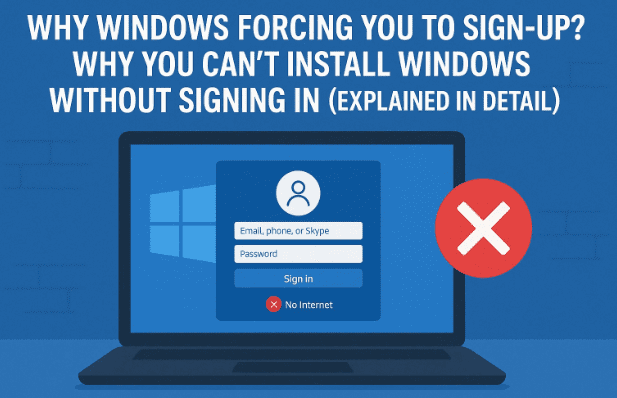
Microsoft has completely changed how its operating system behaves — and one of the biggest changes is that you now need a Microsoft account to install or use Windows 11.
This shift has sparked intense debate among users, tech experts, and even big industry names. Many believe this move takes away user freedom and makes Windows feel more like a cloud service than a traditional desktop OS.
In this article, we’ll explore what exactly changed in Windows 11, why Microsoft made this decision, what it means for privacy, how it compares to Apple’s approach, and what options users still have.]
🧩 1. What Has Changed in Windows 11
In earlier versions like Windows 7 or Windows 10, you could easily install the OS offline using a local user account.
You didn’t need an internet connection or a Microsoft ID — you just created a username and password, and the setup was done.
But that’s no longer the case.
Now in Windows 11, you must:
- Connect to the internet during installation, and
- Sign in with a Microsoft account to proceed.
Without these two steps, the installation cannot continue — at least not officially.
Microsoft has locked the basic installation behind its online ecosystem, meaning every Windows user now has to be linked to Microsoft’s cloud.
⚙️ 2. Why Microsoft Made Account Login Mandatory
Microsoft says this requirement is for your benefit — to ensure:
- Automatic access to OneDrive, Outlook, and Microsoft Store
- Smoother syncing of files and settings across devices
- Enhanced security via password recovery and account verification
However, from a business and data standpoint, this is a strategic shift.
Microsoft wants Windows to be more connected — not just as software on your computer, but as part of a larger ecosystem that includes Office 365, Edge, and cloud services.
Critics, including tech figures like Elon Musk, see this as a forced dependency — a way to tie users permanently to Microsoft’s infrastructure.
In simple terms, you can no longer treat your Windows PC as “your computer.” It’s now part of Microsoft’s online ecosystem.



🌐 3. Impact on Offline Users
This change has major consequences for users who depend on offline setups.
For example:
- Technicians and IT professionals who set up PCs in bulk without internet access.
- Students or users in rural areas with limited connectivity.
- Privacy-focused users who intentionally avoid linking personal data to cloud accounts.
All of them are now facing the same roadblock — Windows 11 won’t complete setup unless it’s online and logged in.
Yes, there are unofficial workarounds (which we’ll discuss later), but for the average user, this requirement kills the freedom that made Windows universally accessible.
🔒 4. How This Affects Data Privacy
Whenever you sign in with a Microsoft account, your system links to your personal data stored on the company’s servers.
This includes:
- Hardware information (device ID, serial number)
- IP address and geographic region
- User preferences, recent activity, and telemetry logs
Microsoft claims that these analytics improve user experience — helping the company deliver better features, security updates, and product recommendations.
But users aren’t fully convinced. Many fear that Windows 11’s account requirement is about data collection rather than user convenience.
After all, Microsoft — just like Google and Apple — profits from data-driven ecosystems. Whether it’s AI training, targeted ads, or user insights, your data plays a vital role in that chain.
So while signing in does make things smoother, it also makes your system less private than ever.
☁️ 5. Microsoft’s Cloud-Centric Strategy
Let’s step back for a moment. Why is Microsoft doing this?
Because the company is no longer just selling operating systems. It’s selling a connected experience — driven by its subscription and cloud services.
Here’s what this strategy achieves:
- Pushes users toward Microsoft 365 (Word, Excel, Teams, etc.)
- Integrates OneDrive for cloud file backups by default
- Encourages use of Edge browser and Bing search
- Makes telemetry and data sync a permanent part of the Windows ecosystem
The result? Every user becomes part of Microsoft’s service loop, ensuring recurring engagement and revenue.
This is the same model that has made Apple and Google ecosystems so profitable — Microsoft is now catching up.
🍏 6. Comparing Apple and Microsoft Approaches
Apple also asks you to use an Apple ID to access iCloud, iMessage, and the App Store.
But here’s the key difference:
Apple doesn’t force you to sign in to use macOS.
You can skip Apple ID setup entirely and still use your Mac offline.
Microsoft’s approach with Windows 11, however, removes that option — forcing all users online before they can use even the most basic features.
This has turned what was once the most flexible OS into a controlled, cloud-linked platform.
While some argue that this aligns Windows with modern computing trends, others believe it goes against the very principle of personal computing — freedom of use.
🗽 7. The Freedom Debate: User Control vs Corporate Ecosystem
At the heart of this issue lies a bigger question:
Should a user need corporate permission to install their own operating system?
Microsoft’s defenders argue that it’s a step toward security and cloud integration.
But privacy advocates see it as the beginning of digital dependence — where your device isn’t truly yours anymore.
In a way, Windows is following the same path as mobile operating systems like Android and iOS — heavily dependent on online authentication and centralized services.
However, Windows was originally built on the philosophy of user autonomy — and that’s what makes this shift so controversial.
So far, we’ve understood the philosophy behind the change. Now, let’s look at what users can still do if they want to bypass this requirement responsibly.
🧠 8. Bypassing the Account Requirement (For Advanced Users)
⚠️ Disclaimer: The steps mentioned here are for informational purposes only. They may not be officially supported by Microsoft. Proceed carefully.
If you’re an advanced user who prefers offline setup, there are still ways to install Windows 11 without a Microsoft account:
Option 1: Temporary Disconnection
- Start Windows setup normally.
- When it asks to “Sign in with Microsoft,” disconnect the internet (unplug Ethernet or turn off Wi-Fi).
- After an error appears, you may see an option like “Continue with limited setup.”
Option 2: Command Trick (OOBE Bypass)
- Press Shift + F10 on the sign-in screen to open Command Prompt.
- Type this command and hit Enter:
OOBE\BYPASSNRO - The system will restart and allow local account creation.
Option 3: Pre-Modified ISO
Advanced users sometimes create custom Windows ISOs that enable offline setup by default. However, this method should be used only by those familiar with installation scripting and deployment tools.
If you simply care about privacy, you can still link your Microsoft account once and then disable telemetry via:
Settings → Privacy & Security → Diagnostics & Feedback → Send optional data: Off.
🚨 9. Why You Should Be Concerned About Always-Online Windows
Let’s understand why this shift matters beyond setup.
1. Loss of Offline Independence
Without internet access, many essential setup tasks now fail — even simple installations.
2. Permanent Data Sync
Windows keeps syncing files and preferences to Microsoft servers.
3. Cloud Monetization
More cloud usage means more subscription nudges — OneDrive, Office, etc.
4. Security by Dependence
If your Microsoft account is hacked, your system identity is also compromised.
5. Reduced Customization
Many background services and settings now depend on remote authorization.
These trends make computing easier — but at the cost of freedom.
⚖️ 10. Windows 10 vs Windows 11: The Freedom Era vs The Cloud Era
To better understand how much has changed, let’s compare Windows 10 and Windows 11 side by side:
| Feature / Aspect | Windows 10 (Freedom Era) | Windows 11 (Cloud Era) |
|---|---|---|
| Account Requirement | Optional — could use local account | Mandatory Microsoft account for setup |
| Internet Connection | Not required during installation | Required for installation and login |
| Offline Usability | Fully functional offline mode | Limited without online verification |
| Data Sync | Optional OneDrive integration | Automatic cloud sync enabled |
| Privacy Settings | Easier to disable telemetry | Deeper integration, harder to disable completely |
| App Store | Separate, optional | Linked with Microsoft account |
| Updates | Manual or scheduled | Always online, automatic download |
| System Freedom | High — local files, offline work possible | Reduced — dependent on cloud and login |
| Philosophy | User control, flexibility | Centralized ecosystem and data dependency |
As you can see, Windows 10 represented independence, while Windows 11 is about integration. It’s no longer just a desktop OS — it’s a cloud-connected service.
❓ 11. Frequently Asked Questions (FAQs)
Q1. Can I still install Windows 11 without a Microsoft account?
Not officially. There are advanced workarounds, but for most users, a Microsoft account is now mandatory.
Q2. Why does Microsoft want this level of control?
To unify cloud services (like OneDrive and Microsoft 365) and provide continuous online support — but also to keep users tied to its ecosystem.
Q3. Does this mean my data is being tracked?
Microsoft collects diagnostic data by default, though you can limit it in settings. Some background telemetry is still active.
Q4. Is there any OS that still allows full offline usage?
Yes. Linux distributions like Ubuntu, Fedora, and Zorin OS still let you install and use the system fully offline.
Q5. Is Windows 11 better than Windows 10 overall?
In performance and design, yes. But in terms of freedom and privacy, Windows 10 offered more independence.
🏁 12. Conclusion
Windows 11 is a beautifully designed and powerful operating system, but it comes with strings attached.
The shift from local freedom to cloud dependency marks a turning point in personal computing.
For many, it’s convenient. For others, it feels like losing control of something that used to be personal.
The truth is — Microsoft isn’t alone in this trend. Apple, Google, and Amazon are all moving toward tighter ecosystems.
But it’s important for users to stay aware and informed, ensuring that the convenience of technology doesn’t cost them their digital independence.
If you’re comfortable with online integration, Windows 11 will serve you well.
But if you value privacy and autonomy, it might be time to look toward open alternatives like Linux — where freedom still means something.
Disclaimer:
This article is for educational and informational purposes only.
Modifying Windows installation processes or bypassing Microsoft account requirements can violate license terms. Proceed responsibly and at your own discretion.
Tags: Windows 11, Microsoft Account, Cloud Computing, Data Privacy, Windows Setup, Windows Installation, Microsoft Services, Technology Policy, Operating System
Hashtags: #Windows11 #MicrosoftAccount #CloudComputing #DataPrivacy #WindowsSetup #TechGuide #OperatingSystem #dtptips