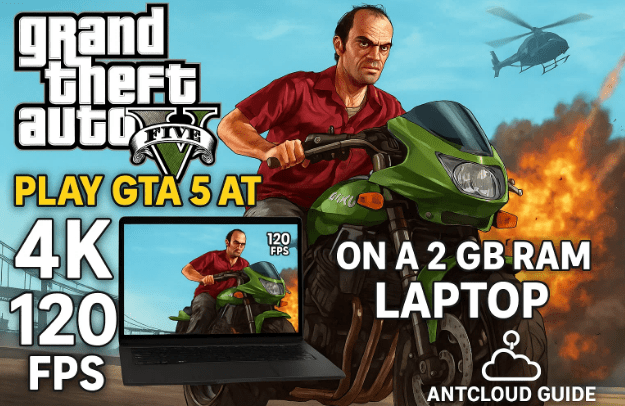
Owning an old laptop with just 2 GB RAM, no dedicated graphics card, and a weak processor can feel like a curse for gamers. Running even light games or applications often becomes a struggle, and titles like Free Fire, GTA 5, or modern AAA games feel completely out of reach.
But what if you could play these high-end PC games on the same outdated laptop—at 4K resolution and 120 FPS? Sounds impossible, right? Thanks to cloud PC technology, it’s not only possible but surprisingly easy.
In this guide, we’ll explore AntCloud (official site: antcloud.co), one of the best cloud PC services in India. You’ll learn how it works, how to set it up, and how you can turn your low-end laptop or even a mobile phone into a high-performance gaming machine.
Let’s get started step by step.
1. 💡 What Is a Cloud PC and How Does It Work?
Before we jump into AntCloud, it’s important to understand the concept.
A cloud PC is a virtual computer hosted on remote servers. Instead of running games or heavy software on your weak local machine, you connect to a powerful computer in a data center through the internet. That remote PC has all the high-end hardware—RTX 5070 GPU, fast CPUs, large RAM—and streams its output to your device.
Think of it like Netflix for computers:
- Netflix streams movies → AntCloud streams a whole computer.
- You send keyboard/mouse inputs → The cloud PC responds instantly.
- Your laptop just acts as a screen and controller.
Because AntCloud servers are based in India, the latency (delay) is much lower than foreign providers, making the experience smooth and practical for gaming.
2. 🌐 Why Choose AntCloud Over Other Cloud Gaming Platforms?
There are many global platforms like GeForce Now, Shadow, and Xbox Cloud Gaming. But Indian users often face these issues:
- High latency because servers are located overseas.
- Frequent lag and stuttering.
- Expensive subscription plans.
- Limited support for Indian payment methods.
AntCloud solves these problems:
- Servers hosted within India → low latency.
- Delivers up to 4K resolution and 120 FPS streaming.
- Affordable and local currency plans.
- Works on low-end laptops, PCs, and Android phones.
So even if you have just 2 GB RAM, you can play GTA 5, Cyberpunk 2077, or any other AAA game smoothly.






3. 🖥️ Getting Started With AntCloud
Now that you know the basics, let’s go through the exact setup process.
Step 1: Visit the Official Website
Open your browser (preferably Chrome) and head to antcloud.co. You’ll see details about the platform, features, and pricing.
Step 2: Create an Account
To access the cloud PC, you need an account.
- Click Sign Up.
- Enter your full name, email, password, state, PIN code, and mobile number.
- Verify your phone number with an OTP (One-Time Password).
Once verified, your account will be created.
Step 3: Login
Go back to the login page, enter your registered email/phone number and password, and click Sign In.
Now you’ll land on your dashboard, where you can manage your virtual PC.
4. 🚀 Launching Your Cloud PC
This is the most exciting part—booting your virtual gaming PC.
- On the dashboard, click Start Now.
- You’ll see a power button—click it.
- Your cloud PC will start booting. It may show up to 6 minutes startup time, but usually takes around 2 minutes.
Once ready, you’ll see a Windows 10 desktop with Steam and Epic Games pre-installed. These platforms are included by default since most users want to play PC games right away.
👉 Tip: If you’re running it inside Chrome, press F10 or F1 for full-screen mode. This hides the browser bar and gives you an immersive feel.
5. 🌍 Internet Speed and Latency
One of AntCloud’s biggest strengths is the internet speed inside the cloud PC.
During tests, speeds ranged from 300–400 Mbps, sometimes even hitting 1 Gbps depending on server load. This makes large downloads incredibly fast. For example:
- GTA 5 (~100 GB) → downloaded in about 1.5 hours.
- On a normal home broadband connection, the same could take an entire day.
Because AntCloud servers are in India, latency is minimal. With a stable 50+ Mbps connection at home, you’ll hardly notice any delay in gameplay or editing tasks.
However, keep in mind:
- Poor or unstable internet = more lag.
- 5G or fiber = best experience.
- 4G also works fine if stable.
6. 🎮 Gaming Performance on AntCloud
This is where AntCloud truly shines.
- Graphics: You can max out settings to Ultra.
- Resolution & FPS: Supports 4K at 120 FPS.
- AAA Games: GTA 5, Cyberpunk 2077, Red Dead Redemption 2—all playable.
Inside the cloud PC, press F9 to open AntCloud’s in-game settings panel. From here, you can:
- Check your ping.
- Change FPS (up to 120).
- Adjust streaming quality (Medium, High, 4K).
During testing with GTA 5:
- Gameplay was smooth even at Ultra settings.
- Streaming at 4K 120 FPS was possible with a strong connection.
- Occasional jitters only appeared when the local Wi-Fi fluctuated.
7. 🎥 Video Editing & 3D Rendering
AntCloud isn’t limited to gaming. Its virtual PCs are powerful enough for creative workloads too.
- Adobe Premiere Pro & After Effects: Work smoothly for basic and medium-level editing. Rendering is blazing fast because of RTX 5070 GPUs.
- Blender & 3D Modeling: Handles complex scenes better than most mid-range laptops.
- Coding & Development: Since it’s a full Windows PC, you can install VS Code, Android Studio, or other tools.
Latency can make very precise editing slightly tricky, but for most users, it’s more than sufficient.
8. 📊 AntCloud Plans and Pricing
AntCloud offers multiple plans to suit different users. Let’s break them down:
| Plan Type | Specs & Features | Playtime | Price (Approx.) |
|---|---|---|---|
| Intro Plan | Basic access, limited slots | Varies | Lowest, often sold out |
| Advanced Premium | RTX A400 GPU, 20 GB RAM, 250 GB Storage, 4K 120 FPS | ~50 hrs | ₹700 |
| Advanced Ultimate | RTX A400 GPU, more playtime & value | ~150 hrs | ₹1000 |
| Super Premium | RTX 570 GPU, 24 GB RAM, 350 GB Storage, 4K 120 FPS | ~100 hrs | ₹1000 |
| Super Ultimate | RTX 5070 GPU, 24 GB RAM, 500 GB Storage, 4K 120 FPS | ~150 hrs | ₹1500 |
👉 You can also buy top-ups (₹40 for extra playtime) when hours run out.
Among these, the Super Ultimate Plan is the most popular because it gives RTX 5070 power at an affordable monthly price.
9. 📱 Using AntCloud on Mobile and Mac
- Android: Install the AntCloud app to run PC games on your phone. You can use touch controls or connect a Bluetooth controller.
- MacBook: No app needed. Just open a browser, log in, and start gaming.
This flexibility means you can access your high-end PC anywhere.
10. ⚠️ Limitations and Things to Keep in Mind
While AntCloud is a breakthrough, it’s not perfect.
- A stable internet connection is essential (at least 20 Mbps; 50+ Mbps recommended).
- Hourly playtime limits may feel restrictive for heavy users.
- Precision editing (like frame-perfect video work) is slightly harder due to latency.
- The Windows client app is still under development—browser works best for now.
11. ❓ Frequently Asked Questions (FAQs)
Q1. Can I play GTA 5 on a laptop with 2 GB RAM?
Yes. Since AntCloud handles the processing on its servers, your laptop only streams the output. GTA 5 runs at 4K Ultra even on 2 GB RAM laptops.
Q2. Do I need to install anything?
Not necessarily. You can run AntCloud directly from a browser. But apps are available for Android and Windows.
Q3. What if my internet disconnects?
Your session may pause or lag. A fast and stable connection is key.
Q4. Can I install my own software on the cloud PC?
Yes. It’s a full Windows environment, so you can install games, editing tools, or coding software.
Q5. Is AntCloud better than building a gaming PC?
For casual gamers and part-time creators, yes—it’s much cheaper. But if you’re a full-time gamer or editor, owning a dedicated PC might still be better long-term.
12. ✅ Final Thoughts
The idea of playing GTA 5 at 4K 120 FPS on a weak 2 GB RAM laptop might sound like fantasy, but AntCloud makes it a reality. Whether you want to enjoy the latest AAA games, do video editing, or run heavy 3D software, AntCloud transforms your outdated system into a high-end machine.
If you’re struggling with a low-end laptop or want to game on the go using just your phone, AntCloud is one of the best options available in India today.
Disclaimer: Cloud PC performance depends on your internet quality, server load, and chosen plan. The details above are based on current offerings at antcloud.co. Features, pricing, and availability may change over time.
Tags
antcloud, cloud pc, gta5 on low end laptop, play games on 2gb ram laptop, cloud gaming india, rtx 5070 cloud pc, 4k 120fps gaming, virtual windows pc, low end laptop gaming
Hashtags
#AntCloud #CloudPC #GamingOnLaptop #LowEndLaptop #GTA5 #RTX5070 #4K120FPS #CloudGamingIndia