Wondershare Filmora 14 has officially launched, and it’s a massive upgrade packed with powerful new features and performance improvements. Whether you’re a beginner or a seasoned video editor, this update offers smarter tools, a refined UI, and exciting enhancements that bring more creativity and efficiency to your workflow.
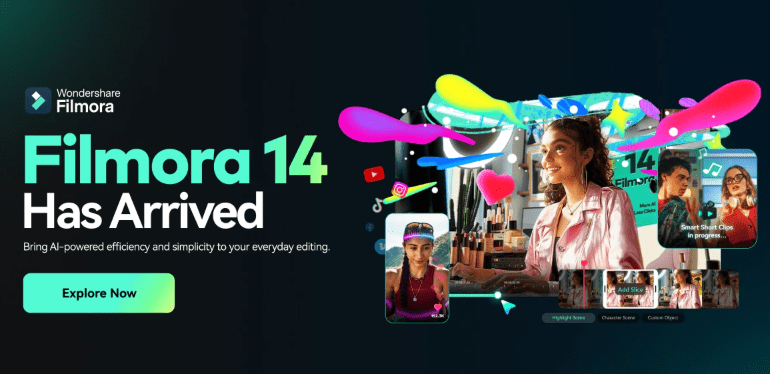
Let’s dive into what’s new in Filmora 14, how it compares to earlier versions, and why this might be the best time to upgrade your editing toolkit.
👉 Download Filmora 14 from the official website.
✨ What’s New in Filmora 14?
🎛️ 1. Revamped User Interface with Smart Workspace
Filmora 14 introduces a fresh and modernized user interface designed to improve productivity and focus.
- Smarter Workspace Management: Resize, move, and customize panels the way you like.
- Dark Mode Enhancements: Better contrast for long editing sessions.
- Quick Access Toolbar: Frequently used tools are now just one click away.
This new UI design is not only more intuitive but also cleaner and customizable — perfect for streamlining your editing workflow.
🧠 2. AI Copilot Editing Assistant
One of the standout features is AI Copilot – a real-time AI assistant that helps you edit faster and more creatively.
- Suggests edits based on your footage
- Automatically trims dead space or awkward pauses
- Recommends transitions and music based on your video mood
- Explains features and tools as you edit
Perfect for beginners, but even professionals will appreciate the time it saves!
🎨 3. AI Smart Cutout Tool
Now you can automatically remove backgrounds from your video clips — no green screen needed!
- Precise subject detection using AI
- Live preview of cutouts
- Fine-tuning tools to adjust edge feathering and details
This feature opens up a world of possibilities for content creators, especially for those who want to create reaction videos, overlays, or special effects.
🎤 4. Advanced Audio Denoise & AI Audio Stretch
Audio tools got a serious upgrade in Filmora 14:
- AI Denoise: Automatically removes background noise like fan hums or traffic.
- Audio Stretching Tool: Match your background music to clip length without changing pitch or tempo.
- Voice Equalizer Presets: Now includes podcast, cinematic, and vlogger voice settings.
Now, your videos can sound just as polished as they look.







🎥 5. Instant Preview & Faster Rendering
Performance is one of the biggest improvements:
- Instant Playback: Even complex timelines now play without lag.
- GPU Optimization: Rendering and exporting are up to 40% faster (especially on supported NVIDIA and AMD GPUs).
- Multitasking Friendly: You can now scrub, preview, and edit smoothly without freezes.
This ensures a much smoother editing experience, even for high-resolution content.
🧰 6. Built-in Stock Library Expansion
Filmora 14 has expanded its stock media integrations:
- Access over 10 million royalty-free assets including videos, photos, sound effects, and music.
- Improved search filters and tag-based browsing.
- Integration with Pixabay, Unsplash, and Giphy has been improved.
No more jumping between platforms for media — it’s all right inside your editor.
✂️ 7. Enhanced Keyframe Animation
The keyframing tool has been reworked for more precise animation control:
- New graph-based keyframe editor
- Presets for zooms, pans, spins, and fades
- Support for scale, position, opacity, and rotation in a single timeline
This means you can now create dynamic motion graphics right inside Filmora without switching to After Effects.
🔤 8. Text-to-Video (Beta)
In beta but already impressive, Text-to-Video lets you input a script and Filmora automatically generates a video with:
- Stock visuals
- Voiceover (selectable AI voices)
- Subtitle synchronization
Ideal for faceless content creators, YouTubers, or social media marketers who want to create fast, AI-powered videos.
🧪 Other Improvements
- AI-powered Auto Beat Sync: Matches video cuts with music beats.
- Stabilization 2.0: Improved algorithm for handheld footage.
- New Export Formats: Including ProRes, VP9, and direct social media presets.
- Cloud Project Backup: Auto-save projects to the cloud (Filmora Cloud users only).
- AI Voice Changer: Transform voice into different characters with emotion presets.
📥 How to Download Filmora 14
You can download or upgrade to the latest version directly from Wondershare’s official website:
Note: If you already have a license for Filmora, this may be a free upgrade depending on your plan.
❓ Frequently Asked Questions (FAQ)
Q1. Is Filmora 14 free to use?
A: Filmora 14 is free to try, but exported videos will have a watermark. You’ll need a paid license to remove it and unlock full features.
Q2. Can I upgrade from Filmora 13 to Filmora 14?
A: Yes, and in many cases, it’s free depending on your existing plan (especially annual or perpetual licenses).
Q3. Does Filmora 14 support 4K and 60fps editing?
A: Yes, it fully supports 4K and even higher resolutions with real-time preview enhancements in this update.
Q4. Can I use Filmora 14 on Mac and Windows?
A: Yes, Filmora 14 is available for both Windows and macOS. Make sure your system meets the minimum requirements.
Q5. What is AI Copilot and how does it help?
A: AI Copilot is your in-app assistant that suggests edits, auto trims content, and helps explain tools — perfect for saving time.
🚀 Final Thoughts
Filmora 14 is not just an update — it’s a transformation. With AI-powered editing, a redesigned interface, and significant performance improvements, it empowers creators to produce professional-grade content without needing a steep learning curve.
If you’re a vlogger, YouTuber, educator, or even just a hobbyist video editor, Filmora 14 is well worth exploring.
Tags:
Filmora 14, Wondershare Filmora, Filmora AI tools, AI Copilot, video editing software, Filmora download, Filmora update 2025, best video editing tools, Filmora 14 review
Hashtags:
#Filmora14 #VideoEditing #WondershareFilmora #FilmoraUpdate #AIinEditing #AItools #VideoEditingSoftware #YouTubeEditing #ContentCreation #FilmoraReview








