Every once in a while, a new tool comes along that quietly changes the way you interact with the internet. Not by adding another layer of complexity, but by simplifying everything. For years, we’ve used browsers like Chrome, Edge, and Firefox to look for information. But what if your browser could act for you instead?
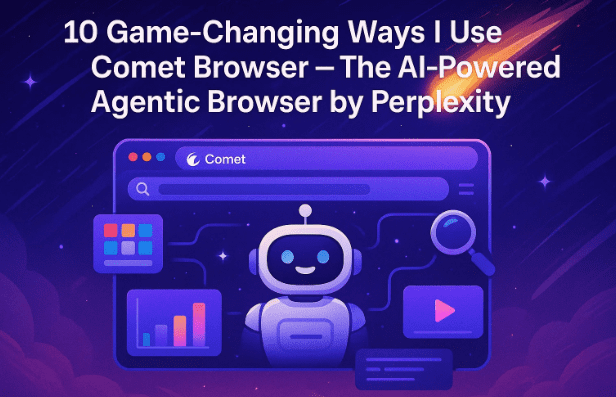
That’s exactly what Comet Browser, built by Perplexity AI, sets out to do. It’s not just an upgraded Chrome clone — it’s an agentic browser, meaning it doesn’t just show you results; it works for you. Whether you’re researching, shopping, managing your inbox, or planning your next trip, Comet blends browsing with automation in a way that feels surprisingly natural.
Over the past few weeks, I’ve been using it as my daily driver — testing every corner of its AI capabilities. And what I found was more than just convenience; it genuinely transformed how I browse, research, and stay organized.
In this detailed guide, I’ll share 10 practical, game-changing ways I personally use Comet Browser every single day — not theoretical use cases, but real workflows that can save you hours and help you browse smarter, not harder.
Let’s get started.
1. 💡 Introduction — Why Comet Stands Out
The first thing I noticed after installing Comet was that it didn’t feel like another browser. It felt like a partner. The AI layer built into it instantly understood context — what I was reading, what I needed next, and how to simplify repetitive actions.
While Chrome and Edge still depend on extensions for most advanced tasks, Comet builds those powers natively with Perplexity’s reasoning engine. It reads pages, extracts insights, takes actions, and presents results without needing you to switch tabs or install anything extra.
Let’s explore exactly how that works.
2. 🧠 What Exactly Is Comet Browser?
Before diving into the features, it helps to understand what makes Comet unique.
Comet is built on Chromium, the same foundation used by Chrome and Edge, which means all your extensions, bookmarks, and settings import seamlessly. But on top of that, it integrates Perplexity’s agentic AI — an engine that not only answers questions but acts on them.
For example:










- You can tell Comet to summarize a web page, and it’ll do it instantly.
- You can ask it to find coupon codes, compare open product pages, or even unsubscribe you from spam emails.
- It performs web actions autonomously without you needing separate add-ons.
This tight AI integration makes Comet far more than a “browser.” It’s effectively an AI operating system for the internet.
3. 🪄 Summarize Any Page Instantly
Let’s start with the feature that hooked me on day one.
Imagine reading a 5,000-word report or research article. Instead of scrolling endlessly, you simply click the Comet Assistant icon and ask:
“Summarize this page and list five key takeaways.”
In seconds, Comet provides a clean, accurate summary — not a generic one, but focused precisely on the article’s content.
And the magic doesn’t stop there. Because Comet is agentic, it can take actions from that page. Suppose you’re on a home décor inspiration site; you can say:
“Find all the items I’ll need to recreate this look and add them to my Amazon cart.”
Within moments, Comet searches for the exact items, matches your criteria, and adds them to your shopping cart — automatically.
This combination of summarization and contextual action makes research and shopping ridiculously efficient.
4. ✍️ Smart Form Filling for Everyday Tasks
We all know the pain of typing the same details — name, email, address — across dozens of forms. Comet fixes that beautifully.
Whenever a form appears, you can simply ask:
“Fill this form using my saved work profile.”
Comet detects the fields, fills them intelligently, and even adapts to non-standard layouts. You can create multiple profiles too — one for personal use and one for work, each storing unique details.
For example, when I collaborate with brands, I use my “Work” profile, and it auto-fills business name, company email, and channel info. Switching profiles is a one-click process.
It may sound small, but when you complete dozens of forms weekly, this feature saves hours.
5. 📊 Compare Tabs Like a Research Assistant
Here’s where Comet truly feels like a co-pilot.
When researching laptops, cameras, or even flight options, I often open 10 tabs at once. Normally, I’d have to switch between them endlessly. With Comet, I just say:
“Compare all open tabs by price, display quality, and battery life.”
Comet scans every page, extracts technical data, and generates a clean comparison table such as:
| Feature | Laptop A | Laptop B | Laptop C |
|---|---|---|---|
| Processor | Intel i7-1360P | Ryzen 7 7840U | Intel i5-1240P |
| Display | OLED 13″ | IPS 15″ | Mini-LED 14″ |
| Battery Life | 13 hrs | 16 hrs | 10 hrs |
| Price | $1,299 | $1,099 | $999 |
No copy-pasting, no spreadsheets. It’s like having an AI researcher summarizing your tabs in real time.
6. 🛍️ AI-Powered Shopping & Coupon Automation
Let’s move to one of the most practical everyday uses — shopping automation.
I can tell Comet:
“Find me the cheapest flight to Hawaii between June 10 and June 15.”
It checks multiple travel sites, compares dates and prices, and shows the best option.
Or for everyday shopping:
“Find the highest-rated ironing board under $50 and add it to my Amazon cart.”
Comet doesn’t just search — it actually adds the matching item to your cart. And here’s the real bonus: you can ask it to try coupon codes automatically. It tests valid discounts for that store, all without installing any shady extensions.
This single feature has already saved me real money on Amazon and travel bookings.
7. 📧 Email and Calendar Integration
Now comes something that feels almost magical.
Comet integrates with your Gmail and Google Calendar, so you can manage everything inside the browser. I often ask:
“Find emails from the past seven days that need replies and draft responses.”
Within seconds, Comet categorizes unread or pending replies and generates draft responses ready for review.
Need to declutter your inbox?
“Unsubscribe me from spammy newsletters.”
Comet scans, identifies, and unsubscribes automatically.
It can also manage your schedule:
“Add a meeting for Thursday afternoon at the best available slot.”
It scans your calendar and books it intelligently.
You can even send quick WhatsApp messages via linked WhatsApp Web. Essentially, Comet becomes your AI secretary who never sleeps.
8. 🧩 Seamless Chrome Extension Support
One of my biggest concerns before switching was losing all my Chrome extensions. Thankfully, Comet solved that instantly.
Because it’s Chromium-based, extensions like Grammarly, Notion Web Clipper, Keywords Everywhere, and TubeBuddy work without any reconfiguration.
You can also import bookmarks, saved passwords, and browsing history with just a few clicks.
In short: Comet gives you an upgraded experience without losing your familiar tools.
9. ⚙️ Creating Custom Shortcuts & Commands
Now for one of Comet’s most advanced tricks — shortcuts.
Inside settings, there’s a “My Shortcuts” section where you can define custom commands with their own AI model, prompt, and behavior.
For example:
/code→ Generate a Python script for a given task./shop→ Search the web for the best product price and summarize results.
So I can type /code move all JPEG files from D to E drive, and Comet instantly builds a Python script for it.
These shortcuts are available for Pro and Max users, but if you rely on automation, the time and money they save quickly justify the cost.
10. 🗂️ Smarter Tab Management & Grouping
If you’re like me, you end your day with 30 tabs open. It’s chaos.
Comet makes cleanup effortless. Just say:
“Close all my tabs.”
In seconds, everything closes neatly.
Or, when you have different categories of work:
“Group my tabs by topic.”
Comet analyzes content and automatically creates labeled groups like Shopping, Research, and Work.
A small feature, but it keeps your workspace cleaner and improves focus tremendously.
11. ⏳ Daily Wrap-Up and Productivity Summary
This one feels almost like journaling — but automated.
Each evening I ask:
“What did I do today?”
Comet then gives a daily summary — sites visited, tasks handled, emails sent, and documents edited.
It even lists pending to-dos if you maintain them in a linked app.
Over time, this becomes a productivity tracker that highlights where your day really went. I found it eye-opening — especially when it reminded me how often I wandered into gadget reviews instead of writing!
12. 🕵️ Smart History Recall for Busy Minds
We’ve all had that moment: “What was that article I read last week about MagSafe chargers?”
Instead of scrolling through endless history, you can just ask:
“Show me the article I read last week about MagSafe chargers.”
Comet recalls it instantly — not by title, but by understanding the content of the page.
That’s the beauty of semantic understanding — your browser finally remembers context, not just URLs.
13. 💭 Final Thoughts — Is Comet Worth It?
After weeks of real-world use, I can say this confidently: Comet isn’t trying to replace Chrome — it’s trying to evolve it.
It keeps everything familiar but adds a smart, context-aware layer that genuinely saves time.
If you:
- Read a lot of web content,
- Shop or research regularly, or
- Manage multiple online accounts,
then Comet can dramatically simplify your workflow.
You can explore or download it from the official Perplexity page here:
👉 https://www.perplexity.ai/comet/
14. ❓ FAQ — Common Questions About Comet Browser
Q1. Is Comet Browser free?
Yes, Comet offers a free plan with core features. However, advanced options like custom shortcuts and extended automation require a Pro or Max subscription.
Q2. Does it work with Chrome extensions?
Absolutely. Since it’s built on Chromium, nearly all Chrome extensions work seamlessly.
Q3. Is my data safe?
Comet runs Perplexity’s AI queries securely, but as with any AI-enabled browser, avoid feeding it confidential financial or legal information.
Q4. Can Comet replace Google Search?
In many tasks, yes. For deeper research, Perplexity’s integrated AI engine often provides more contextual summaries than a standard search.
Q5. Does Comet work on mobile?
A desktop release is currently prioritized, with mobile versions under testing by Perplexity AI.
Disclaimer
This article is for educational and informational purposes only. Features and privacy policies may evolve; always review the latest details on the official Comet Browser page.
#CometBrowser #PerplexityAI #AIBrowser #AgenticAI #Productivity #TechGuide #BrowsingSmart #Automation #WebTools #dtptips