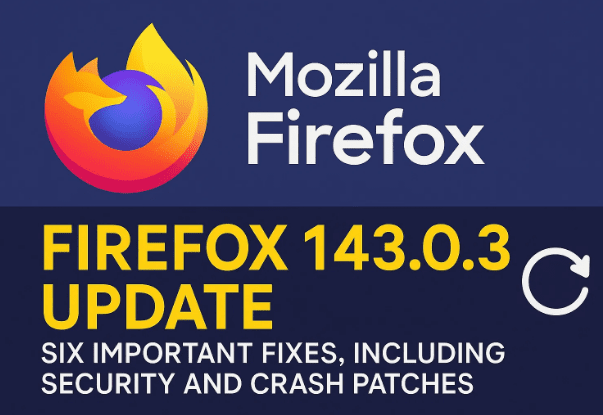
Welcome back! It’s always a good day when we get some new updates for our favorite software, and today, we’re talking about a significant one for all you Mozilla Firefox users out there. A new point release has just rolled out, bringing the browser to version 143.0.3. While a point release might seem small, this one is packed with more than the usual minor tweaks.
In fact, this update includes a total of six bug fixes, one critical crash fix, and, most importantly, two security patches. It’s quite rare for security fixes to be part of a point release unless the vulnerabilities are serious, so this is definitely an update you’ll want to get sooner rather than later.
I’ve taken a deep dive into the details of this new release to break down exactly what’s changed. Let’s start by looking at the most critical part of this update: the security fixes.
Patching High-Impact Vulnerabilities
The most important reason to update your browser right away is that this release addresses two high-impact vulnerabilities. For those who aren’t familiar with security ratings, “high-impact” is the second-highest level of severity, just below “critical.” This means that these flaws could potentially be exploited to compromise your system.
Let’s break down these two security flaws in simple terms.
- Sandbox Escape Due to Integer Overflow in Graphics: This sounds complicated, but here’s a simple way to think about it. Imagine your browser is a house, and the “sandbox” is a secure room where a potentially dangerous process (like rendering a complex web page) is kept. An integer overflow is a programming error that happens when a numerical value exceeds the maximum limit of its data type, causing it to “wrap around” and produce an incorrect result. In this case, an integer overflow in the graphics component could have created a loophole, allowing a malicious process to “escape” the secure sandbox and potentially access other parts of your computer. This kind of vulnerability can be used by attackers to execute malicious code on your system, which is why it’s so important to fix.
- JIT Compilation Vulnerability in the JavaScript Engine: The Just-In-Time (JIT) compiler is a core component of modern browsers that significantly speeds up the execution of JavaScript code. It does this by compiling the code into machine code on the fly, which is much faster than interpreting it line by line. However, this complex process can introduce vulnerabilities. In this case, a flaw in the JIT compiler could have been exploited to execute arbitrary code. An attacker could have crafted a specific piece of JavaScript code that, when compiled by the JIT, would trigger a security bug and allow them to take control of the browser.
It’s great to see that Mozilla was quick to address these security holes. These kinds of high-impact fixes are essential for keeping users safe online.
Now that we’ve covered the important security aspects, let’s move on to the bug fixes that improve the overall stability and user experience.
Stability and Performance Improvements
Beyond the security patches, Firefox 143.0.3 includes a series of bug fixes that address various issues, from annoying glitches to a frustrating crash.
Let’s go through the six bug fixes:
- Fixed Drag-to-Pin Timing: Firefox introduced a “drag to pin” feature that allows you to pin a tab by dragging it to the far left of the tab bar. This update adjusts the timing of the interaction to make it more reliable and easier to use.
- Resolved Extension Update Issues: Some users were facing a problem where certain extensions were not updating properly through the add-ons manager. This bug has been fixed, so your extensions should now update as expected.
- Firefox View Fix: A regression (a bug that reappears after being previously fixed) was preventing the Firefox View sections from collapsing or expanding as they should. This stability fix ensures that this feature works correctly again.
- WebExtensions Storage Crash Fix: This is a particularly important fix. It addresses a crash on startup that some users were experiencing, which was caused by an issue with how certain extensions stored data. This fix should prevent the browser from crashing when you launch it with specific add-ons installed.
- Extension Settings Glitch: When you opened an add-on’s settings from the post-installation prompt, it could sometimes break the Customize tab and some keyboard shortcuts until you restarted the browser. This issue has been addressed, and those features should now work correctly right away.
- Reduced Loading Delays on UDP-Blocked Networks: For users on networks that block UDP (User Datagram Protocol) connections—which can happen in some corporate or restricted environments—there were long delays when loading certain websites. This update reduces those delays, improving performance for those users.
Q&A: Your Questions Answered
We’ve covered the main points of the update, but you might still have some questions. Here are a few that come to mind:
Q: How do I know what version of Firefox I’m on?









A: To check your Firefox version, click the menu button (the three horizontal lines) in the top-right corner of the browser, go to Help, and select About Firefox. A window will pop up showing you the version number. This action also automatically triggers an update check.
Q: Do I need to manually install this update?
A: In most cases, Firefox updates automatically in the background. However, it’s always a good idea to check manually, especially for a security patch. You can do this by following the steps above to open the “About Firefox” window. If an update is available, it will automatically download and prompt you to restart the browser to apply the changes.
Q: Are these fixes for desktop or mobile versions of Firefox?
A: This specific point release, 143.0.3, is primarily for the desktop version of Firefox. Mobile updates often follow a different schedule, but it’s always a good practice to keep all your software up to date on all your devices.
Disclaimer
The information in this article is based on the official release notes and publicly available information regarding the Firefox 143.0.3 update. The vulnerabilities and bug fixes are described in simplified terms for general understanding. For more technical details, you can refer to the official Mozilla security advisories.
Tags
Mozilla Firefox, Firefox update, browser security, software update, bug fixes, high-impact vulnerabilities, tech news
Hashtags
#MozillaFirefox #FirefoxUpdate #BrowserSecurity #TechNews #SoftwareUpdate #WebBrowser #Firefox143